BlackOrder · Official catalog
Find what works for you.
Descriptions, features, images and requirements. One page to read, compare and share with your assistant.
ChatGPT · Claude · DeepSeek · Gemini →
Leggi in italiano53 / 53 results · Keyword search of the catalog, without AI generation.
Source updated: 2026-10-13T21:01:29+00:00 · Page generated: 2026-10-13T21:04:00+00:00
BlackOrder. Independent Software, Made in Italy
Page / servicesMac apps, AI systems and bespoke software. An independent crew in Portomaggiore: a craft approach and direct contact with the developers.
- Source updated
- 2026-10-12T18:07:06+00:00
Full description
Independent software · Portomaggiore, Italy
Software for Mac.AI systems. Bespoke projects.
An Italian crew with a craft approach to software. We design, build and care for the tools we put in your hands.
Your emails go straight to the people who build the software.
01 / Software
Tools ready for your Mac.
Free and paid apps, with clear features and terms. Find the one you need.
StackTimeNew · Available for Mac
Your days.Your ideas. Together.
Agenda, almanac and documents, all in the right day. With sync across Macs, visual connections and optional AI.
€39.90one-time purchase · up to 3 Macs
Buy StackTimeExplore the app
No automatic renewal. Download after payment; license code by email.
Italian, English and German · IT / EN / DEmacOS 14+ · Apple Silicon and Intel
Agenda in Glass · Actual app screenshot with sample data. Two styles, one agenda: Classic and Glass.
€29.90 · 2 MacsCharlie
A Metal terminal, coding agents and Git in one native workspace. One-time purchase, no subscription.
Buy Charlie →Explore the app →Free downloadNetScope
See which apps use your network, who they talk to and how much bandwidth they use.
Explore the app →€39.90 · 3 MacsCamBoard
IP cameras, recorders and free TV on one grid, with the recorder’s archive on a timeline. One-time purchase, no subscription.
Buy CamBoard →Explore the app →
Explore more apps from our workshop25 apps on the App Store: 22 for Mac and 3 for iPhone and iPad. Apple’s listings show current prices and compatibility. Developer profile ↗
Mac · 22 apps
ApexSdrDrmMac App Store ↗Atlas PostEdit StudioMac App Store ↗Black SafeMac App Store ↗Black WiFi RadarMac App Store ↗BlackUnarchiverMac App Store ↗DarkText OCRMac App Store ↗DarkWipeMac App Store ↗Hyper eXtractor³Mac App Store ↗HyperBridgeMac App Store ↗ISP ScoreMac App Store ↗JamisonMac App Store ↗Lan Radar ProMac App Store ↗License VaultMac App Store ↗MenuMeters RebornMac App Store ↗On Air MK2Mac App Store ↗On Air ValveMac App Store ↗Orion Weather Studio ProMac App Store ↗Parole Da Leggere DesktopMac App Store ↗PeekfileMac App Store ↗PinBoard OmegaMac App Store ↗Regia Smart OrganizerMac App Store ↗Route Scope NetMac App Store ↗iPhone and iPad · 3 apps
DarkScopeApp Store · iPhone / iPad ↗On Air Valve GoApp Store · iPhone / iPad ↗Parole Da LeggereApp Store · iPhone / iPad ↗Also available from our website: PeakLab →
More projects:StackUp · Backups · Free beta2182 · GMDSS trainingAll stories and releases →
02 / AI · Regìa
Your business is a system.Regìa coordinates it.
Connect sales, production, warehouse and purchasing. Integrate existing systems and AI where it is needed. Explore a concrete process, including its decisions and loops.
Explore Regìa ↗Let’s talk about your process →
REGÌA / PROCESS MAPPING
An order comes in.The business moves together.
Follow information across sales, warehouse, purchasing and production. Change the scenario and watch the process find its path.
Explore Regìa
Smooth deliveryMaterials ready. Production can start.Materials missingPurchasing joins the process.Quality needs reworkCorrect it. Then check it again.
Illustrative scenario · Order R-024Connected teams. One process.
Sales01Contract agreedAn agreement becomes an order.WaitingProduction02Order receivedThe work can begin.WaitingProduction03Material requestWhat production needs.WaitingWarehouse04Materials available?The next path is decided.WaitingPurchasing05Purchase materialsComplete the supply.WaitingProduction06ProductionThe project takes shape.WaitingQuality control07Requirements met?Check before delivery.WaitingDelivery08Customer deliveryThe process comes full circle.Waiting
Step 01 / 08PauseNext
Sales
Contract agreedSales agrees the contract. The next handoff brings the order to production.
The next handoffContract → order
Interactive demonstration of the process described on Regìa. Select a node to explore it.
CRM, WMS and business systemsAI with model selectionComputer vision and anomaly analysisbeWallet ↗
03 / Studio
Your project.In the hands of its developers.
Need software for a specific challenge? In the Studio, we work with professionals and businesses: from the original problem to an app, platform or integration built for that work.
Visit the StudioTell us about your projectListenWe start with how you work and what you want to improve.
DesignWe give goals, interfaces and features a concrete shape.
Build and verifyDevelopment, testing and direct conversations guide the project.
Delivered / Universo GMDSS Italia
One real project.Six simulators. Six challenges solved.
VHF DSC, MF/HF DSC, Inmarsat-C, Iridium GMDSS, NAVTEX and ARPA radar: for Universo GMDSS Italia, we rebuilt six instruments in the browser, from manuals to training exercises.See the live project ↗
01 / VHF DSCInstruments that respond.
ProblemStudying photographs does not teach the control sequences.SolutionPanels and behaviour rebuilt from the manuals, with calls, alarms and instructor scenarios.OutcomeRepeatable exercises in the browser, with no real radio transmissions.Inside the project 02 / Iridium GMDSSDistress, step by step.
ProblemPractise handling a satellite emergency.SolutionLT-3100S rebuilt with distress sequences, joystick and alarms.OutcomeRepeatable procedures, without real satellite communications.Inside the project 03 / Radar ARPAA radar students can operate.
ProblemA video cannot let students measure distances or track targets.SolutionReal-time echoes, GAIN and clutter controls, and ARPA tracking with CPA and TCPA.OutcomeThe instructor controls the scenario; each student operates their own radar.Inside the project 04 / MF/HF DSCEvery frequency, every control.
ProblemPractise telephony and selective calling.SolutionSAILOR CU5100 with tuning, DSC and frequency scanning.OutcomeStudents practise the operating sequence.Inside the project 05 / Inmarsat-CThe terminal becomes a training tool.
ProblemLearn menus, keyboard controls and satellite messaging.SolutionCapsat rebuilt with a Telex editor, logs and SafetyNET.OutcomeSimulated sending and receiving in the browser.Inside the project 06 / NAVTEXBehaviour beyond the screen.
ProblemA receiver must also be simulated in the rules you cannot see.SolutionFilters, priorities, storage and alarm acknowledgement reproduce the SAILOR 6391 workflow.OutcomeStudents handle messages and warnings in controlled scenarios.Inside the project
BlackOrder · Portomaggiore, ItalyThe crew / Portomaggiore, Ferrara
Software made with care.By people you can reach.
BlackOrder is an independent Italian crew. We take a craft approach to our work: following an idea, caring about the details and continuing to improve what we build.
Behind an app are decisions, tests and people. Talking to those who use it is part of the work, whether it’s a small suggestion or something that isn’t working.
When you email us, you reach the developer.Emails go directly to the people who make the software. For a question, a problem or a new idea:info@blackorder.it ↗
From the blog
Inside the work we do.
All articlesStackTimeOnce upon a time, EasyTime. Meet StackTime.
An agenda that becomes an almanac, a document archive and a place for your ideas.
Read the storyA Studio projectSix exam radios, rebuilt in software: the GMDSS simulators we made for Universo GMDSS Italia
A bespoke project: maritime radio training equipment, rebuilt in software.
Read the storyStackUpStackUp: your folders, your drives, a backup you can find
Folders, drives and version history: how we approached local backups for Mac.
Read the story
Let’s talk
Write to the peoplewho build the software.
A question, a problem or a project: tell us here. Your message goes directly to the developer.
info@blackorder.it ↗
Open official page ↗
Source: BlackOrder, publisher. Publisher-reported information; missing fields are unverified. Reconfirm prices and requirements on the official page.
Privacy Policy · BlackOrder
Page / servicesHow BlackOrder handles data on the site and in the apps: no third-party trackers, no advertising, anonymous self-hosted statistics.
- Source updated
- 2026-10-03T20:01:39+00:00
Full description
BlackOrder
Home
Software
Studio
Studio
About
Contact
BlackOrder
Home
Software
Studio
Studio
About
Contact
Contact Us
Data Protection
Privacy Policy
Your privacy is not an optional feature. It is the founding principle of every software we build.
Updated: February 2026
GDPR Compliant
0
Data Collected
0
Trackers
100%
Offline
100%
Local
Contents
01 Core Principles
02 Data Collection
03 Our Applications
04 Website & Cookies
05 Security
06 Third Parties
07 GDPR Rights
08 Children
09 Policy Updates
10 Contact
In short: We do not collect, sell, or share your personal data. Our software runs entirely on your device. No remote servers, no tracking, no profiling. Your privacy is guaranteed by design.
SECTION 01
Core Principles
BlackOrder develops software with a concrete commitment to user privacy. Every application we build follows the principle of privacy by design: data protection is not an afterthought, but the architectural foundation of every product.
Privacy by Design
No Tracking
Local Processing
Zero Cloud
SECTION 02
Data Collection
Our software does not collect any personal data. Specifically:
We do not collect personally identifiable information (name, email, address, phone)
We do not collect usage data, statistics, or telemetry
We do not collect information about your device, operating system, or hardware
We do not use analytics, crash reporting, or remote diagnostics
We do not create user profiles or track behavior
We do not store IP addresses, geolocation, or browsing data
SECTION 03
Our Applications
All applications developed by BlackOrder share the same privacy principles:
Entirely local processing — All data is processed exclusively on your Mac, without ever passing through external servers
No outbound connections — Our apps do not connect to the internet to function (except for explicitly declared features like updates or streaming)
Your files stay yours — We do not access, copy, or transmit the files you process with our software
No registration required — We do not require accounts, logins, or sign-ups to use our products
App Store distribution — Our apps are distributed exclusively through the Apple App Store, ensuring security review and sandboxing
SECTION 04
Website & Cookies
Our website blackorder.it is designed with the same respect for privacy:
We do not use profiling or tracking cookies
We do not use Google Analytics or third-party analytics services
We do not use tracking pixels, fingerprinting, or similar technologies
Only strictly necessary technical cookies are used for website functionality
The contact form only collects information you voluntarily provide (name, email, message) solely to respond to your inquiry
SECTION 05
Data Security
The best security is having no data to protect. Since we do not collect personal data, the risk of breaches is eliminated at the root. Additionally:
Our applications run in macOS sandbox, isolated from the rest of the system
We use Apple's native security APIs (Keychain, App Transport Security)
Our source code follows secure development best practices
Communications through the website contact form use encrypted connections (HTTPS/TLS)
SECTION 06
Third Parties
We do not share, sell, or transfer any data to third parties, for the simple reason that we do not collect any data. The only third parties involved are:
Apple App Store — For app distribution. Apple independently manages purchase-related data according to its own privacy policy
Hosting provider — Our website is hosted on secure servers. The provider may collect technical logs (IP, timestamps) in accordance with applicable regulations
SECTION 07
Your Rights (GDPR)
Under the European General Data Protection Regulation (GDPR - EU Reg. 2016/679), you have the right to:
Access — Request what personal data we hold about you (the answer will be: none)
Rectification — Request correction of inaccurate data
Erasure — Request deletion of your personal data
Portability — Request your data in a machine-readable format
Objection — Object to the processing of your personal data
Complaint — File a complaint with the Italian Data Protection Authority (Garante per la Protezione dei Dati Personali — www.garanteprivacy.it)
Since we do not collect personal data, these rights are automatically respected. For any request, you can contact us at any time.
SECTION 08
Children
Our software is not intended for children under 13 years of age. We do not knowingly collect personal data from children. Since our applications do not collect any data, there is no risk of inadvertent collection of information relating to minors.
SECTION 09
Policy Updates
We reserve the right to update this Privacy Policy to reflect changes in our practices or for regulatory compliance. In the event of significant changes:
The update date at the top of the page will be changed
Substantial changes will be communicated through our website
We encourage you to review this page periodically
SECTION 10
On Air MK2 — Screen Recording and Audio Capture
On Air MK2 is a macOS live production application that allows users to capture selected displays, application windows, and system audio as video and audio sources within their productions using Apple's ScreenCaptureKit framework.
User-initiated capture only — Screen and audio capture occurs only when the user explicitly enables these sources inside the app
Local processing — The captured content is processed locally in real time for compositing, streaming, or recording purposes
No external transmission — The application does not collect, analyze, transmit, or store screen or audio content on any external servers. Captured data exists only in memory during processing and is written to disk solely when the user chooses to record a production
User-controlled streaming — If the user streams their production, the resulting video/audio output is sent only to the streaming destination selected by the user (for example, YouTube or Twitch)
No developer access — No screen or audio capture data is accessed, retained, or shared by the developer
Have Questions?
For any questions, concerns, or requests regarding our Privacy Policy, do not hesitate to reach out.
info@blackorder.it
|
+39 331 27 98 375
Contact Us
Data Controller: BlackOrder — Portomaggiore (FE), Italy
Open official page ↗
Source: BlackOrder, publisher. Publisher-reported information; missing fields are unverified. Reconfirm prices and requirements on the official page.
Studio · Custom software and AI, built in Italy · BlackOrder
Page / servicesBlackOrder Studio builds the software you cannot find on the market: AI orchestrators, neural networks, native Mac apps and web platforms for professionals and companies. Prototype in days, source code delivered, no telemetry.
- Source updated
- 2026-10-03T20:01:39+00:00
Full description
BlackOrder
Home
Software
Studio
About
Blog
Contact
Get in Touch
Phone
+39 331 27 98 375
Email Now
info@blackorder.it
Via Kenia, 44015 Portomaggiore (FE), Italy
BlackOrder
Home
Software
Studio
About
Blog
Contact
Newsletter
Home
Studio
We build the software you can't find on the market.
An independent studio in Portomaggiore, Italy. AI orchestrators, neural networks, native apps and web platforms, designed with you and delivered with the source code. For professionals and companies that have a precise idea and nobody to build it.
Tell us about your project
Call us
Twenty-five apps on the Mac App Store. One AI orchestrator in production. The replies are written by the people who write the code.
Work
Look at what we ship before you read what we promise.
Not mockups. Systems in production, an ecosystem of sites and platforms, trading and neuroevolution engines, apps on the App Store, collaborations you can read about on the blog. Each one designed, coded, signed and kept alive by this studio.
AI orchestrator · in production
One system that runs the whole company
Regìa links sales, administration, production, warehouse, logistics and security in a single flow. It plugs into the CRM, the management system, the sensors and the bank the company already uses, and applies AI only where it brings value: quality control, forecasting, anomaly detection.
It acts from a Telegram message: checks an invoice, updates the CRM, prepares a document, follows a lead. You decide, the system executes.
regia.digital
Process Mapping · how Regìa is designed
From the contract to the delivery, every step drawn before it is coded
Before writing a line, we map the company: who does what, which document triggers which action, where decisions are taken. On regia.digital you can walk through interactive flows, one per sector, from the supermarket to the factory floor, and see where Regìa steps in and where a person stays in charge.
The same method we use for every custom project: a process map you can read, then a prototype you can click.
Walk through the flows
Ecosystem · LondonArkal ProjectThe portal and the hub of Arkal Project Ltd: personal area, registrations, whitepaper, systems that talk to each other. Designed and built here.
Algorithmic trading · AIHT EvolutionLong and short systems on real markets, a real-time dashboard with equity curves and executed trades, an AI supervisor that reviews every decision.
NeuroevolutionV-INA digital life engine: neural networks that evolve over generations, species, mutations and emergent behaviour, watched live in the observatory.
Independent AI infrastructureRegìa Data CenterOpen-weight models run in house, sensitive data that never leaves, frontier models only where they are needed. Dynamic routing, request by request.
Encrypted data marketplacebeWalletData encrypted on the device, sold through smart contracts, no intermediaries.
Native Mac app · App StoreOn Air MK2GPU live production: multi-camera, broadcast audio, RTMP streaming, 4K recording.
CollaborationCodename 2182A native study companion for the GMDSS certifications, with Universo GMDSS Italia.
Free toolNetScopeEvery process, every connection, every byte. Signed, notarized, with signed updates.
Does this sound familiar?
Three situations we see every week.
01Your work lives in spreadsheets and e-mail
Orders, deadlines, quotes and customers scattered across files that only one person understands. Every step copied by hand, every mistake discovered too late.
02You have three tools that don't talk to each other
A CRM, a management system, a warehouse app and a bank portal, each with its own truth. Nobody has the whole picture and the reports are always a week old.
03You have a clear idea and nobody to build it
A product, a service, an AI assistant for your customers. You explained it to an agency and got a slide deck. You asked a freelancer and got silence after the second month.
For each of these there is a way of working together. It starts with a prototype you can click, not with a contract.
What we build
From the single tool to the system that runs the company.
Six families of work. Most projects mix two or three of them, which is exactly what a small studio that owns the whole stack is good at.
01AI orchestrators and agents
Systems that read your processes, decide and act: agents that answer customers, follow leads, check invoices, coordinate departments and report on Telegram or by e-mail. Grounded in your data, with a human in charge. Regìa is the proof.
02Neural networks and custom models
Computer vision for quality control, anomaly detection, forecasting, neuroevolution and reinforcement learning for control problems. Trained on your data, running on your hardware or in the cloud you choose.
03Native Mac and iOS apps
Swift, SwiftUI, Metal and on-device intelligence. Signed and notarized, published on the App Store or distributed directly with a signed update channel. Twenty-five apps say we know the road.
04Web platforms and backends
FastAPI, PostgreSQL, real-time dashboards, marketplaces with escrow logic, multi-tenant instances, public APIs. Deployed on your servers or ours, monitored, backed up.
05Integrations and automation
CRM, ERP, warehouse systems, sensors, banking through open banking, Telegram and WhatsApp, mail and documents with OCR. MCP servers so that your data can talk to any AI assistant without leaving your control.
06Security and cryptography
End-to-end encrypted messaging, hardened deployments, digital forensics and blockchain analysis. Data that stays yours by architecture, not by promise.
Three ways to work together
Prototype first, then everything else.
You choose how far to go. Every step is delivered, and what you paid for is yours even if you stop there.
Start herePrototype
Days, fixed price
One or two mapping sessions, then a working prototype on real data when possible. You click it, you break it, we learn what no specification could say. At the end you get a fixed quote for the full project.
What you getA working prototype, a process map, a fixed quote. If you stop here, the prototype stays yours.
Full buildProject
Weeks to months, cycles of two weeks
Short iterations, each one delivered, reviewed with you and tested. No black boxes, no six-month silences, no surprises at the end. Delivered signed, documented and ready to run where you decide.
What you getSource code, signed builds, documentation, a signed update channel, monitoring.
Long termRetainer
Monthly, guaranteed hours
The software evolves with the company: new functions, integrations, models retrained on fresh data, updates and security. A single number to call, the same people every time.
What you getGuaranteed hours every month, priority response, updates and monitoring included.
Who answers
The e-mails are read by the person who writes the code.
BlackOrder was founded by Augusto Tagliati, software engineer, in Portomaggiore in the Ferrara countryside. Twenty-five apps on the Mac App Store, free tools on the blog, Regìa in production: everything designed, coded and signed here.
A small studio has one advantage no agency can offer: the person who listens to your problem is the same one who solves it. No account managers, no hand-offs, no team that changes halfway.
Augusto Tagliati
Founder and software engineer
+39 331 27 98 375
info@blackorder.it
Studio, freelancer or agency?
What changes when you choose us.
A fair comparison, from what our customers told us before they arrived.
BlackOrder StudioFreelancerLarge agency
Who writes the code
The person you talk to
The same person, usually
A team that changes over time
Prototype before the contract
Always, within days
Sometimes
Rarely, after a proposal phase
Code and data ownership
Yours, with source and keys
Depends on the agreement
Often tied to their platforms
AI and neural networks in house
Yes, in production today
Rarely
Often subcontracted
Native Mac and iOS
Twenty-five apps on the App Store
Depends on the person
Usually cross-platform frameworks
Continuity
A studio with products of its own
Depends on availability
High, with high overhead
Every freelancer and every agency is different. This is what we commit to, in writing, on every project.
FAQ
Questions we hear at the first call.
How much does it cost?
It depends on the scope, and we say it early: after the mapping sessions you receive a fixed price for the prototype and an estimate for the full project. No surprises at the end of the work, and no invoices for hours you did not approve.How long does it take?
A prototype in days. A first useful release in a few weeks. A complete project in two to four months depending on the scope, delivered in two-week cycles so you see progress every fortnight.Who will work on my project?
The person who answers the phone. A small studio, no hand-offs, no team that changes halfway through.Do you use AI to write code?
Yes, as a tool, with human review on every line that goes to production. We also build AI systems for our customers, so we know exactly where it helps and where it does not.Does the code stay mine?
Always. Source code, signed builds, keys, documentation and the update channel. Nothing we build depends on us staying.Where does my data run?
Where you decide: on your Mac, on your servers, or on a dedicated server we manage in Europe. Never on third-party platforms you did not choose, and never with telemetry.Do you only work on Mac?
No. Mac and iOS are our specialty, but web platforms, backends, bots and integrations run everywhere. Regìa itself is a web platform.Where are you?
Portomaggiore, in the province of Ferrara, Italy. We work with customers all over Italy and in Europe, in person when it matters.
Tell us the idea
One message, then we talk.
Describe what you have in mind in a few lines. We reply in person, usually within one working day, with a first opinion and, if it makes sense, a proposal for the mapping session.
Phone+39 331 27 98 375
Emailinfo@blackorder.it
Tell us about your project
No third-party scripts on this page. The message goes to our mail server and nowhere else.
Open official page ↗
Source: BlackOrder, publisher. Publisher-reported information; missing fields are unverified. Reconfirm prices and requirements on the official page.
Contact · BlackOrder, Portomaggiore, Italy
Page / servicesWrite to BlackOrder: support for the apps, collaborations, requests for your company. We answer in person, usually within one working day.
- Source updated
- 2026-10-03T20:01:39+00:00
Full description
BlackOrder
Home
Software
Studio
About
Blog
Contact
Get in Touch
Phone
+39 331 27 98 375
Email Now
info@blackorder.it
Via Kenia, 44015 Portomaggiore (FE), Italy
BlackOrder
Home
Software
Studio
About
Blog
Contact
Newsletter
Home
Contact
Let's talk.
Where we are
Portomaggiore, Italy.
An independent software house in the Ferrara countryside. The apps are made here, the signing and notarization are ours, and so are the replies to your emails.
Black Order
Via Kenia, 44015 Portomaggiore (FE), Italy
Open in Apple Maps
Open in Google Maps
No embedded map: this page loads no third-party scripts. The link opens the maps app you prefer.
Write to us
One message, a real answer.
Support for the apps, collaborations, requests for your company: we answer in person, usually within one working day.
Phone
+39 331 27 98 375
Email
info@blackorder.it
Send us a message
Open official page ↗
Source: BlackOrder, publisher. Publisher-reported information; missing fields are unverified. Reconfirm prices and requirements on the official page.
CamBoard
AppIP cameras, recorders and free TV on your Mac
- Platform
- macOS
- Version
- 1.0.0
- Minimum operating system
- 14.0
- Source updated
- 2026-10-13T19:05:37+00:00
- Published architectures
- arm64, x86_64
- Price
- 39.90 EUR
Full description
IP cameras, NVR and XVR recorders and free TV channels, found on your network and kept on your Mac. Made in Portomaggiore.
A native Mac app for IP cameras and recorders: cameras discover themselves, the recorder's archive plays on a timeline, recording works three ways, and free TV fills the empty slots. €39.90 once, up to 3 Macs.
Official images · 5
Open official page ↗
Source: BlackOrder, publisher. Publisher-reported information; missing fields are unverified. Reconfirm prices and requirements on the official page.

StackTime
AppYour time, your connections
- Platform
- macOS
- Version
- 1.13.0
- Minimum operating system
- 14.0
- Source updated
- 2026-10-13T18:15:38+00:00
- Published architectures
- arm64, x86_64
- Price
- 39.90 EUR
Full description
An agenda, an almanac, a place for your documents and ideas. Made for Mac, in Portomaggiore.
Remember EasyTime? Discover StackTime: a native Mac agenda with attachments, sync, visual connections, an almanac and optional AI. €39.90 once, up to 3 Macs. Italian, English and German.
Official images · 5
Open official page ↗
Source: BlackOrder, publisher. Publisher-reported information; missing fields are unverified. Reconfirm prices and requirements on the official page.
StackUp
AppYour folders. Your drives. Your backups.
- Platform
- macOS
- Version
- 0.10.0
- Minimum operating system
- 14.0
- Source updated
- 2026-10-13T19:04:21+00:00
- Published architectures
- arm64
- Price
- Free
Full description
A free native backup app for Apple silicon: familiar folders in the Finder, several drives at once, optional schedules and a history you can restore. Now in beta.
StackUp 0.10.0 beta brings local APFS backups to a clear Mac interface. Drag in folders, select several drives, choose a readable copy or a structured archive, and schedule incremental updates from five minutes to thirty days. Includes version history, verified restore, a movable compact window and signed update notices. Free, macOS 14+, Apple silicon.
Official images · 5
Open official page ↗
Source: BlackOrder, publisher. Publisher-reported information; missing fields are unverified. Reconfirm prices and requirements on the official page.

Charlie
AppNative Mac coding agent workspace
- Platform
- macOS
- Version
- 2.1.0
- Minimum operating system
- 15.0
- Source updated
- 2026-10-13T19:18:46+00:00
- Published architectures
- arm64
- Price
- 29.90 EUR
What you can do
- Native workspace for coding agents on the Mac
- Terminals, files and diffs side by side
- Harness workspace for running and reviewing agent sessions
Full description
A native Apple-silicon workspace bringing a Metal terminal, Codex, Claude, Git, reviews, approvals, tasks and SSH into one place.
Charlie is a local-first macOS workspace designed to make coding agents observable, controllable and useful on real projects.
Open official page ↗
Source: BlackOrder, publisher. Publisher-reported information; missing fields are unverified. Reconfirm prices and requirements on the official page.

Negroni
AppMac maintenance, shown before it happens
- Platform
- macOS
- Version
- 1.5.0
- Minimum operating system
- 14.0
- Source updated
- 2026-10-13T19:13:58+00:00
- Published architectures
- arm64, x86_64
- Price
- Free
What you can do
- Mac maintenance tasks shown before they run
- Caches, logs, storage and startup items
- Privileged helper for the operations that need it
Full description
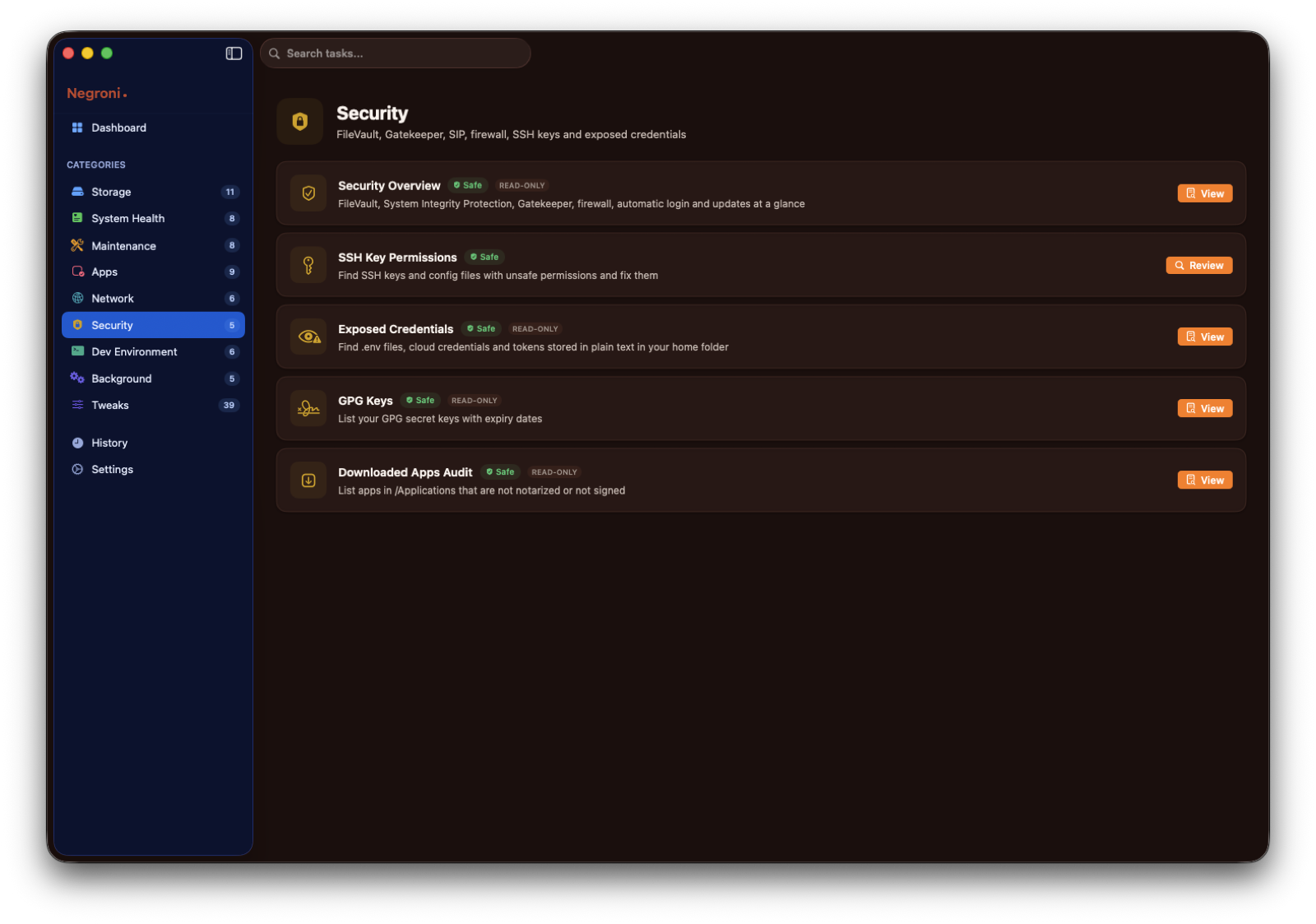
97 real tasks in 9 categories, a privileged helper you approve once, and the list of every single file before it goes. Free, notarized, universal.
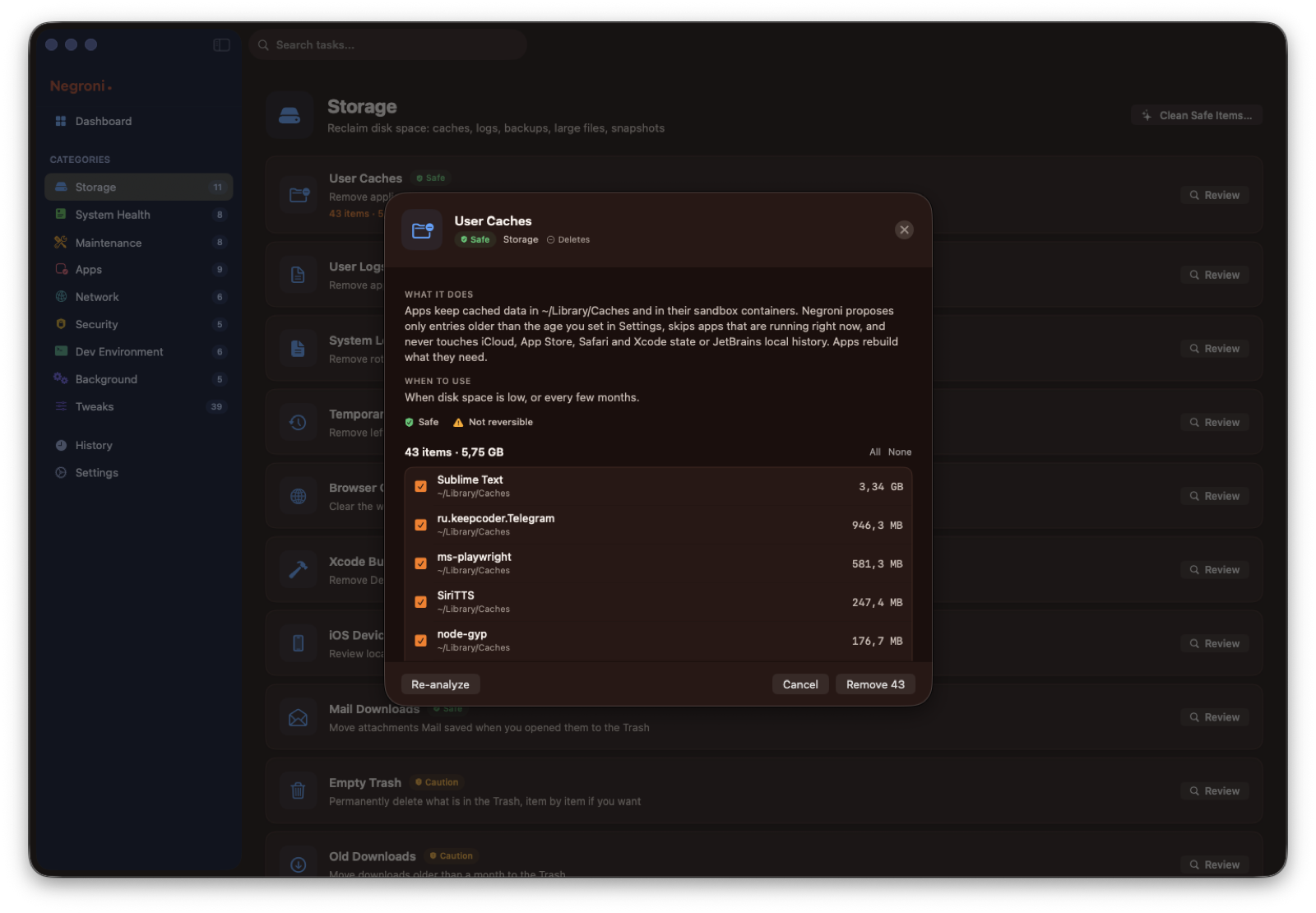
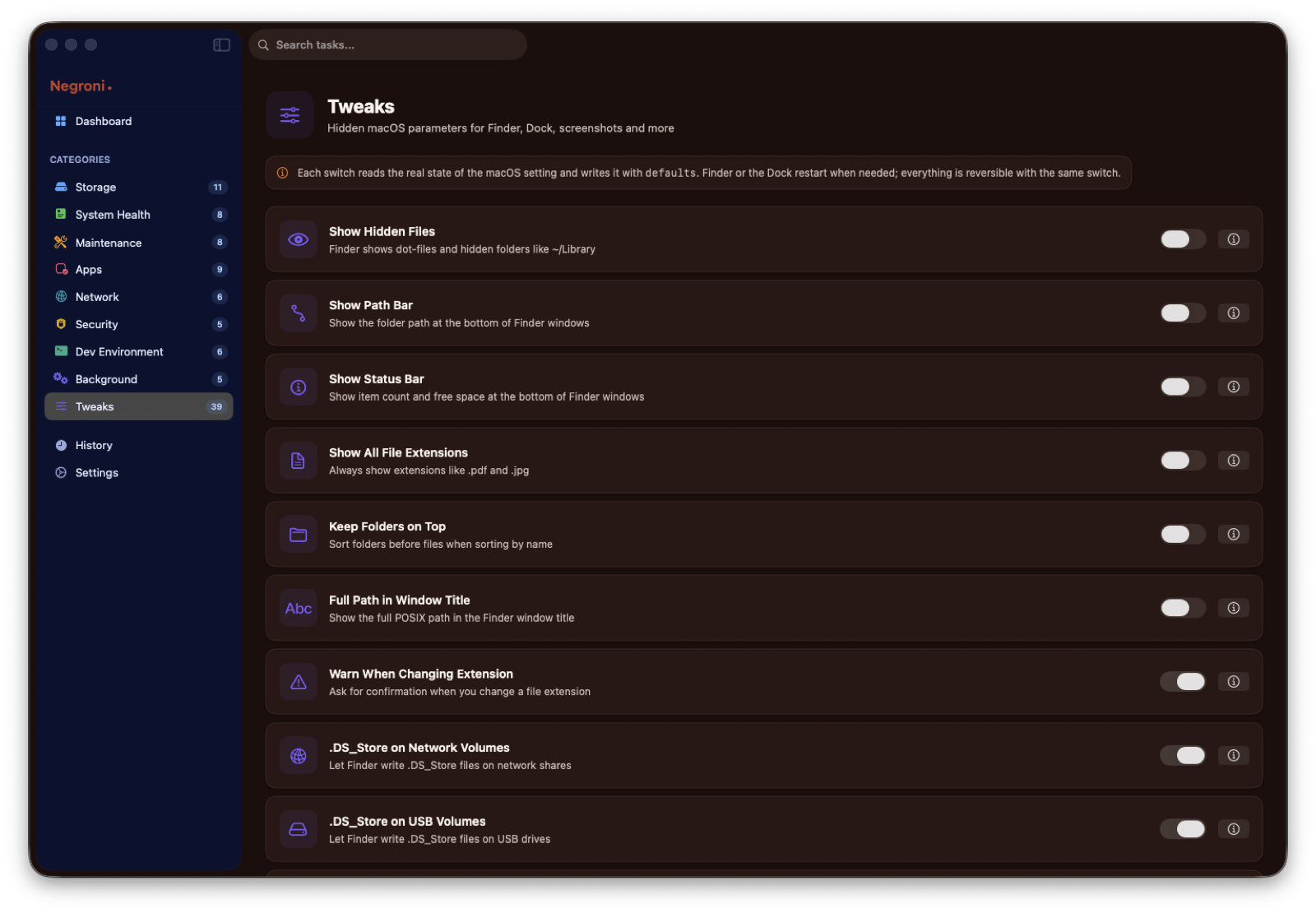
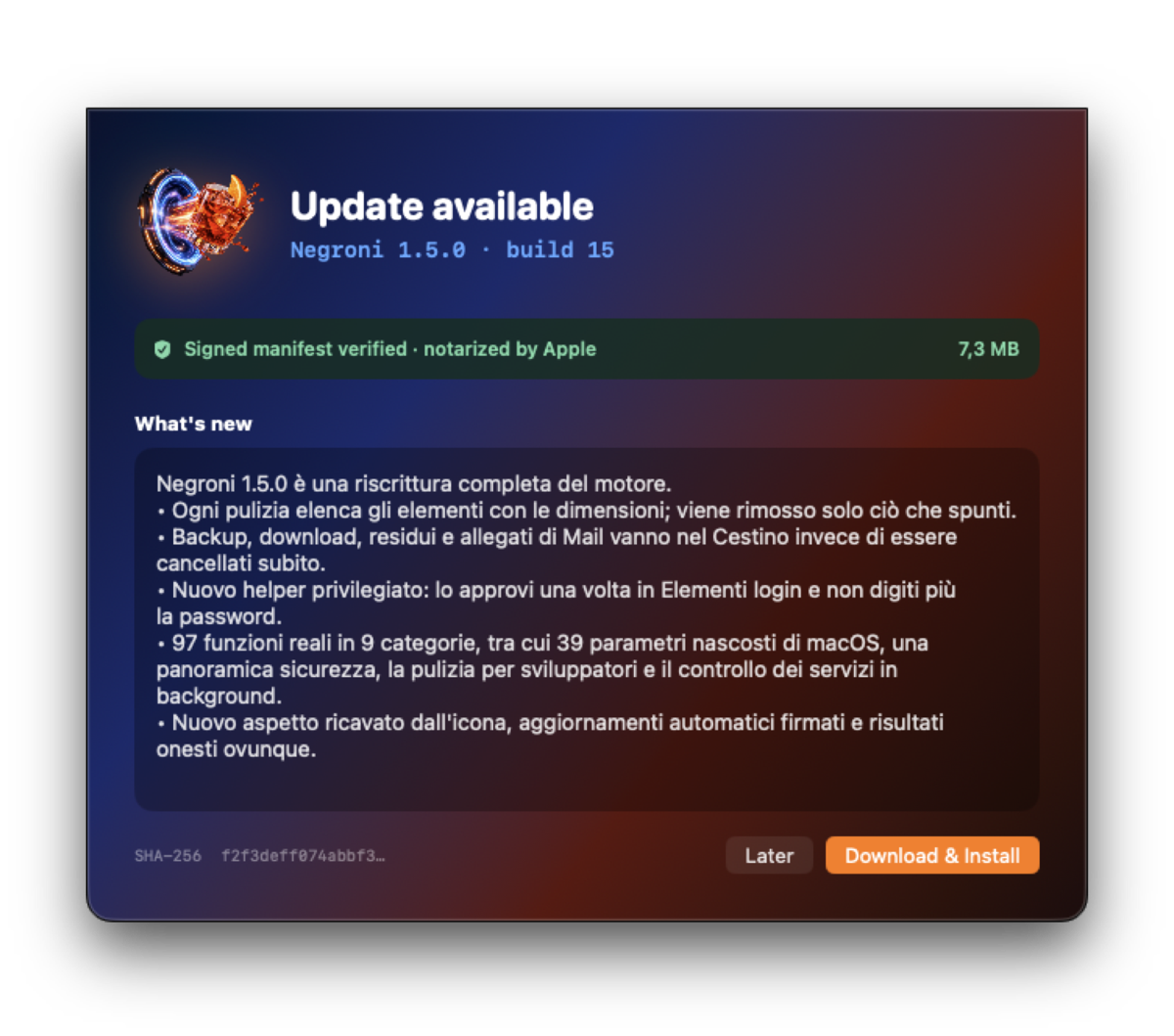
A free, notarized maintenance app for macOS 14 and later. Caches, logs, launch agents, DNS, Spotlight, Time Machine and 39 hidden macOS tweaks. Every action lists what it will do, and only what you tick is removed.
Official images · 6
Open official page ↗
Source: BlackOrder, publisher. Publisher-reported information; missing fields are unverified. Reconfirm prices and requirements on the official page.
NetScope
AppEvery process, every connection, every byte
- Platform
- macOS
- Version
- 2.0.1
- Minimum operating system
- 14.0
- Source updated
- 2026-10-13T18:11:22+00:00
- Published architectures
- arm64, x86_64
- Price
- Free
What you can do
- Per-process network connections and traffic
- Connection map and history
- Live bandwidth per process
Full description
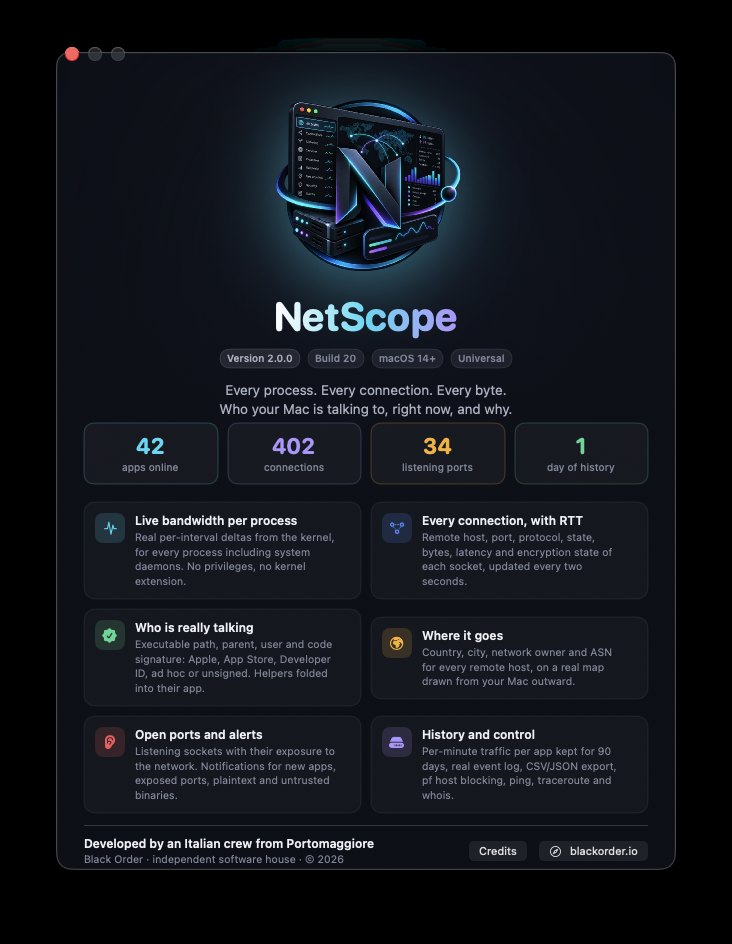
A live network monitor for macOS that tells you who your Mac is talking to, with the real bandwidth of each process, the identity and signature of each program, and where every connection goes.
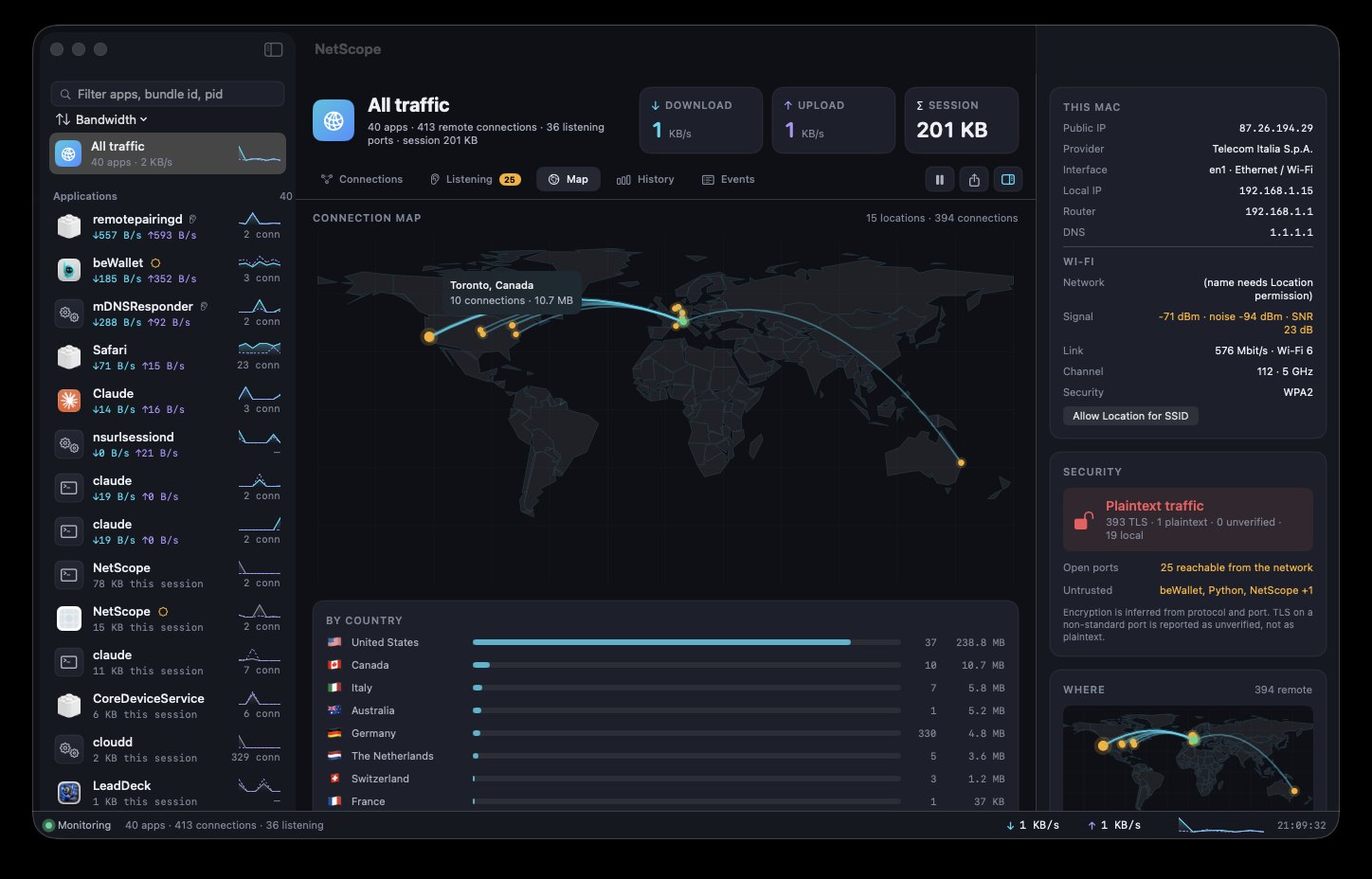
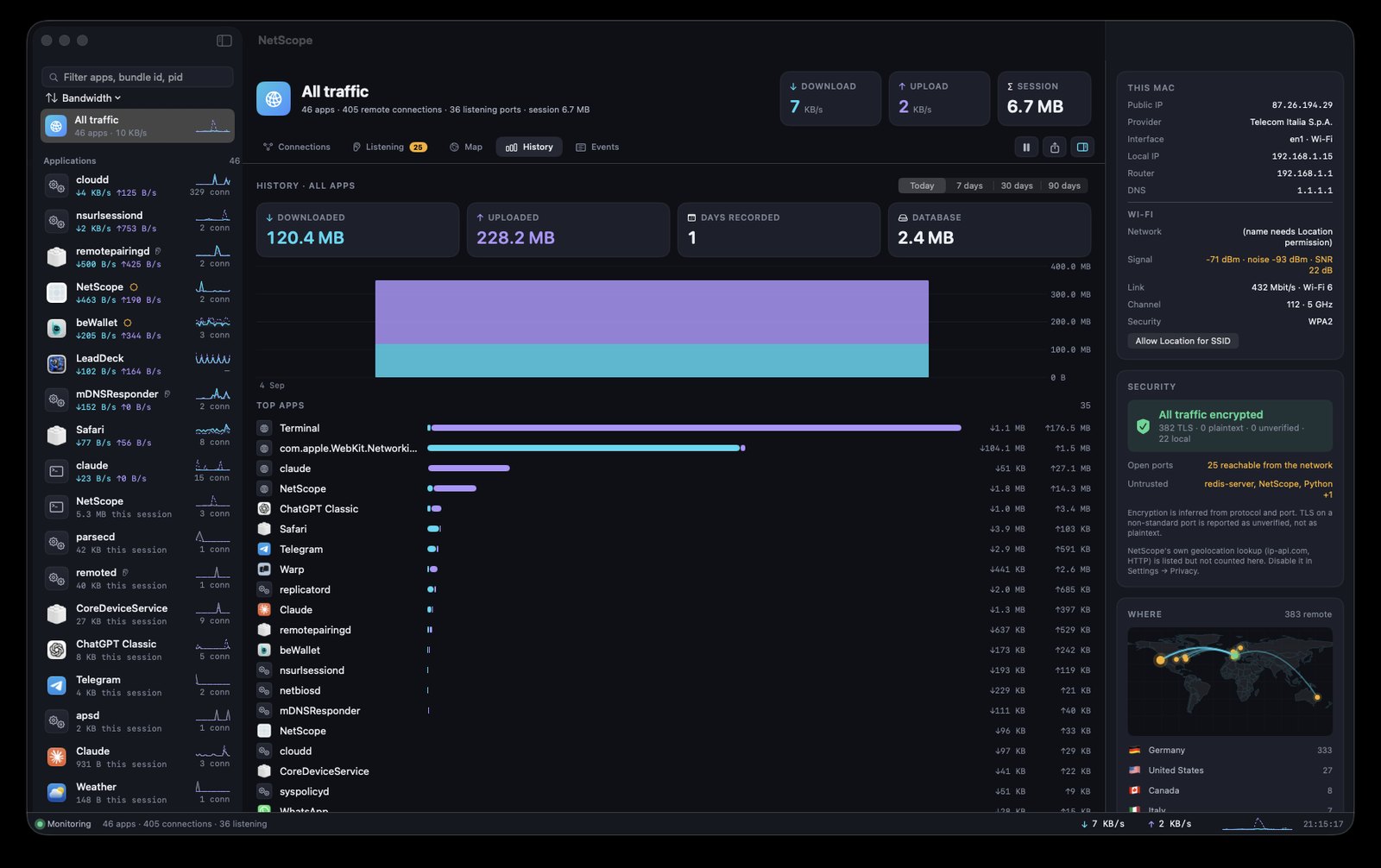
Free, notarized, universal. Per-process bandwidth from kernel statistics, every connection with latency and encryption state, code signature of each program, geolocation on a real map, listening ports, alerts, 90 days of history, pf blocking, ping, traceroute and whois.
Official images · 5
Open official page ↗
Source: BlackOrder, publisher. Publisher-reported information; missing fields are unverified. Reconfirm prices and requirements on the official page.
On Record
AppThe recorder that writes it all down, on your Mac
- Platform
- macOS
- Version
- 1.0.1
- Minimum operating system
- 26.0
- Source updated
- 2026-10-13T18:27:18+00:00
- Published architectures
- arm64
- Price
- Free
What you can do
- Records microphone and Mac audio
- On-device live transcription in any supported language
- Speaker separation and automatic notes
- Detects calls on WhatsApp, Telegram, Zoom, Teams, Meet and FaceTime
- Imports voice messages and any audio or video file
- Questions answered with citations into the audio
Full description
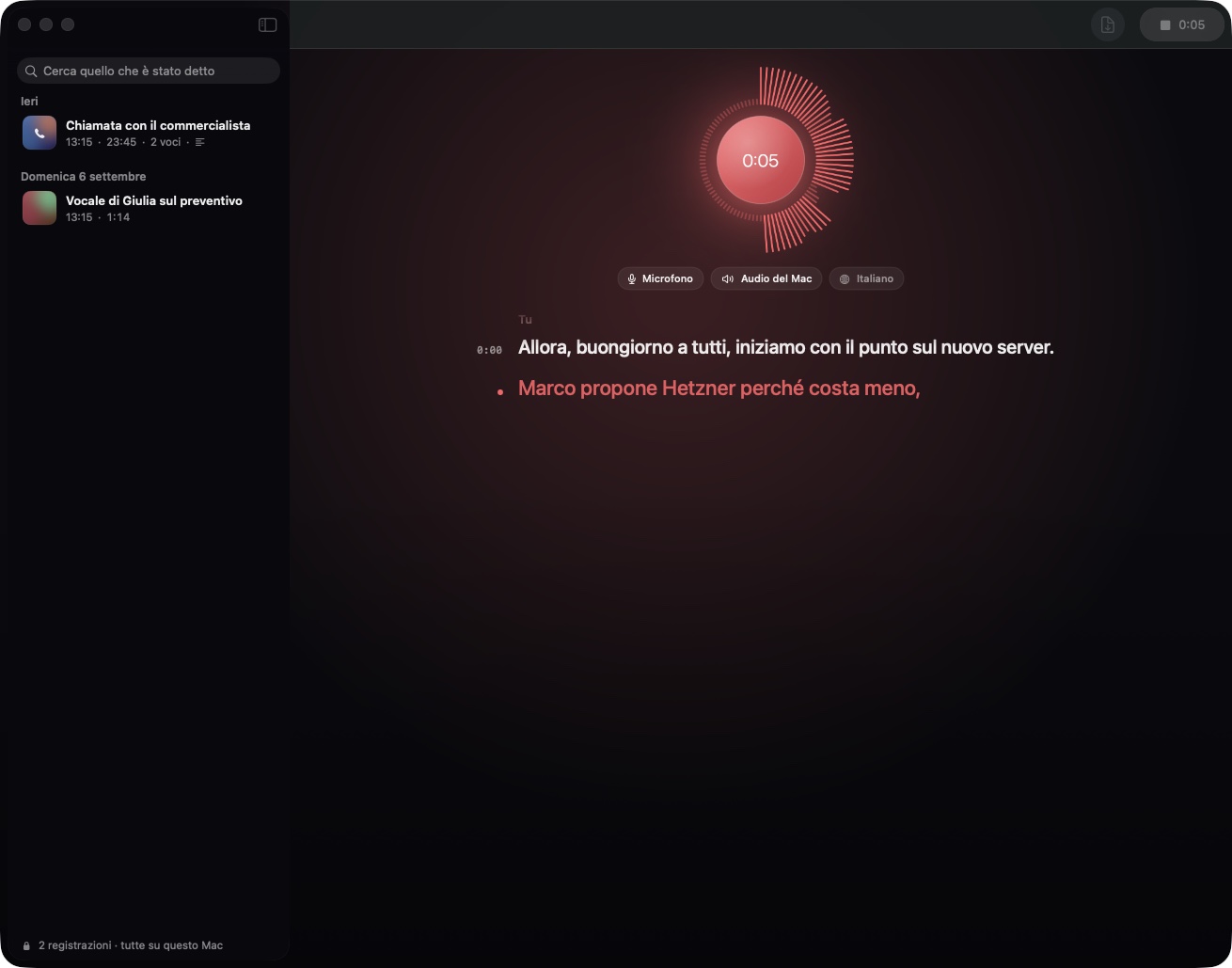
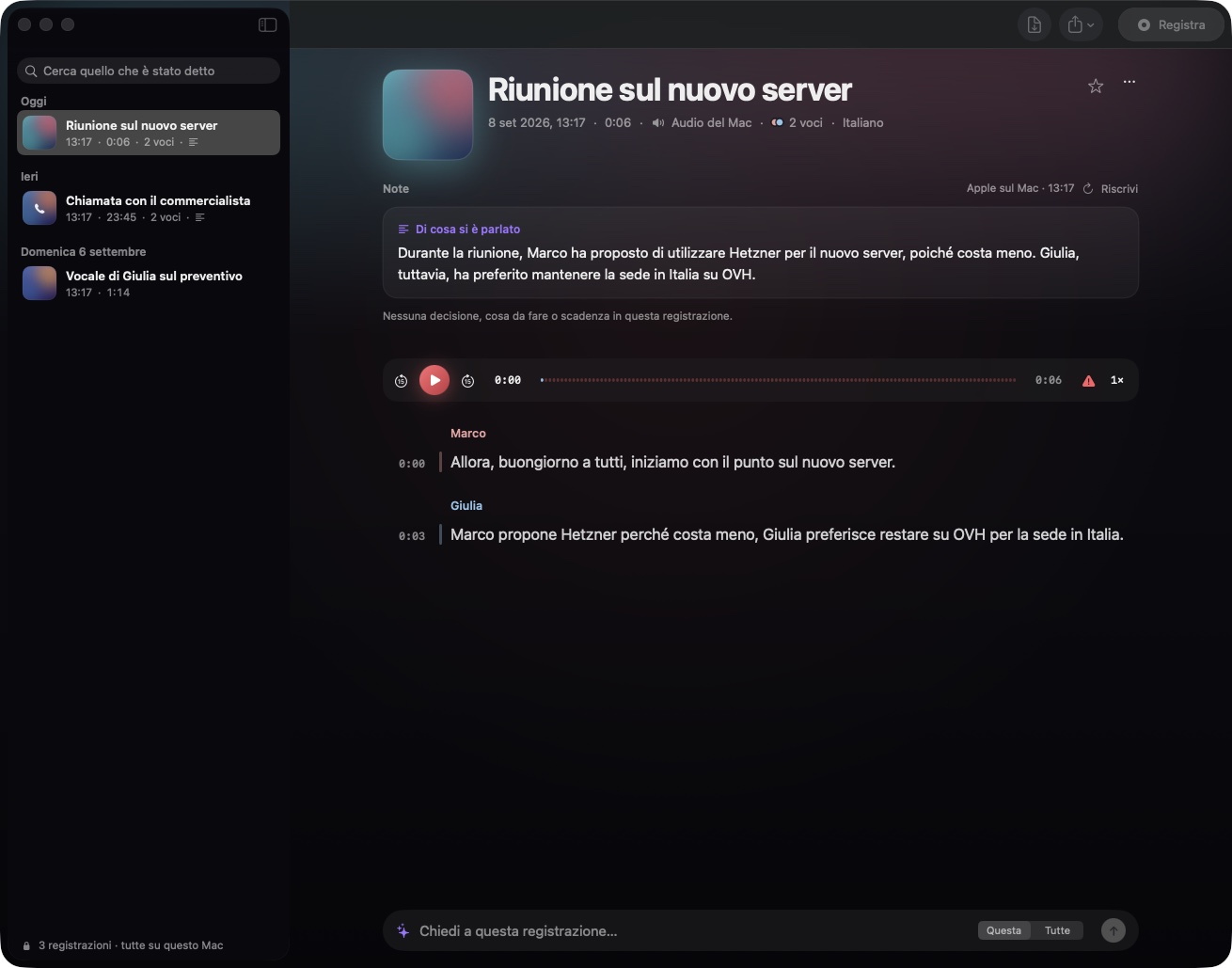
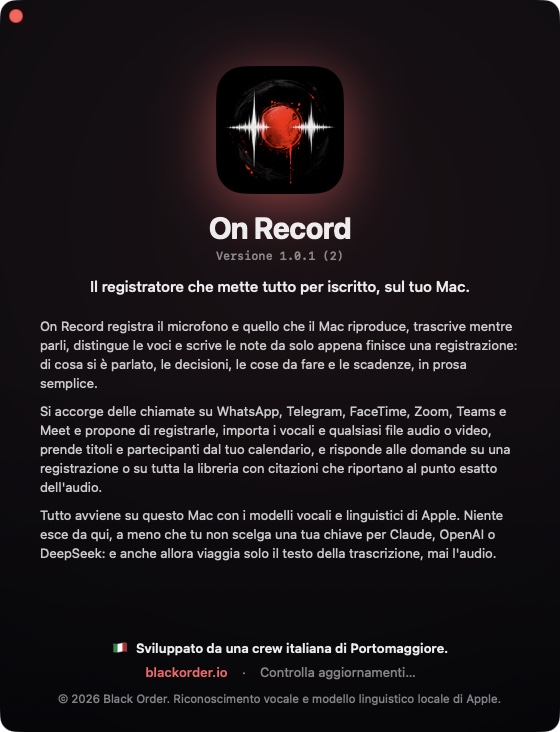
Free, no account, nothing to sign up for. It records meetings, calls and voice messages, transcribes them on the Mac while you speak, tells the voices apart and writes the notes by itself.
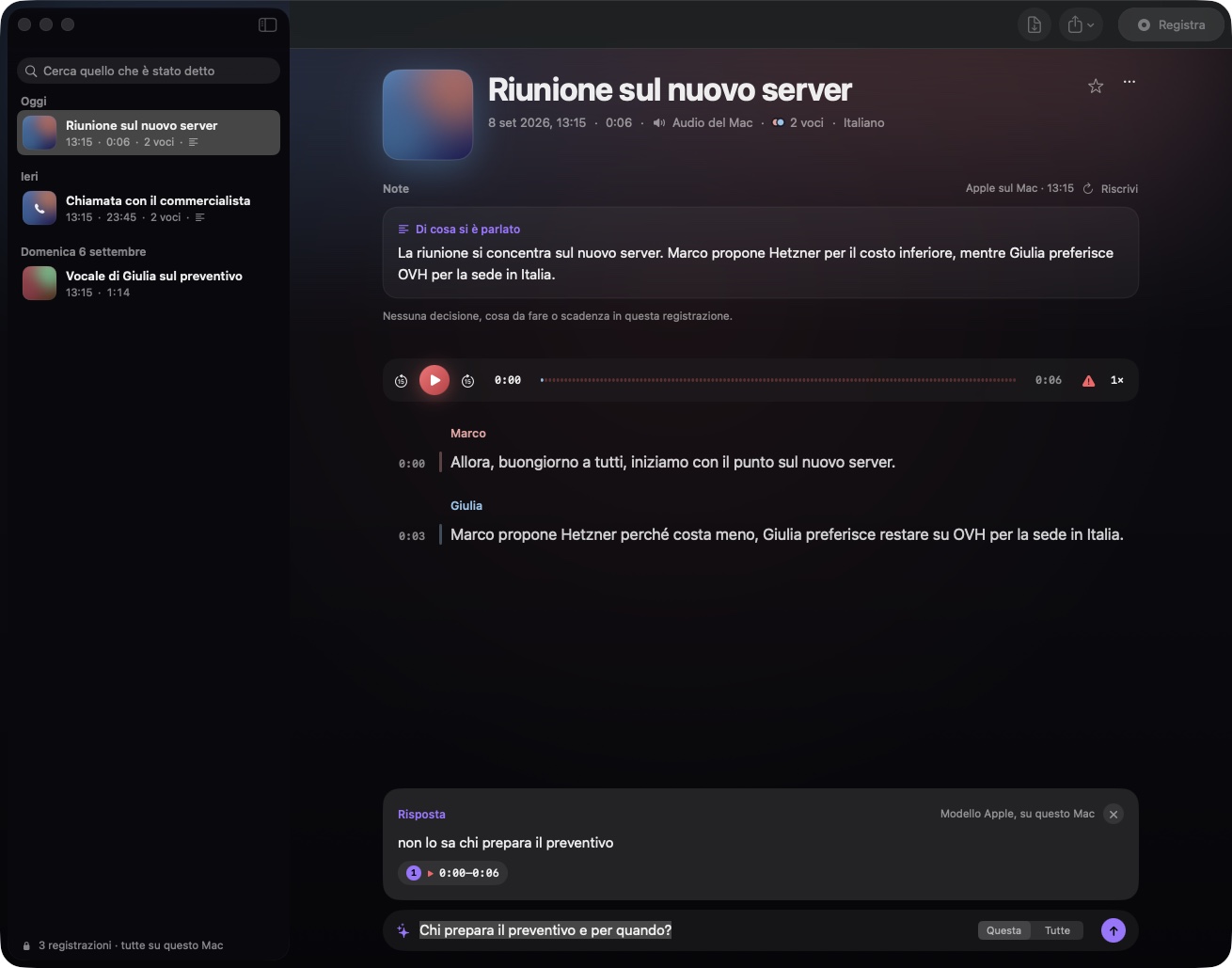
Free and without registration. Microphone and Mac audio, live transcription in any language with Apple's on-device speech engine, speaker separation, automatic notes in prose, calls noticed on WhatsApp, Telegram, Zoom, Teams and Meet, WhatsApp and Telegram voice messages, any audio or video file, a glossary for names, questions answered with citations that jump into the audio. Nothing leaves your Mac.
Official images · 6
Open official page ↗
Source: BlackOrder, publisher. Publisher-reported information; missing fields are unverified. Reconfirm prices and requirements on the official page.
PeakLab
AppThe waveform editor with a professional effects rack
- Platform
- macOS
- Version
- 3.2.0
- Minimum operating system
- 13.0
- Source updated
- 2026-10-13T18:36:23+00:00
- Published architectures
- arm64
- Price
- Free
What you can do
- Sample-accurate waveform editing with reliable undo and redo
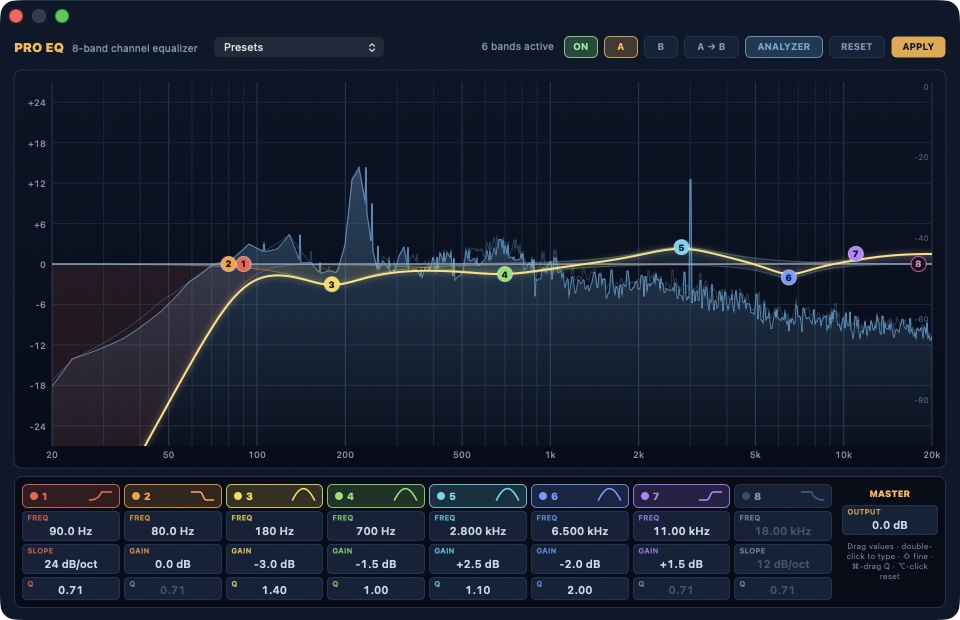
- Pro EQ: eight bands with a measured response curve and spectrum analyzer
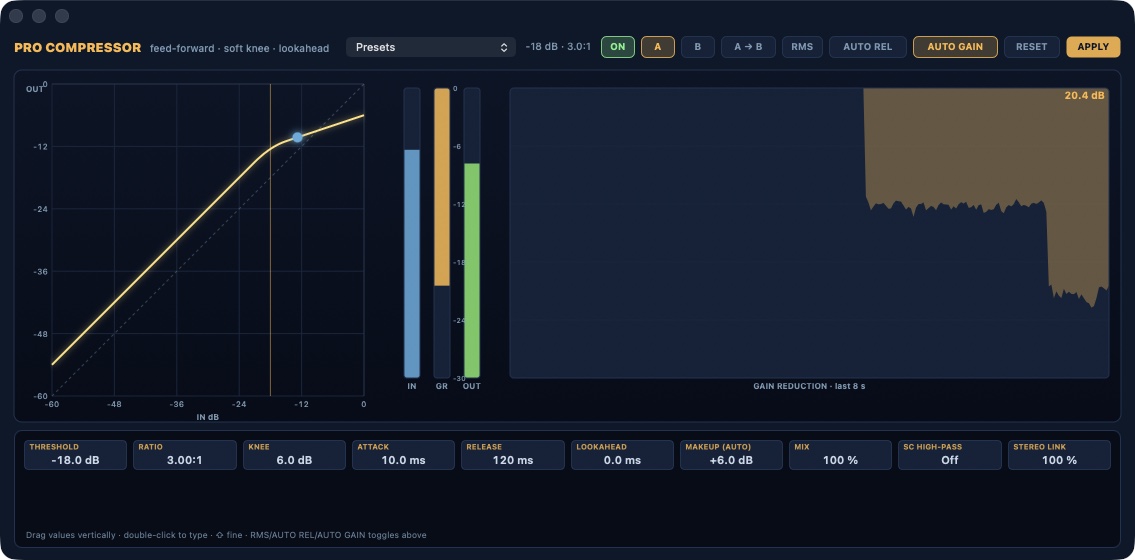
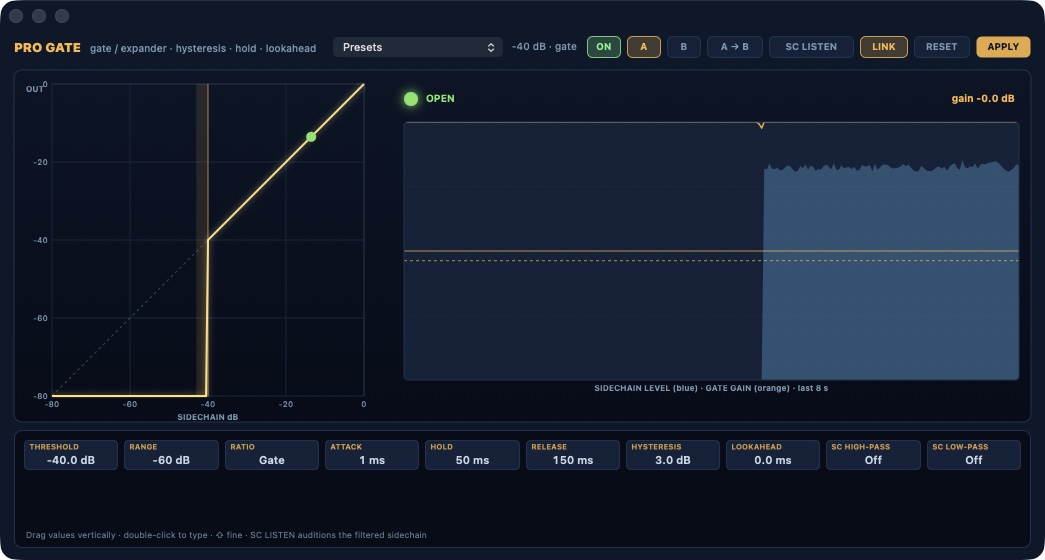
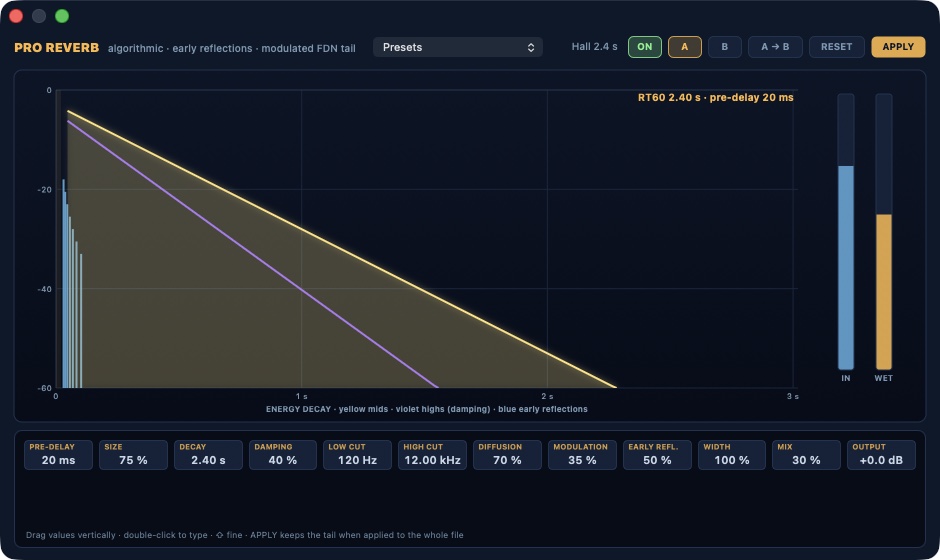
- Pro Compressor, Pro Gate and Pro Reverb with every parameter exposed
- Recording with punch-in, voice-over track, batch processing
- Normalization by peak or LUFS, time stretch, pitch shift, spectral noise reduction
- Writes WAV, AIFF, FLAC, Apple Lossless, AAC and CAF
Full description
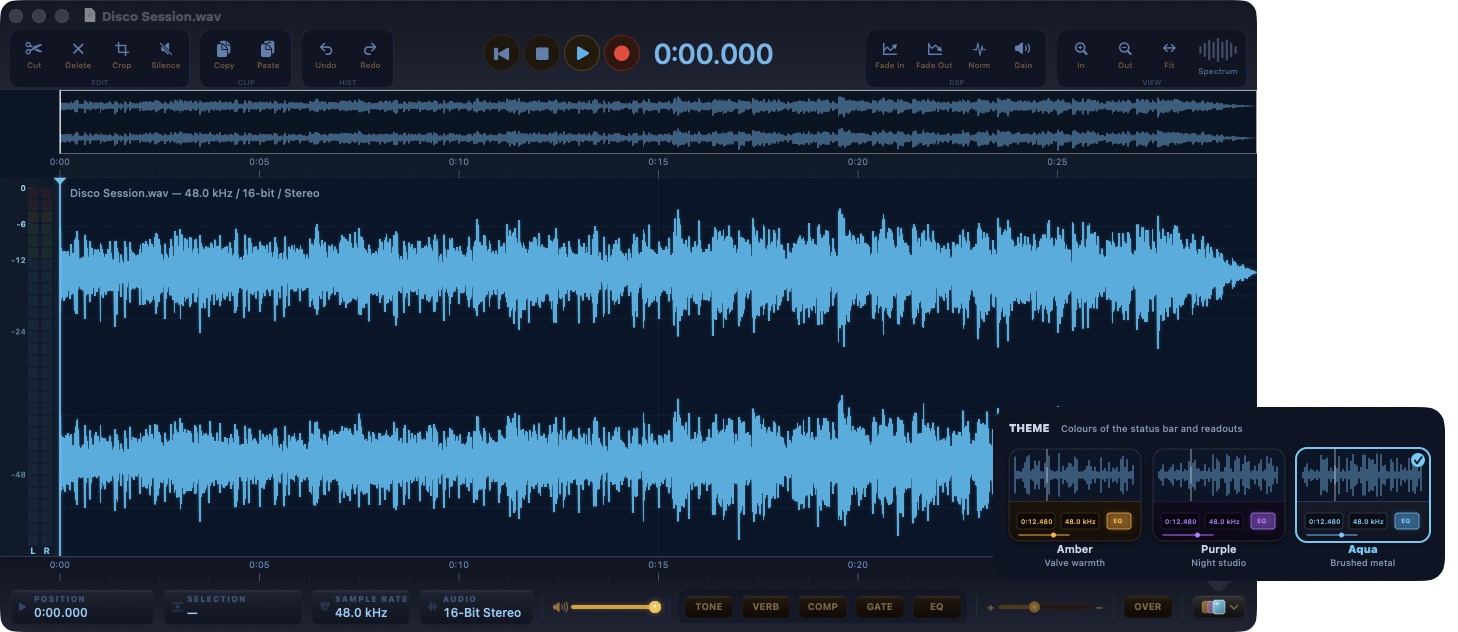
Free, no account, nothing to sign up for. A focused audio editor for the Mac, now with an eight-band equalizer, a compressor, a gate and a reverb built in-house, every parameter in the open, and one processing path for what you hear and what you export.
Free and without registration. Sample-accurate editing with reliable undo and redo, files saved in their own format, recording with punch-in, and a new Pro section: an eight-band EQ whose curve is measured on the real filters, a feed-forward compressor with knee and lookahead, a gate with hysteresis and hold, an algorithmic reverb with pre-delay, decay and damping. Notarized, for Apple silicon, updates through a signed channel.
Official images · 7
Open official page ↗
Source: BlackOrder, publisher. Publisher-reported information; missing fields are unverified. Reconfirm prices and requirements on the official page.

Mail Forensics
AppUnderstand the evidence behind an email
- Platform
- macOS
- Version
- 1.6.0
- Minimum operating system
- 14.0
- Source updated
- 2026-10-13T20:45:51+00:00
- Published architectures
- arm64
- Price
- Free
Full description
A visual investigation workspace for sender identity, authentication claims, delivery paths and optional AI content analysis.
Inspect suspicious emails on your Mac with a risk evidence map, detailed header analysis and optional AI. Explore Mail Forensics 1.6.0 through nine screenshots and download the notarized app.
Official images · 9
Open official page ↗
Source: BlackOrder, publisher. Publisher-reported information; missing fields are unverified. Reconfirm prices and requirements on the official page.
AgentOrder
AppA browser for the agentic web
- Platform
- macOS
- Version
- 0.1.1
- Minimum operating system
- 14.0
- Source updated
- 2026-10-13T19:48:09+00:00
- Published architectures
- arm64
- Price
- Free
What you can do
- Deterministic discovery of public agent interfaces
- MCP Streamable HTTP inspection and explicit tool runner
- Native interactive architecture graph with progressive scan observations
- Guided view, technical inspector and JSON, Markdown and PDF exports
- Optional AI candidate research with separately configured providers
Full description
See how a website presents itself to AI agents. Inspect real discovery documents, MCP servers and tools in a native Mac workspace.
A free native Mac browser for agent-readable interfaces: deterministic domain scans, an interactive architecture map, a guided view, an MCP tool runner and signed updates.
Official images · 2
Open official page ↗
Source: BlackOrder, publisher. Publisher-reported information; missing fields are unverified. Reconfirm prices and requirements on the official page.

ApexSdrDrm
App- Platform
- macOS
- Source updated
- 2026-10-12T18:07:06+00:00
- Price
- Check the official page for the current price
Open official page ↗
Source: BlackOrder, publisher. Publisher-reported information; missing fields are unverified. Reconfirm prices and requirements on the official page.

Atlas PostEdit Studio
App- Platform
- macOS
- Source updated
- 2026-10-12T18:07:06+00:00
- Price
- Check the official page for the current price
Open official page ↗
Source: BlackOrder, publisher. Publisher-reported information; missing fields are unverified. Reconfirm prices and requirements on the official page.

Black Safe
AppAdvanced Encryption and Post-Quantum Protection
- Platform
- macOS
- Source updated
- 2026-10-12T18:07:06+00:00
- Price
- Check the official page for the current price
What you can do
- AES-256-GCM Encryption - Maximum-strength encryption with authentication
- Protezione Post-Quantistica - ML-KEM-1024 (Kyber) protegge da futuri attacchi quantistici
- PNG Steganography - Hide encrypted data invisibly in images
- Cancellazione Sicura - Eliminazione permanente certificata DoD 5220.22-M
- Derivazione Chiave Argon2 - Protezione password all'avanguardia
- 100% Local Processing - No cloud, no tracking, complete privacy
Full description
Black Safe protects your files with advanced AES-256 encryption and ML-KEM (Kyber) post-quantum technology. Whether you need standard encryption, quantum-resistant protection, or data hidden through steganography, Black Safe ensures your information remains secure against current and future threats.
Official images · 2
Open official page ↗
Source: BlackOrder, publisher. Publisher-reported information; missing fields are unverified. Reconfirm prices and requirements on the official page.

Black WiFi Radar
AppProfessional Wi-Fi Analysis Tool for macOS
- Platform
- macOS
- Source updated
- 2026-10-12T18:07:06+00:00
- Price
- Check the official page for the current price
What you can do
- Dual Band Scan - Scans 2.4 GHz and 5 GHz networks with DFS channel support
- Hidden Networks - Detects hidden networks and analyzes channel overlap
- Best Channel Suggestion - Suggests the best channel with minimum interference
- Advanced Signal Processing - Stable readings with RSSI, channel width, band, security type and BSSID
- Privacy First - Works entirely locally, no data collection, native macOS with Apple Silicon support
Full description
Black WiFi Radar is a professional Wi-Fi analysis tool designed to give you a clear and immediate view of your wireless environment. Using a real-time radar interface, it displays nearby Wi-Fi networks based on signal strength, channel usage, band, and security, making congestion and interference immediately understandable at a glance.
Official images · 2
Open official page ↗
Source: BlackOrder, publisher. Publisher-reported information; missing fields are unverified. Reconfirm prices and requirements on the official page.

BlackUnarchiver
AppProfessional Archive Extractor and Analyzer for macOS
- Platform
- macOS
- Source updated
- 2026-10-12T18:07:06+00:00
- Price
- Check the official page for the current price
What you can do
- Multi-Format Support - ZIP, RAR, TAR, GZ, 7Z and more with drag & drop extraction
- Security Analysis - Detects executables, hidden files, symlinks with clear warnings
- Detailed Reports - PDF and JSON reports with hash, integrity checks, security flags
- Integrity Verification - Hash and CRC checks ensure data matches the original archive
- 100% Offline - All operations performed locally, no cloud, no tracking, no ads
Full description
BlackUnarchiver is a professional archive extractor and analyzer built for macOS users who care about control, security and transparency. It deeply analyzes the archive structure, showing you every file, folder, size and hierarchy before extraction. It detects executables, hidden files, symlinks and unusual structures that could pose a risk.
Official images · 2
Open official page ↗
Source: BlackOrder, publisher. Publisher-reported information; missing fields are unverified. Reconfirm prices and requirements on the official page.

DarkText OCR
App- Platform
- macOS
- Source updated
- 2026-10-12T18:07:06+00:00
- Price
- Check the official page for the current price
Open official page ↗
Source: BlackOrder, publisher. Publisher-reported information; missing fields are unverified. Reconfirm prices and requirements on the official page.

DarkWipe
AppMetadata Removal and Privacy Cleanup for macOS
- Platform
- macOS
- Source updated
- 2026-10-12T18:07:06+00:00
- Price
- Check the official page for the current price
What you can do
- Rimozione Completa Metadati - GPS, info dispositivo, autore, timestamp, cronologia modifiche
- Multi-Format Support - Foto, documenti, PDF e altro
- Preview Before Cleanup - See exactly which metadata is embedded in your files
- Perfetto Per - Giornalisti, avvocati, attivisti, creatori, utenti attenti alla privacy
- 100% Offline - No cloud, no tracking, files never leave your Mac
Full description
DarkWipe is a professional privacy tool that permanently removes hidden metadata from your files before sharing. Photos, documents and PDFs often contain sensitive information like GPS location, device details, author names, timestamps and edit history. DarkWipe lets you see exactly what data is embedded and securely remove it.
Official images · 2
Open official page ↗
Source: BlackOrder, publisher. Publisher-reported information; missing fields are unverified. Reconfirm prices and requirements on the official page.

HyperBridge
App- Platform
- macOS
- Source updated
- 2026-10-12T18:07:06+00:00
- Price
- Check the official page for the current price
Open official page ↗
Source: BlackOrder, publisher. Publisher-reported information; missing fields are unverified. Reconfirm prices and requirements on the official page.

ISP Score
App- Platform
- macOS
- Source updated
- 2026-10-12T18:07:06+00:00
- Price
- Check the official page for the current price
Open official page ↗
Source: BlackOrder, publisher. Publisher-reported information; missing fields are unverified. Reconfirm prices and requirements on the official page.

Jamison
App- Platform
- macOS
- Source updated
- 2026-10-12T18:07:06+00:00
- Price
- Check the official page for the current price
Open official page ↗
Source: BlackOrder, publisher. Publisher-reported information; missing fields are unverified. Reconfirm prices and requirements on the official page.

Lan Radar Pro
App- Platform
- macOS
- Source updated
- 2026-10-12T18:07:06+00:00
- Price
- Check the official page for the current price
Open official page ↗
Source: BlackOrder, publisher. Publisher-reported information; missing fields are unverified. Reconfirm prices and requirements on the official page.

License Vault
App- Platform
- macOS
- Source updated
- 2026-10-12T18:07:06+00:00
- Price
- Check the official page for the current price
Open official page ↗
Source: BlackOrder, publisher. Publisher-reported information; missing fields are unverified. Reconfirm prices and requirements on the official page.

On Air MK2
AppMac · 22 apps
- Platform
- macOS
- Source updated
- 2026-10-12T18:07:06+00:00
- Price
- Check the official page for the current price
What you can do
- Up to 4 simultaneous video sources
- Preview/Program dual-monitor
- CUT & AUTO transitions (750ms)
- T-Bar fader for manual control
- Audio Follow Video (AFV)
- Mix, Dip, Wipe, Push, Slide
- Fade, Iris, Zoom
- Stinger with audio & mask
- 7 composition layouts (PiP, Split)
- All rendered in real-time on Metal
- HPF 80Hz + Noise Gate
- Compressor (1:1 - 8:1 ratio)
- 5-band Parametric EQ
- Reverb (6 presets) + Limiter
- 48 kHz / 32-bit float internal
- YouTube, Twitch, custom RTMP
- 720p to 1440p @ 30/60 fps
- H.264 / H.265 hardware enc.
- Buffer-pressure congestion ABR
- Auto-reconnect (3 attempts)
- H.264, H.265, ProRes 422/HQ
- 720p to 4K UHD (3840x2160)
- Zero-copy Metal GPU capture
- QuickTime MOV container
- Storage estimation & warnings
- Chroma Key (Green/Blue/White)
- 3-Way Color Grading (DaVinci)
- Focus Peaking & Zebra Stripes
- Histogram, Vectorscope, Waveform
- Image, Video & Ticker overlays
- 6 presets: Podcast to YouTube
- LUFS: Short-Term, Integrated
- PPM Peak Meters (IEC 60268)
- 16/32-band spectral analyzer
- Voiceover ducking & app capture
- 60s ring buffer @ 8 Mbps, 60fps
- Save & load replay clips
- LTC decoder (auto frame rate)
- Network sync via Bonjour UDP
- Swift + SwiftUI + Metal
- App Sandbox + Hardened Runtime
- UVC camera control via IOKit
- macOS 13+ (Ventura/Sonoma/Sequoia)
Full description
The complete broadcast suite built natively with Swift & Apple Metal. Multi-camera switching, professional audio, streaming, recording, and instant replay. all in one app.
Official images · 2
Open official page ↗
Source: BlackOrder, publisher. Publisher-reported information; missing fields are unverified. Reconfirm prices and requirements on the official page.

On Air Valve
App- Platform
- macOS
- Source updated
- 2026-10-12T18:07:06+00:00
- Price
- Check the official page for the current price
Open official page ↗
Source: BlackOrder, publisher. Publisher-reported information; missing fields are unverified. Reconfirm prices and requirements on the official page.

Orion Weather Studio Pro
App- Platform
- macOS
- Source updated
- 2026-10-12T18:07:06+00:00
- Price
- Check the official page for the current price
Open official page ↗
Source: BlackOrder, publisher. Publisher-reported information; missing fields are unverified. Reconfirm prices and requirements on the official page.

Parole Da Leggere Desktop
App- Platform
- macOS
- Source updated
- 2026-10-12T18:07:06+00:00
- Price
- Check the official page for the current price
Open official page ↗
Source: BlackOrder, publisher. Publisher-reported information; missing fields are unverified. Reconfirm prices and requirements on the official page.

Peekfile
App- Platform
- macOS
- Source updated
- 2026-10-12T18:07:06+00:00
- Price
- Check the official page for the current price
Open official page ↗
Source: BlackOrder, publisher. Publisher-reported information; missing fields are unverified. Reconfirm prices and requirements on the official page.

PinBoard Omega
App- Platform
- macOS
- Source updated
- 2026-10-12T18:07:06+00:00
- Price
- Check the official page for the current price
Open official page ↗
Source: BlackOrder, publisher. Publisher-reported information; missing fields are unverified. Reconfirm prices and requirements on the official page.

Regia Smart Organizer
App- Platform
- macOS
- Source updated
- 2026-10-12T18:07:06+00:00
- Price
- Check the official page for the current price
Open official page ↗
Source: BlackOrder, publisher. Publisher-reported information; missing fields are unverified. Reconfirm prices and requirements on the official page.

Route Scope Net
App- Platform
- macOS
- Source updated
- 2026-10-12T18:07:06+00:00
- Price
- Check the official page for the current price
Open official page ↗
Source: BlackOrder, publisher. Publisher-reported information; missing fields are unverified. Reconfirm prices and requirements on the official page.
DarkScope
App- Platform
- iOS / iPadOS
- Source updated
- 2026-10-12T18:07:06+00:00
- Price
- Check the official page for the current price
Open official page ↗
Source: BlackOrder, publisher. Publisher-reported information; missing fields are unverified. Reconfirm prices and requirements on the official page.

On Air Valve Go
App- Platform
- iOS / iPadOS
- Source updated
- 2026-10-12T18:07:06+00:00
- Price
- Check the official page for the current price
Open official page ↗
Source: BlackOrder, publisher. Publisher-reported information; missing fields are unverified. Reconfirm prices and requirements on the official page.

Parole Da Leggere
App- Platform
- iOS / iPadOS
- Source updated
- 2026-10-12T18:07:06+00:00
- Price
- Check the official page for the current price
Open official page ↗
Source: BlackOrder, publisher. Publisher-reported information; missing fields are unverified. Reconfirm prices and requirements on the official page.
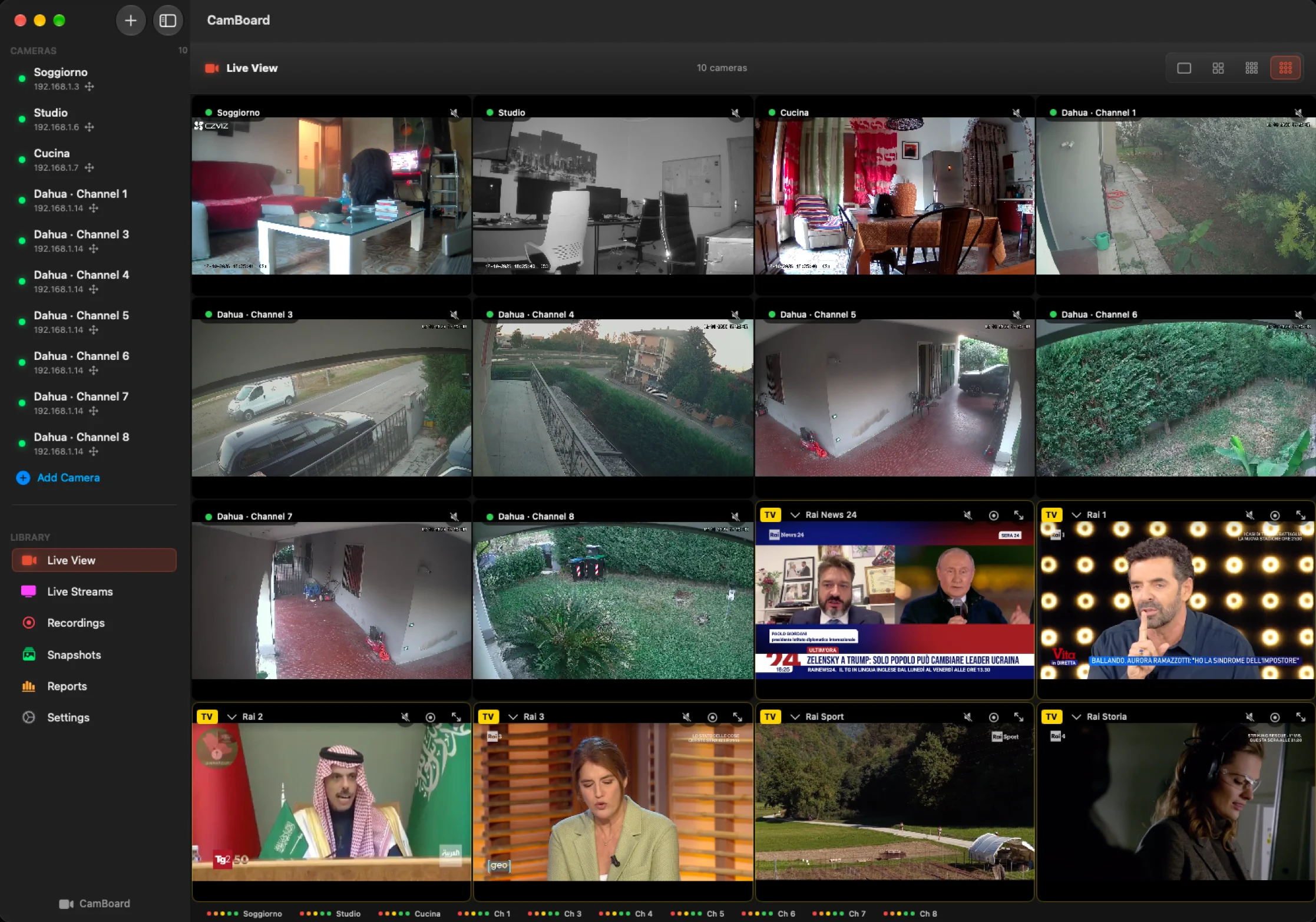
CamBoard: every camera, every recorder, one grid on your Mac
ArticleA native Mac app for IP cameras and recorders: cameras discover themselves, the recorder's archive plays on a timeline, recording works three ways, and free TV fills the empty slots. €39.90 once, up to 3 Macs.
- Source updated
- 2026-10-13T19:05:37+00:00
Full description
The cameras are already there. One watches the gate, one the living room, a recorder in a cupboard keeps eight more and writes everything to its own disk. What is missing is a place on the Mac where all of them live together: not a browser tab for each brand, not a plugin that stops working at the next macOS update, not an app that wants an account before it shows a single frame.
CamBoard is that place. It is a native Mac app built in Portomaggiore, in the province of Ferrara, and it does one thing with care: it puts every camera, every channel of a recorder and, if you like, a few free TV channels on one grid, and keeps everything on your network and on your disk.
Cameras find themselves
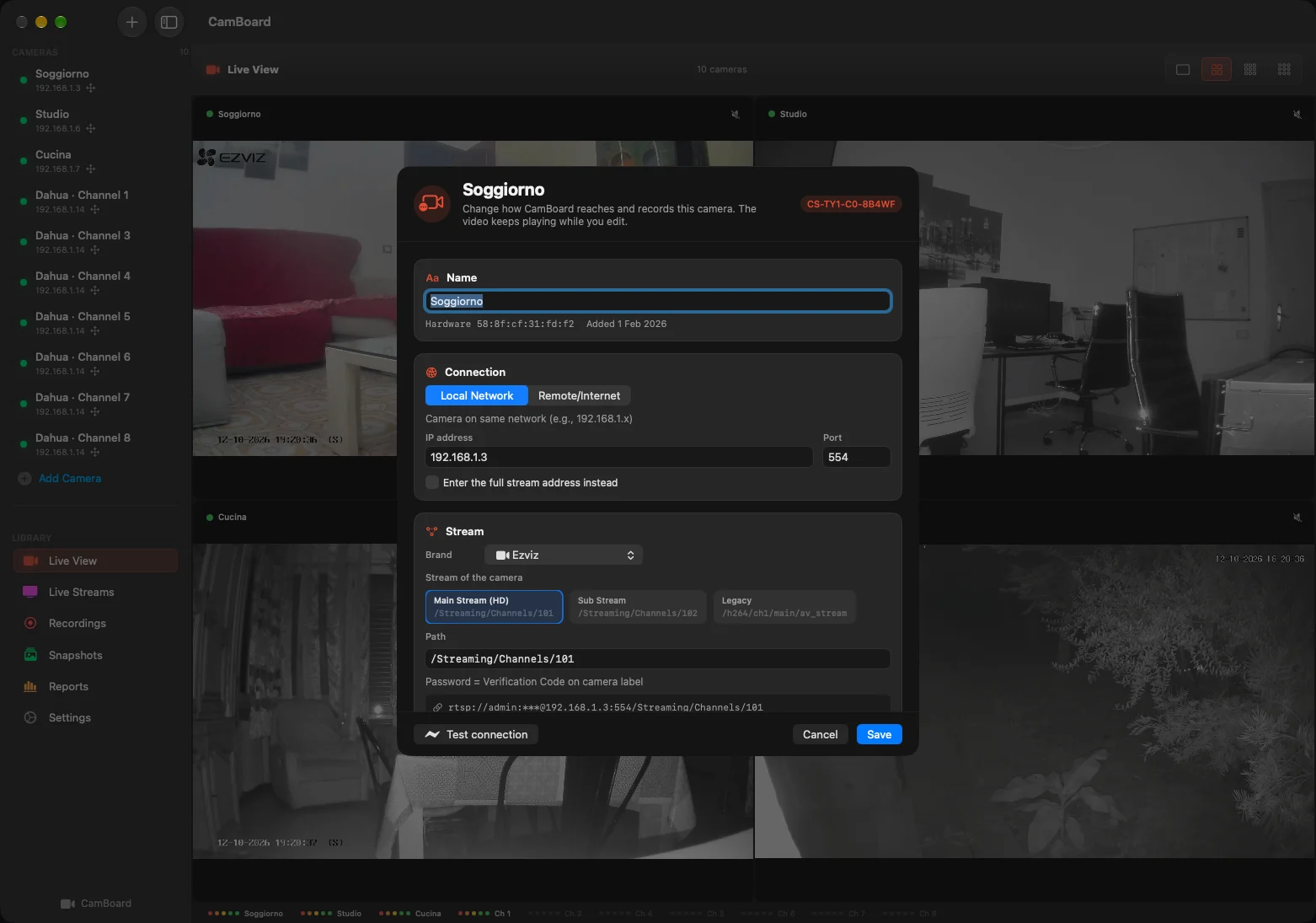
Open Add Camera and CamBoard scans the network for you. ONVIF cameras, RTSP streams and recorders appear in a list with brand, model and address; pick one, type its password, and the right stream path is worked out automatically. A camera that is switched on but not yet streaming is flagged with the steps needed to enable it, instead of a silent black square.
A camera that gets a new address from the router is found again by its hardware identity and reconnected without your help. Passwords stay in the macOS keychain. There is no account, no cloud and no telemetry.
Recorders, with all their channels
An NVR or XVR is added once, with its administrator login. CamBoard asks it for the list of channels and adds the ones you tick, each as its own camera in the grid, with its own name, its own recording settings and its own place in the layout. We developed and tested it on a Dahua XVR; recorders that speak ONVIF, Hikvision and compatible brands are handled the same way.
The recorder's archive, from your Mac
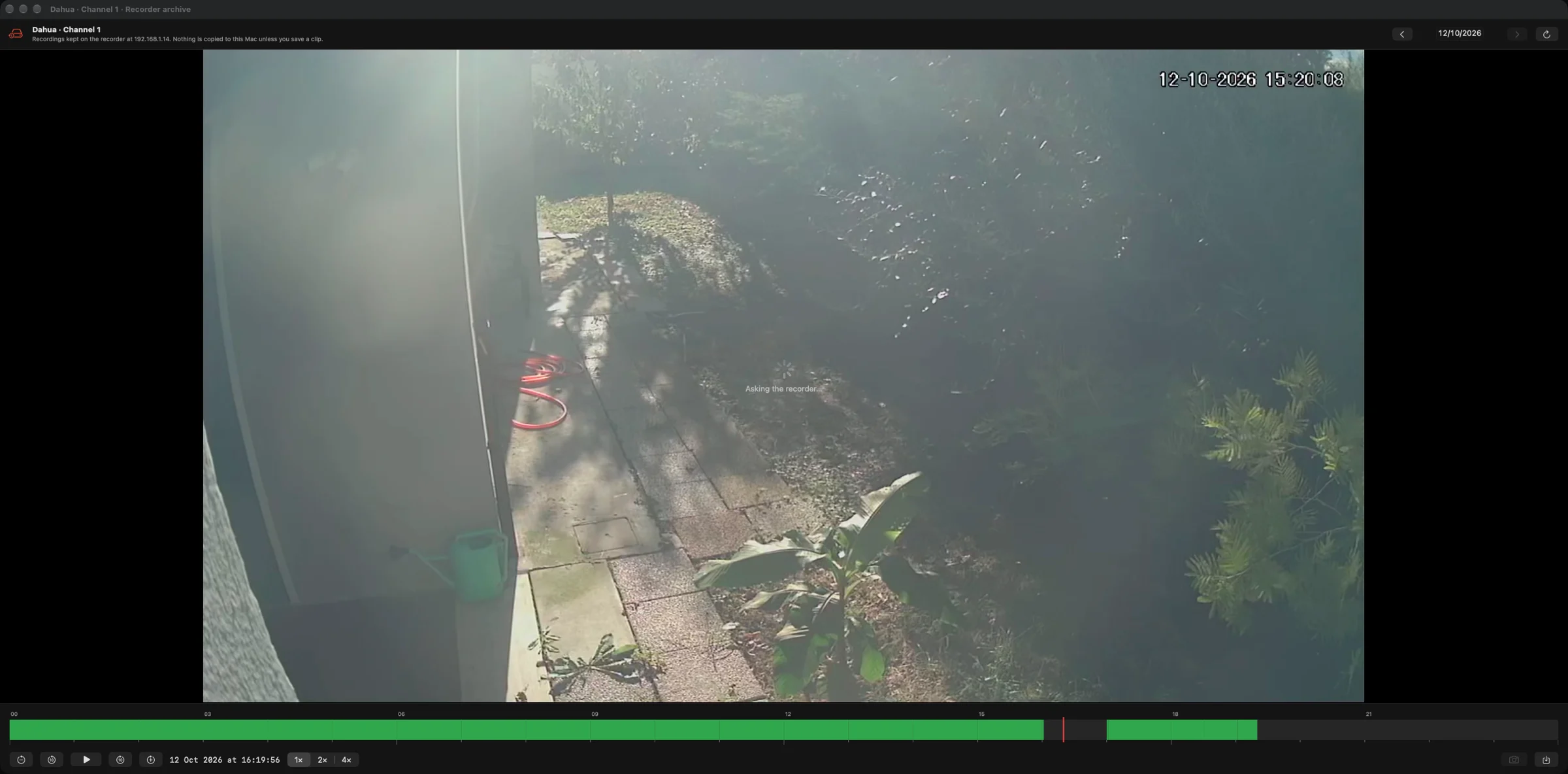
This is the part we wanted most. For a channel of a recorder, open its archive: a timeline of the day shows in green what was recorded, a click plays from that moment, and the controls do what you expect, pause, jumps backwards and forwards, playback at 2× or 4×. Change the day with the arrows, take a snapshot of the frame you are looking at, or save a clip of one, five or fifteen minutes as an MP4 on the Mac. Nothing else is copied: the video stays on the recorder until you decide to keep a piece of it.
Recording, three ways
Record a camera with one click when something is happening. Let motion detection start a clip by itself, with a sensitivity you choose per camera. Or turn on continuous recording and use CamBoard as a 24/7 NVR: segments of a chosen length, a storage limit, a retention period, and the Mac kept awake while it records. Every recording lands in the library as an MP4 that QuickTime opens, at the quality you set once in Settings.
It keeps running on its own
A camera wall is only useful if it is still there in the morning. After the Mac sleeps or the screen goes dark, every stream is reopened; a stream that stops delivering frames is restarted without your help; a recorder that was rebooted is picked up again. We spent a good part of the development on exactly this, with the app left running for days on a desk full of real cameras.
Sound, pan and tilt, and the truth about each camera
Turn the speaker on in any cell to hear that camera, with volume and an equaliser. Cameras that support ONVIF pan and tilt get a control pad right inside the cell. The Reports page checks each camera for real and shows status, frames per second, resolution, data rate, frame loss and codec, live, next to what is being recorded and how much disk is in use.
Free TV where there is no camera
Empty slots of the grid play free television channels, muted, each one replaceable from a menu. A channel can be enlarged with sound, recorded, or sent to the grid as if it were a camera. Dead links are checked and skipped. If you would rather keep the slots empty, one switch in Settings does it.
Made for the Mac, kept on the Mac
CamBoard is a native app, signed and notarised, for macOS 14 or later, on Apple silicon and Intel Macs. The interface is in English. Video decoding is done by VLCKit and libVLC, which is why cameras of very different brands, H.264 and H.265, RTSP and HLS, all end up on the same grid. The look follows one of the built-in themes, Carbon by default, and the window fits a 14-inch MacBook as well as a wall of monitors.
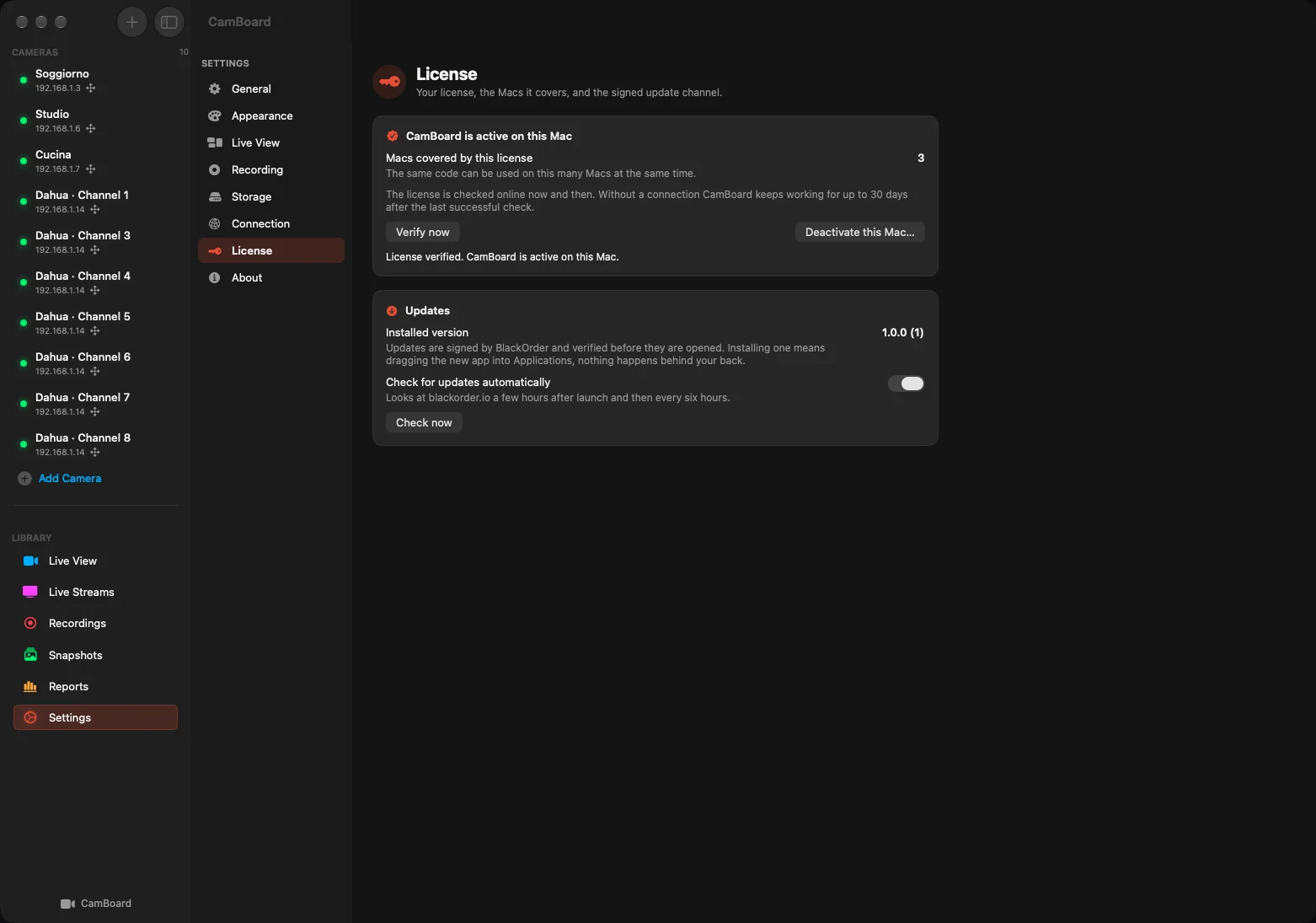
Updates arrive through the same signed channel used by our other apps: the app checks blackorder.io now and then, verifies the signature and the checksum of what it downloads, and leaves the installation to you, by dragging the new version into Applications.
€39.90 once, for up to 3 Macs
One purchase, a license with no expiry, no subscription and no automatic renewal. Your code activates CamBoard on up to three Macs, and a Mac can be released from Settings to free its seat.
1. Select Buy CamBoard and complete the secure payment with Stripe.
2. After payment is confirmed, the page shows the download button. Your activation code and download link are also sent by email.
3. Open the DMG, drag CamBoard into Applications and enter your code in the activation screen.
An internet connection is required for activation and for the periodic license check; a successful check allows up to 30 days of offline use. The cameras, of course, never leave your network.
Built in Portomaggiore. Made to keep an eye on things.
Open official page ↗
Source: BlackOrder, publisher. Publisher-reported information; missing fields are unverified. Reconfirm prices and requirements on the official page.
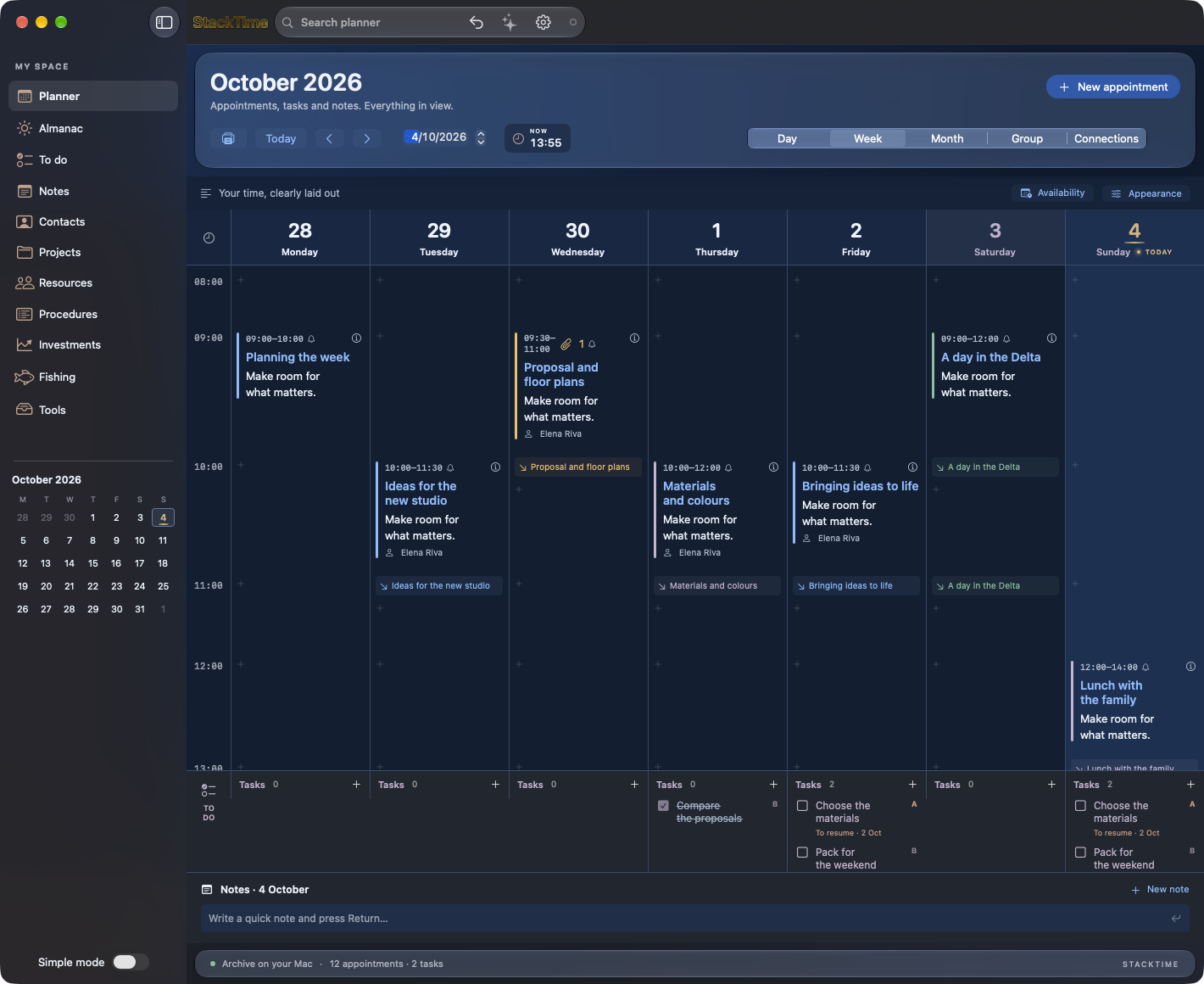
Once upon a time, EasyTime. Meet StackTime.
ArticleRemember EasyTime? Discover StackTime: a native Mac agenda with attachments, sync, visual connections, an almanac and optional AI. €39.90 once, up to 3 Macs. Italian, English and German.
- Source updated
- 2026-10-13T18:15:38+00:00
Full description
Once upon a time, there was EasyTime. If you used a Mac in the early 2000s, you may remember that idea of an agenda: open a day and find room to read, write and organise. A place where appointments had space and related information stayed close.
That memory was our starting point. What would an agenda built with the same desire to be useful look like today, with documents, synchronisation, visual connections and an optional AI assistant? Our answer is StackTime, developed by an Italian crew in Portomaggiore, in the province of Ferrara.
EasyTime was a SoftLab product: a November 2005 announcement from distributor Alias preserves a piece of its history. StackTime is our new, independent project: a native Mac app that starts with your agenda and makes room for the things that actually fill a day.
A week you can read
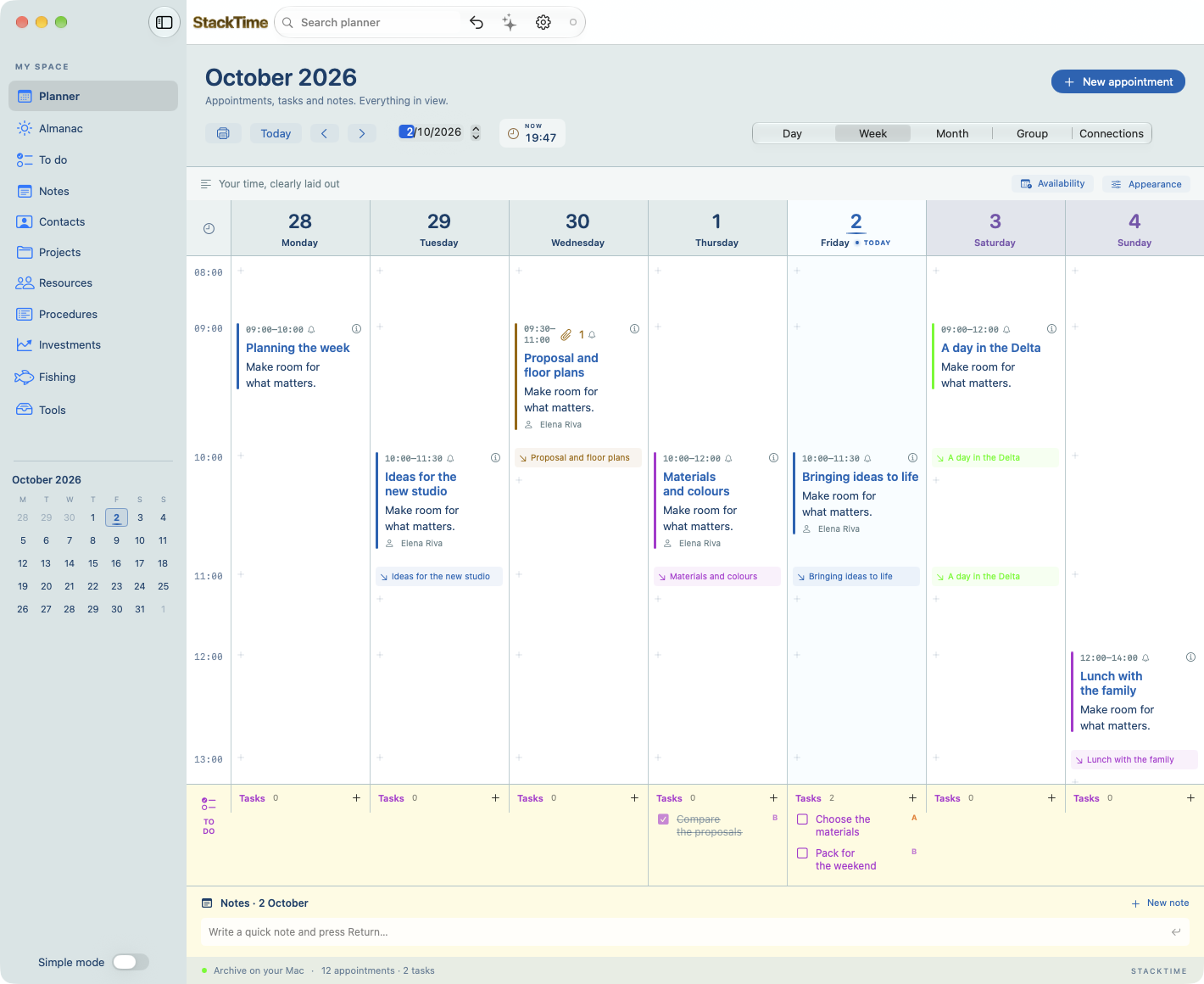
Day, week and month views offer different perspectives on the same archive. The week includes all seven days, Saturday and Sunday too. Titles, times, colours, notes and tasks help you understand what needs doing without making every appointment a tiny placeholder to decipher.
Create and edit appointments, set recurring events, add notes and use the right-click menu for common actions. A live clock in the agenda toolbar keeps the present in view. Reminders combine macOS notifications with visible, audible alerts inside the app and an option to snooze. Enable StackTime notifications in your Mac’s settings to receive them.
Simple mode when you want focus; full mode when you need more. Start with the agenda and open the specialised sections when they become useful.
Keep the document with its day
A house proposal arrives. Someone plays a track you want to remember. You receive a quotation or a photograph during a meeting. Drag the file onto a day and time in the agenda, add a description and keep the context.
StackTime supports PDFs, images, MP3, AAC and other documents as appointment attachments. It copies them into its own archive, marks them with a dedicated amber accent and lets you preview them or save a copy from the context menu. The file stays with the reason you kept it. Attachments also sync across your paired Macs.
Make the relationships visible
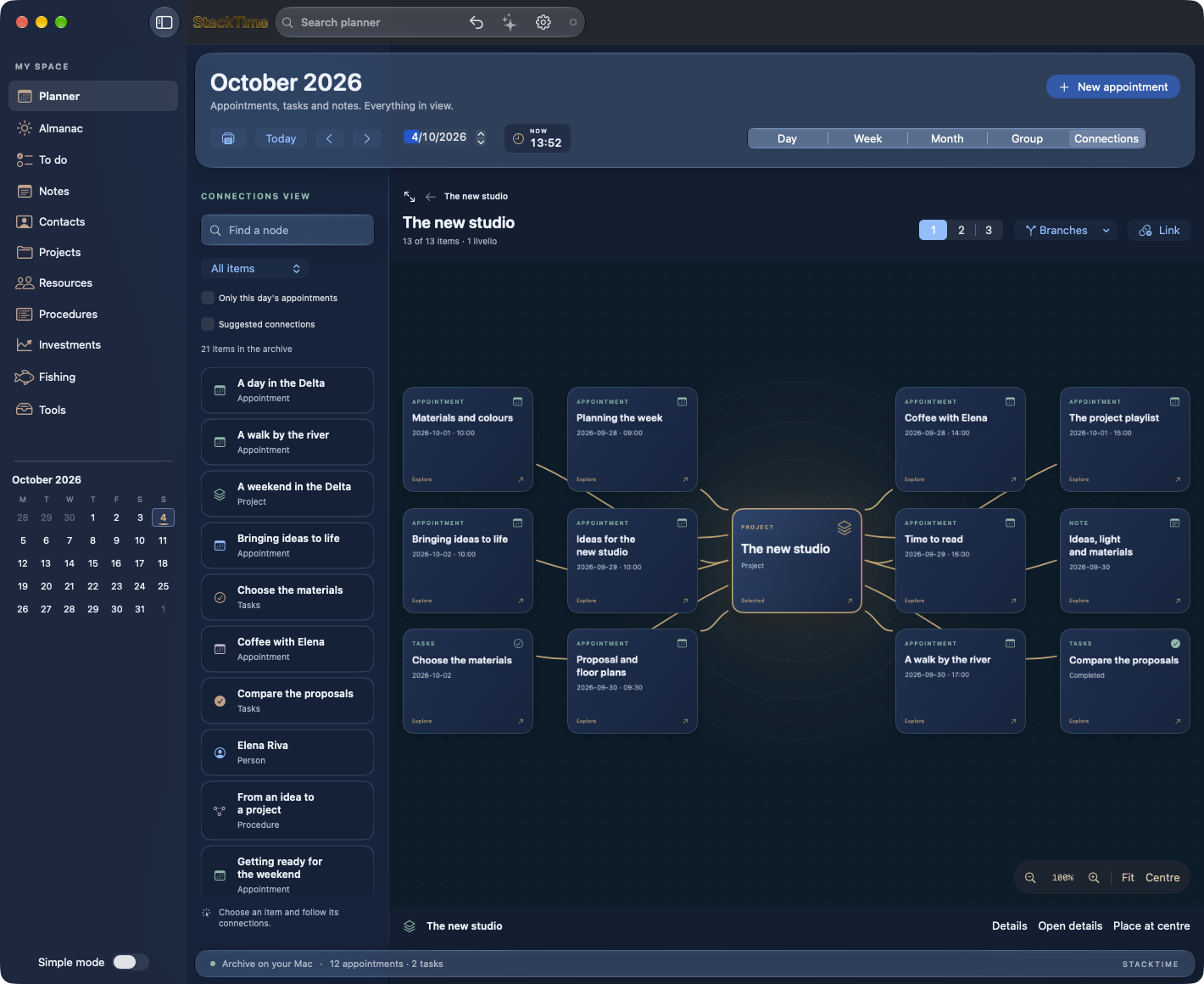
The Connections view adds a node map alongside the calendar grid. A project can bring together appointments, people, tasks and notes: select an item, follow its connections, explore deeper levels, zoom in and centre what matters. Animations accompany the move from one relationship to another.
Procedures preserve reusable methods, with steps and dependencies that can also be explored as a node map. Projects, contacts and resources complete the same workspace. A method that works can become the starting point for your next project.
An almanac worth opening on a free day
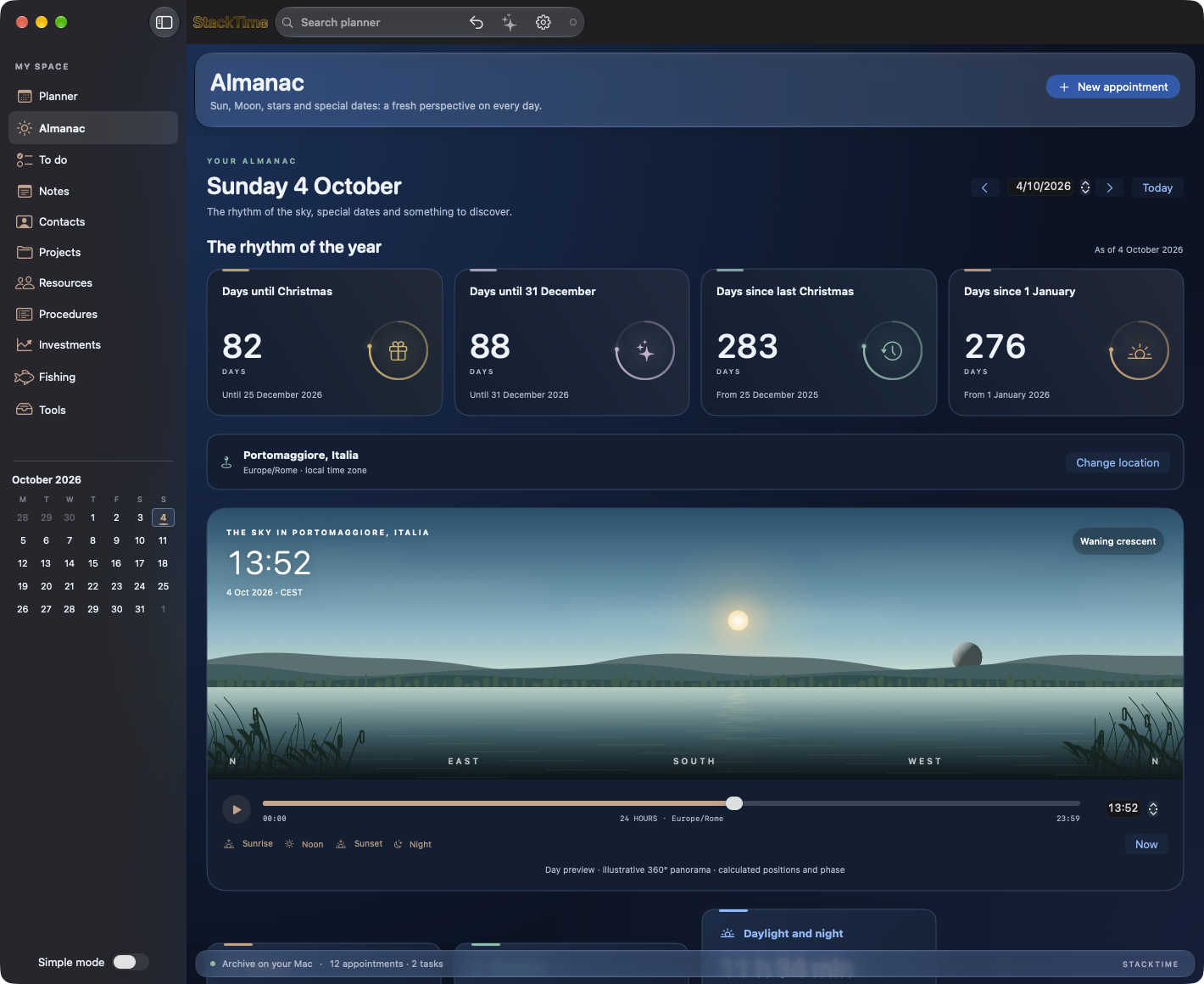
Sometimes you simply want to know when the Sun sets, how much daylight is left or what phase the Moon is in. The almanac brings together holidays, notable dates and daily curiosities, sunrise and sunset, moonrise and moonset, and hours of light and darkness.
Choose a location, including by entering a town and country. A panorama follows the transition from day to night; the sky view places the main constellations according to the location and time, with Polaris and the Big Dipper in gold. Equinoxes, solstices and seasons explain why days grow longer and shorter. Astronomical events also include eclipses and available visibility information.
There is room for the rhythm of the year: days until Christmas and 31 December, days since last Christmas and New Year’s Day. Numbers become small animations in an interface designed to be enjoyable to explore.
Time for your interests
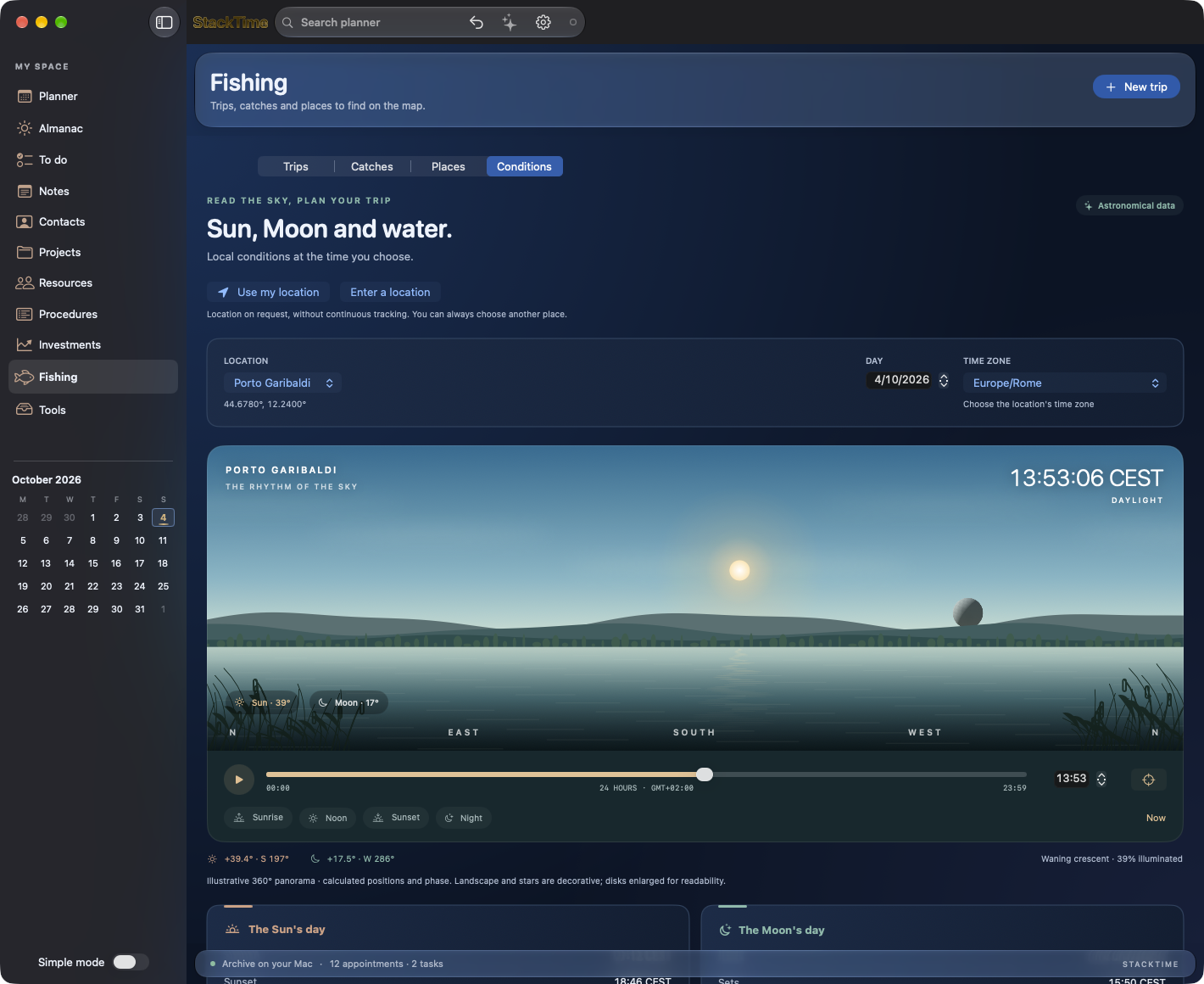
The Fishing section brings together trips, catches, techniques and places you can find again in Apple Maps or Google Maps. An animated panorama, time slider, Sun position and Moon phase help you prepare for a trip. Marine conditions and tides, where available for your chosen location, provide additional context, without promising guaranteed catches.
The Investments section lets you follow stocks and cryptocurrencies entered in your archive, check quotes through Yahoo Finance and organise ex-dividend dates, dividend payment dates and airdrop deadlines. Quotes depend on the data provider and may be delayed: this is a place to organise information and dates, not a trading platform.
Notes, tasks, contacts, projects and work tools share the same environment. Move from work commitments to your own time while keeping the thread of your day.
The same agenda across your Macs
In Settings, a pairing code connects your other Macs to your sync workspace. Appointments, notes and other archive items merge with what is already there: connecting a new Mac does not blindly replace the agenda on the others. The server coordinates updates and the app’s toolbar shows connection status.
Your archive is also stored on your Mac. Keep working offline and sync when you reconnect; backup and restore tools are available, including a full backup with downloaded attachments. This release is for macOS: your purchase covers the Mac app and synchronisation across Macs.
Optional AI, with the provider you choose
Connect OpenAI, Anthropic Claude or DeepSeek by entering your own API key in Settings. The assistant can help you summarise commitments, identify priorities and prepare proposed appointments and tasks. Proposals are added to the agenda only after you confirm them.
Keys are stored in the macOS Keychain. AI is optional: the agenda works without it. Your provider’s API key and any usage charges are separate from the price of StackTime.
Two styles, one agenda: Classic and Glass
Glass brings deep blue, translucent surfaces and luminous accents to StackTime. Classic offers a light background and the colours of a traditional diary. Choose your appearance in Settings: your appointments, documents and features stay the same. Available Glass effects depend on your macOS version and accessibility settings.
Three languages. Made for Mac.
StackTime is available in Italian, English and German — IT / EN / DE and follows your Mac’s language. Choose the classic appearance or the Liquid Glass theme, with the effects supported by your version of macOS. The app is signed and notarised, runs on Apple Silicon and Intel, and requires macOS 14 or later.
Check for updates inside the app, with signature and download verification. Enable automatic update checks to find out when a new version is available.
€39.90 once, for up to 3 Macs
One purchase, a license with no expiry, no subscription and no automatic renewal. Your code activates StackTime on up to three Macs.
1. Select Buy StackTime and complete secure payment with Stripe.
2. After payment is confirmed, the page displays the app download button. Your activation code and download link are also sent by email.
3. Open the DMG, drag StackTime into Applications and enter your code in the License panel in Settings.
An internet connection is required for activation and periodic license checks; a successful check allows up to 30 days of offline use. Sync, quotes and AI need a connection to update.
Built in Portomaggiore. Made to give your days more room.
Open official page ↗
Source: BlackOrder, publisher. Publisher-reported information; missing fields are unverified. Reconfirm prices and requirements on the official page.
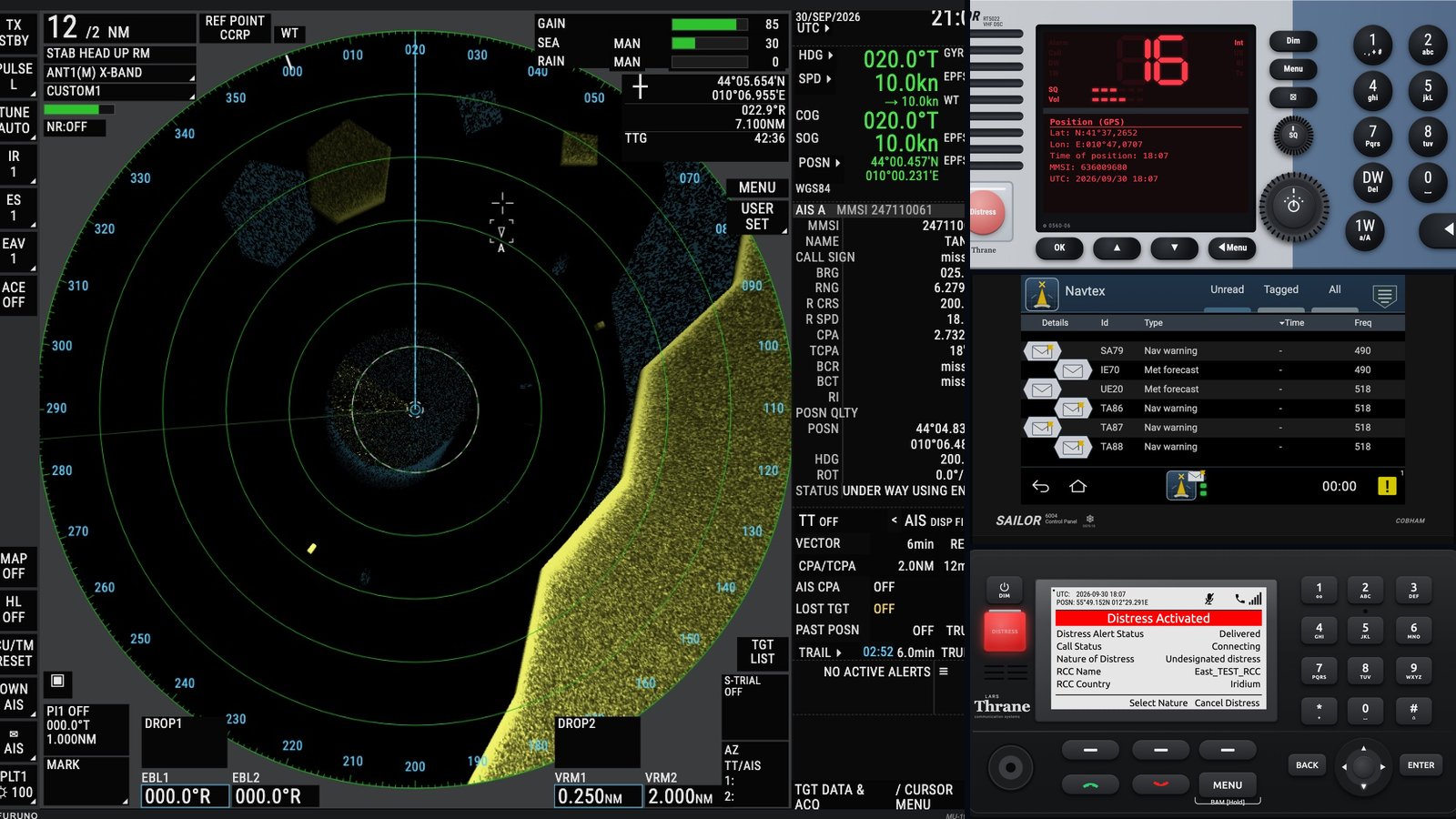
Six exam radios, rebuilt in software: the GMDSS simulators we made for Universo GMDSS Italia
ArticleThe maritime radio school with a 99% pass rate asked BlackOrder to rebuild the equipment of the GMDSS exam as software. Six devices, one server-side engine, an instructor panel, hundreds of automated tests. The result is live on corsigmdss.it.
- Source updated
- 2026-10-13T19:06:24+00:00
Full description
In September we announced a collaboration with Universo GMDSS Italia, the Bologna school that prepares mariners and yachtsmen for the ministerial GMDSS exam and takes ninety-nine students out of a hundred through it. The first concrete result of that collaboration is now online, and it is bigger than we expected when we started: the school entrusted us with its entire simulation department.
The brief was short and merciless. The exam is taken on real equipment: a SAILOR VHF with digital selective calling, a SAILOR MF/HF control unit, an Inmarsat-C terminal with its eighty-column screen, an Iridium GMDSS satellite phone, a NAVTEX receiver driven from a touch panel. A student who has only seen those devices in photographs freezes in front of the examiner. So the school wanted every one of them reproduced in software, not approximately but exactly: the same keys in the same places, the same menus in the same order, the same timing, the same mistakes when you press the wrong thing. And it all had to run in a browser, on a classroom projector and on a student's tablet at home, with nothing to install.
Faithful is an easy word to write and a hard one to earn. For every device we started from the manufacturers' own documentation, Thrane & Thrane and Cobham for the SAILOR range, Lars Thrane for the Iridium terminal, Furuno for the radar, and from photographs of the actual units in the exam room, firmware version included. The NAVTEX alone meant going through four revisions of the user manual and twenty-eight native screenshots of its 800 by 480 display, measuring the colours and the spacing of every list, so that the simulated panel is indistinguishable from the real one at a glance.
Then there is the behaviour underneath the pixels, which is where most simulators quietly cheat. The receiver keeps two thousand messages per frequency and forgets them after sixty-six hours, as the real one does. A message with serial number zero bypasses every filter, as the rules say it must. The clock starts from zero at power-on when there is no GNSS fix, because that is what the exam unit does on its bench. The DSC calls carry the right format and the right acknowledgement sequence. The Iridium terminal walks through the Distress Alert exactly as the manual documents it, screen after screen. The radar does not play back a picture: its echoes are generated in real time, so GAIN and the sea and rain controls change what you see, bearings and ranges can be measured, and ARPA tracks targets with CPA and TCPA. None of this is visible in a screenshot, and all of it is what makes the hands learn.
The architecture is the other half of the story. Every device is a pure state machine written in TypeScript, running on a server; the browser only receives a snapshot of the screen a few times a second and sends back the key presses. A key press travels there and back in a few hundredths of a second, each student has their own unit that survives a page reload or a dropped connection, and the instructor sees, on the same session, exactly what the student sees. From the instructor panel one launches scenes: a distress call arriving on channel 70, a gale warning on the NAVTEX, a target closing on the bow at seven miles. Every key the student presses is logged in order, which is the fastest way to correct a habit before it becomes an exam mistake.
We will not pretend it was quick. Six devices, each with its own test suite, hundreds of automated checks in total, and several rounds in which a separate reviewer did nothing but try to break them: open the same unit from two browsers, send malformed commands, scroll past the end of a list, pull the power in the middle of a sequence. The bugs found that way were fixed the same day, and the rounds continued until a full day of hunting turned up nothing worth writing down. Perfection is a strong word; what we can say is that we stopped only when we could no longer find a difference.
The simulation department lives at corsigmdss.it: six devices, the SAILOR RT5022 and 6222 VHF, the SAILOR CU5100 MF/HF, the TT-3606E Capsat Inmarsat-C, the Lars Thrane LT-3100S Iridium, the SAILOR 6391 NAVTEX and the FURUNO FAR-2228 radar with ARPA. Each has a practice panel for the student working alone and an instructor panel for the classroom. Access is by time-limited code, handed to the school's students; nautical schools and training centres can rent the whole set for their own classrooms. The school describes them on its own site, on the Simulators page.
It is the kind of work BlackOrder exists for: vertical software for people who need it to be right, built from the documentation rather than from the impression, and tested until it stops surprising us. If the sea is your trade, the GOC, ROC, LRC and SRC certifications are prepared with Universo GMDSS Italia, entirely online, and these simulators are now part of how they do it.
Open official page ↗
Source: BlackOrder, publisher. Publisher-reported information; missing fields are unverified. Reconfirm prices and requirements on the official page.
StackUp: your folders, your drives, a backup you can find
ArticleStackUp 0.10.0 beta brings local APFS backups to a clear Mac interface. Drag in folders, select several drives, choose a readable copy or a structured archive, and schedule incremental updates from five minutes to thirty days. Includes version history, verified restore, a movable compact window and signed update notices. Free, macOS 14+, Apple silicon.
- Source updated
- 2026-10-13T19:04:21+00:00
Full description
One folder on your Desktop matters more than the others. Perhaps it contains this week's work or tomorrow's delivery. You know you should copy it to an external drive. Sometimes you do. Then the folder changes, the copy gets old, and the next time you open the drive you have to remember which version is actually useful.
Adding a second drive should make this easier to trust. Instead, it often means doing everything twice. And when you finally browse the result, the familiar folders disappear behind identifiers and layers of archive directories.
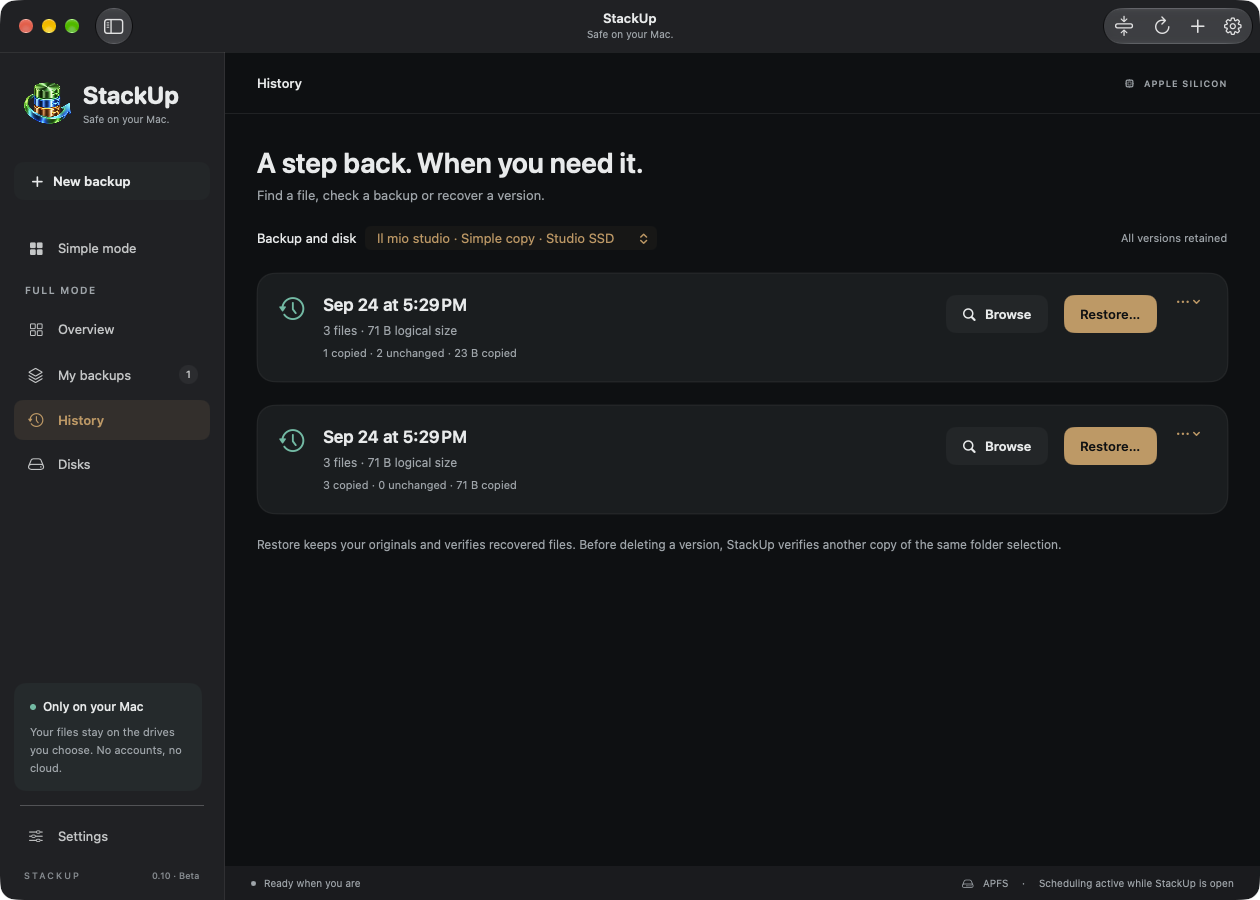
StackUp began with that everyday problem: choose the folders, choose the drives, and understand what happens next. See your files on the destination. Know when the last copy finished. Recover an earlier version without guessing where it went.
StackUp 0.10.0 is a free beta for Apple silicon Macs running macOS 14 or later. It makes local, versioned backups to APFS volumes. It has a dedicated Simple mode, multiple simultaneous destinations, optional schedules and a compact window that stays out of your way. It is still a beta: keep another established backup while you evaluate it, and test a restore with your own kinds of files.
A useful backup has to answer more than “did something get copied?” It has to distinguish a completed version from a job that stopped halfway. It has to keep yesterday's work when today's source contains a mistake. It has to cope with one drive being disconnected while another is available. And it has to be clear about when it is allowed to run.
New plans start manually. Selecting a plan or browsing the interface does not launch a backup. A schedule is a choice you make explicitly, and stopping a destination pauses its automatic runs until you resume them.
The storage design uses APFS, the filesystem already at home on modern Macs. Unchanged files can be cloned within the destination volume: APFS shares their underlying storage until a copy changes, while each version remains an independent file tree. That helps avoid repeatedly writing identical content. StackUp reads file contents for verification, and a changed file is copied in full.
We also wanted the drive itself to remain understandable. The default Simple copy format gives you a normal folder in the Finder, while StackUp keeps the information needed for history separately. The interface distinguishes an incomplete run from an older completed version.
Start with your folders and your drives
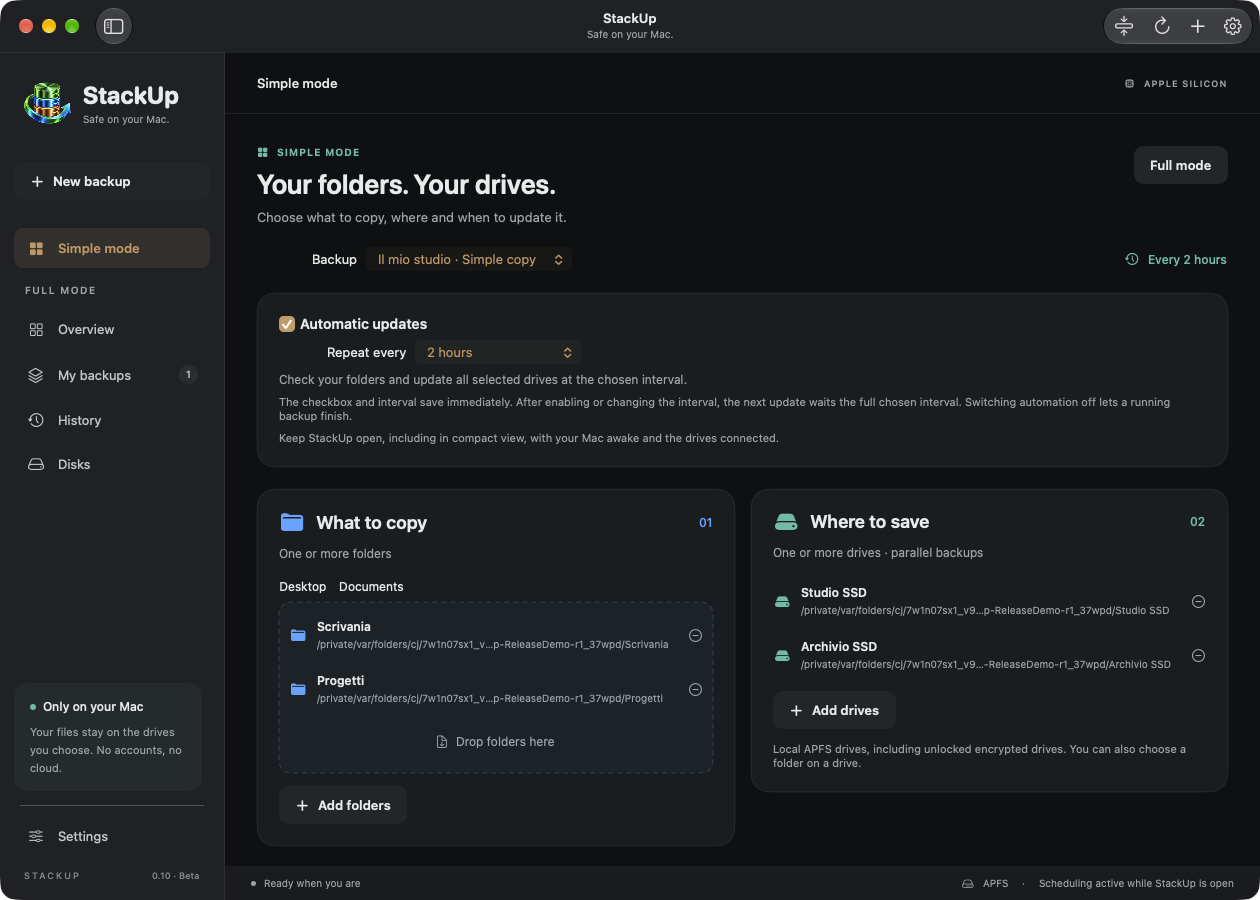
Open Simple mode in the sidebar. Add folders through the chooser or drag them into the source area; Desktop and Documents have their own shortcuts. Select one or several destination drives, name the backup and press Start backup. That button saves the plan and starts its destinations together.
It can protect several source folders in one plan and write to several drives. The full interface adds exclusions, retention settings and advanced options when you need them.
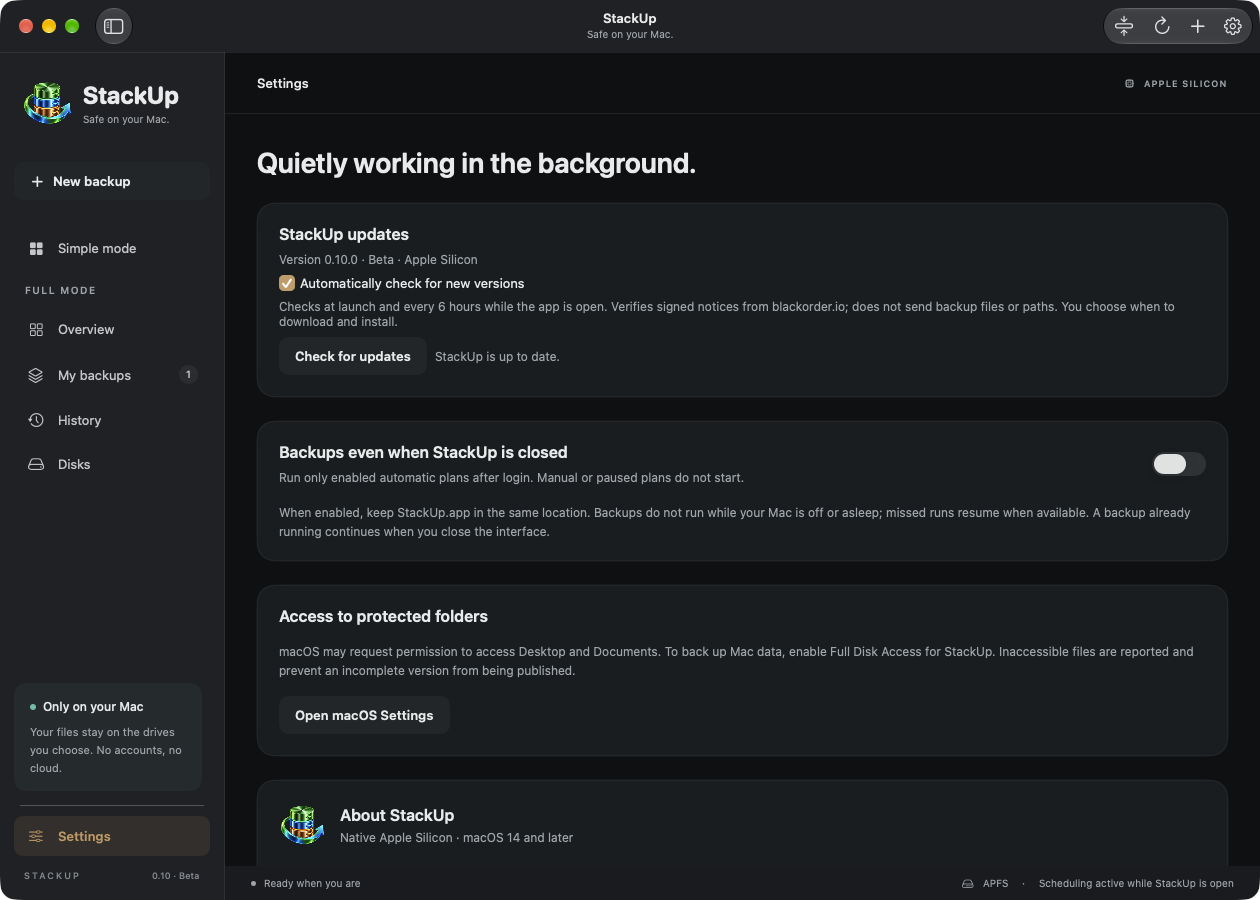
The real app, using generated demonstration files: sources, destinations and timing in one place.
A copy you can recognise in the Finder
Choose Simple copy for a regular folder on the destination. With one source, its files appear directly inside that folder. With several sources, their original folder names remain visible. Files appear progressively as they are copied and verified; you do not have to wait for the entire job to see them.
During a run, that visible folder is incomplete. An interruption leaves the files already delivered there, while earlier completed versions remain available in History. Editing the visible copy does not edit those older versions, but your edits to the visible copy will be replaced by the next backup. This is one-way backup, not two-way synchronisation.
The alternative Structured archive format exposes the versioned archive layout and can provide a shortcut to the latest version. Both formats retain history. Simple copy stores its management data in a hidden .StackUp Backups directory; hiding it makes browsing easier, not smaller or immune to deletion.
Choose how often, or keep it manual
Enable Automatic updates in Simple mode and choose Repeat every. Presets range from 5, 15, 30 or 60 minutes to 2, 5, 10 or 24 hours, then 5, 10 or 30 days. Twenty-four hours is also one day.
The first run copies the selected contents. Later runs reuse unchanged files and copy new or modified files. After a successful backup, that destination's next run is based on the chosen interval. Enabling a schedule or changing its frequency waits a full interval; it does not unexpectedly launch a copy at that moment. Saved plans keep the scheduling choice immediately. New plans save it when you start their first backup.
Turn the checkbox off to prevent future automatic runs; a copy already running can finish. Stop also pauses automation for that destination until you explicitly resume it. An occasional manual run does not silently remove that pause.
Several drives, independent progress
Each destination runs independently and keeps its own versions, status and last successful backup. An unavailable drive does not stop the other destinations. Two folders on one physical volume are allowed, but the interface points out that they are not independent drives.
Parallel copies share the Mac's source storage and connection bandwidth. StackUp does not promise that two drives will finish twice as quickly, or capture exactly the same instant if you keep editing the sources.
History that leads back to a file
In History, choose the plan and destination, then browse a completed version. Search for a file, inspect a supported text preview, restore a selection or recover the whole version into a new folder. Restore verifies the selected file contents and does not overwrite your original working files. You can also check a complete version’s integrity.
Recovery starts with a particular version on a particular destination.
Deleting a source file removes it from the next current copy, but retained older versions can still contain it. Retention is configured in the full editor; the initial setting keeps every version, so history needs disk space. These are writable files, not immutable snapshots or a ransomware barrier.
Keep working while the backup runs
The dark interface uses blue for sources and green for destinations, with moving pages to make transfer activity visible. The animation indicates activity rather than pretending to be a precise time estimate, and respects Reduce Motion.
The top bar's Compact view button turns the main window into a small movable strip. Drag it where it suits your workspace, follow progress and expand it with a click. Reducing the window keeps your chosen schedules active.
The compact strip leaves room for your work while keeping the backup visible.
For automatic runs, leave the app open and the Mac awake with the drives connected. An optional background service in Settings can continue scheduling after you quit the app and starts at login. It is an explicit choice. StackUp does not wake a sleeping Mac or back up while it is switched off.
Updates that tell you before changing anything
StackUp checks for new releases at launch and every six hours while the app is open. You can disable those checks or request one manually. Release notices are authenticated with an Ed25519 signature before the app offers their download link. A new version appears in the app with its release notes.
App updates have their own controls, separate from backup schedules.
You choose when to download the DMG and install it. Nothing silently replaces the application during a backup. Wait for active copies to finish and quit StackUp before replacing it. Update requests do not send backup files or their paths; local backup work stays on your Mac and destination drives.
A focused beta, with its boundaries in view
StackUp supports local APFS destinations, including encrypted volumes that macOS has already unlocked. Disk formatting, encryption and passwords stay with macOS; StackUp does not manage them. There is no account, subscription or telemetry. The interface follows the Mac's primary language: Italian when that language is Italian, English otherwise.
This release does not provide NAS or cloud backup, a bootable clone or a validated whole-system recovery. The experimental Entire Mac option selects broad data locations; it is not an image of the internal SSD. Open databases and virtual machines do not have an application-consistency guarantee, and cloud-only files must be locally readable before copying.
Start with a small, representative folder. Complete a backup, change a file, run it again and restore an earlier version into a separate folder. That is the useful first test: seeing the work come back.
StackUp is developed by an Italian crew from Portomaggiore. We are releasing it free, with a clear scope and room to improve through real use. Your folders, your drives, and a backup you can actually find.
Open official page ↗
Source: BlackOrder, publisher. Publisher-reported information; missing fields are unverified. Reconfirm prices and requirements on the official page.
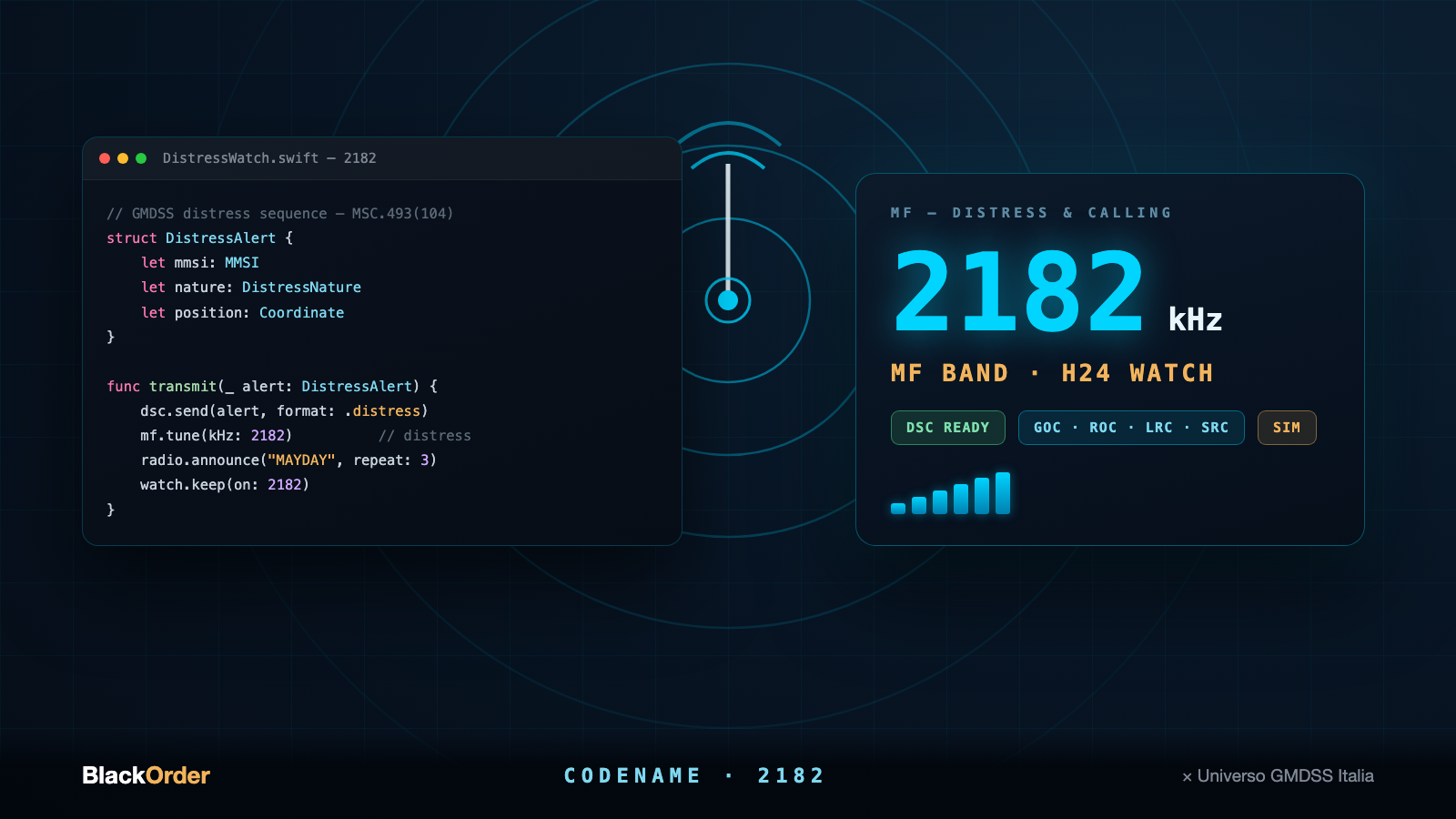
Codename 2182: we are building the software for studying the GMDSS
ArticleBlackOrder and Universo GMDSS Italia are building a native study companion for the GMDSS certifications: GOC, ROC, LRC and SRC. Codename: 2182, after the medium frequency distress channel. In the works, not released yet.
- Source updated
- 2026-10-13T21:01:29+00:00
Full description
There is a world where software cannot afford to be sloppy: maritime radio communications. The GMDSS, the Global Maritime Distress and Safety System, is what allows a vessel in trouble to be found. Anyone who goes to sea professionally, or seriously, meets it in the form of a demanding ministerial exam, taken on real equipment: VHF with digital selective calling, MF/HF, INMARSAT, EPIRBs.
Preparing for that exam today means studying theory, grinding through question banks and, if the school is a good one, getting your hands on simulators. And that is exactly the point where this story starts to concern us.
BlackOrder builds vertical, native Mac software for people who actually work with their tools: live production, network analysis, audio, terminals. When Universo GMDSS Italia told us how they prepare their students, entirely online, on simulators identical to the ministerial ones, with a 99% pass rate and hundreds of mariners trained, the question asked itself: what happens if that teaching experience becomes native software, designed from scratch by people who do this for a living?
That is how this collaboration was born. The school brings the doctrine, the procedures and years of exam rooms; we bring the craft of turning all of that into an instrument you can practise on until the real radio feels familiar.
The project has a codename: 2182, after 2182 kHz, the international medium frequency distress and calling channel, the one every coast station kept watch on for decades. It felt like the right name for software whose job is teaching people to call, and to answer.
Together with Universo GMDSS Italia we are building a native study companion for the GMDSS certifications: faithful simulation of the on-board equipment, distress and safety procedures walked through step by step, and exam preparation without surprises, shaped on the same question banks and workflows the school uses every day. It is the kind of project BlackOrder exists for: well-made vertical software for people whose work depends on it. The software does not exist yet: it is in the works, and there is nothing to download today. We will talk about it here again when there is something to put in your hands.
In the meantime, if the sea is your trade or you want it to become one: the GOC, ROC, LRC and SRC certifications are prepared with Universo GMDSS Italia, entirely online, with personalised teaching and a secretariat that handles the ministerial paperwork. The right place to start is gmdssitalia.it.
Open official page ↗
Source: BlackOrder, publisher. Publisher-reported information; missing fields are unverified. Reconfirm prices and requirements on the official page.
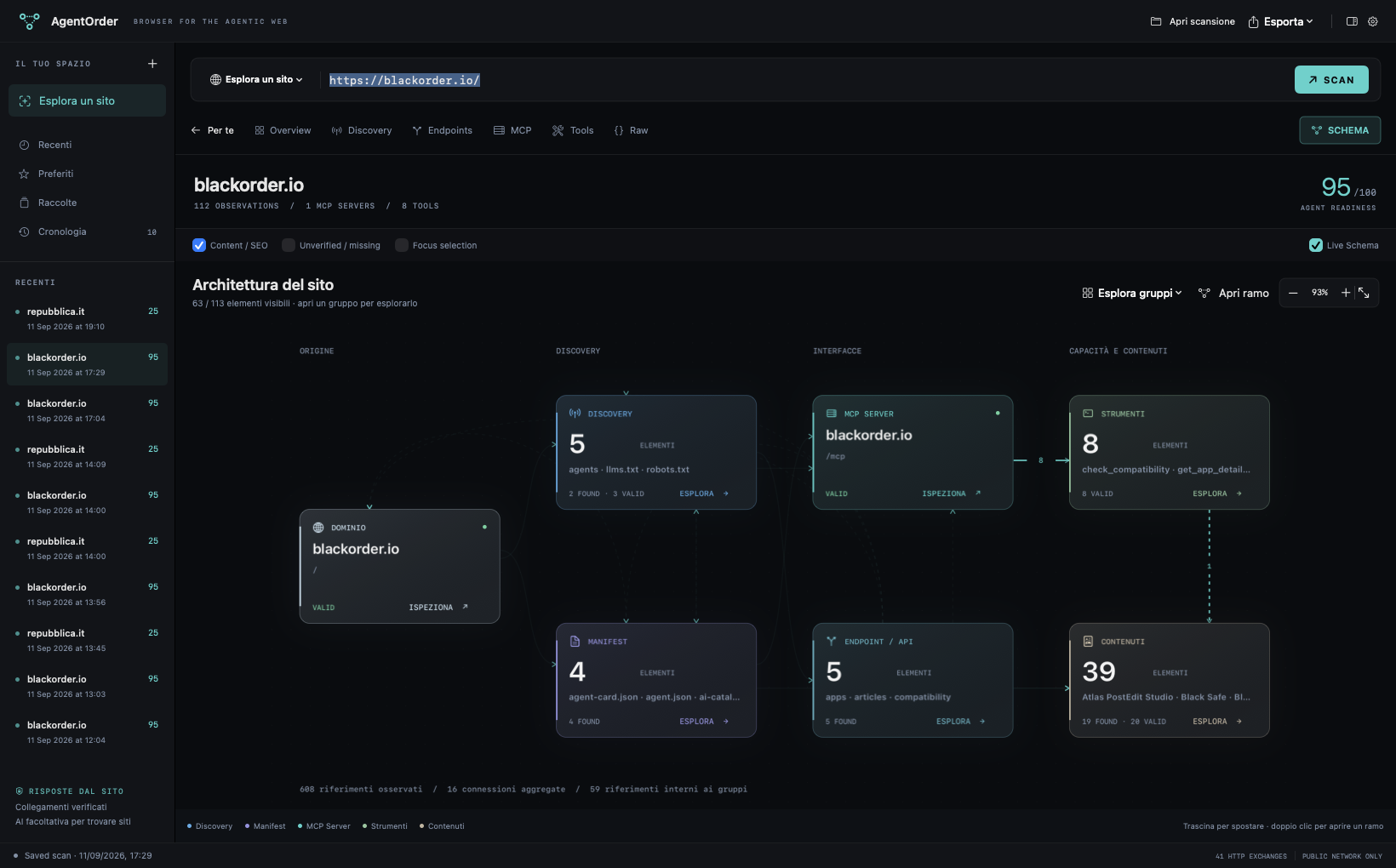
AgentOrder: a browser for the agentic web
ArticleA free native Mac browser for agent-readable interfaces: deterministic domain scans, an interactive architecture map, a guided view, an MCP tool runner and signed updates.
- Source updated
- 2026-10-13T19:48:09+00:00
Full description
A website has more than one front door. Alongside the pages we read, it can publish manifests, catalogs, machine-readable descriptions and tools that agents can query. Those interfaces are often scattered across HTML links, well-known paths and protocol endpoints.
AgentOrder makes that layer visible. Enter a public domain and scan it. The app checks what responds, records the evidence and explains what was found. BlackOrder is a public integration test; the scanner works with other domains too. An ordinary page link is not proof of an agent endpoint or an MCP server.
The Mac provides the right foundation for a focused inspector: a native three-column workspace, local scan history, Keychain credentials and an AppKit/Core Animation graph.
Domain scanning does not require AI or an API key. It inspects HTTP responses, discovery links and supported manifests, then initializes discovered MCP servers and reads their advertised inventories. FOUND, VALID, INVALID, UNREACHABLE and UNSUPPORTED describe different outcomes. A transparent readiness score derives from the implemented checks, with reasons for missing points; it is not an AI opinion.
Optional AI research helps find candidate domains. The same deterministic scanner then checks those candidates. Provider accounts and any search-service credentials are configured separately.
Start with a site
Enter its URL and choose SCAN. The guided view explains published information and available actions. Switch to the technical views for discovery documents, endpoint details, MCP capabilities, tools and raw traffic.
Explore the architecture
SCHEMA starts with readable groups instead of shrinking hundreds of nodes into an unreadable picture. Open a group, search its elements or focus on a branch. Pan, zoom and select nodes to inspect their evidence. Connections come from observed relationships. Live Schema reveals observations as the scan progresses.
Query a tool deliberately
The tool runner builds fields from supported input schemas and validates parameters before sending them. Calls require an explicit RUN; mutating and unknown tools need an additional confirmation. Server annotations inform the classification but do not guarantee a tool's effects. Inspect structured answers and raw messages, then export a scan as JSON, Markdown or PDF.
Keep the boundaries visible
The current client supports MCP Streamable HTTP with JSON and request-scoped SSE responses. Legacy standalone SSE, local stdio, OAuth login and multi-round elicitation are not implemented. Unsupported features are reported as such. Public scanning blocks local and private destinations by default, limits response sizes and time, and never executes code received from a site.
Signed updates
Version 0.1.1 checks the existing BlackOrder update channel automatically, with a manual Check for Updates command and an option to turn automatic checks off. It authenticates the manifest with a pinned Ed25519 public key and verifies the DMG's SHA-256 and size before offering to open it. Installation is the familiar drag to Applications operation. Earlier development builds need this first update installed manually.
AgentOrder is free, signed and notarized, for Apple silicon on macOS 14 or later. Its interface uses Italian when that is the Mac's primary language and English otherwise. Remote source text stays in its original language. Domain mode needs no AI subscription; optional cloud research may incur the selected provider's charges.
Open official page ↗
Source: BlackOrder, publisher. Publisher-reported information; missing fields are unverified. Reconfirm prices and requirements on the official page.

Mail Forensics: understand email risk on your Mac
ArticleInspect suspicious emails on your Mac with a risk evidence map, detailed header analysis and optional AI. Explore Mail Forensics 1.6.0 through nine screenshots and download the notarized app.
- Source updated
- 2026-10-13T20:45:51+00:00
Full description
A message arrives with a familiar name, an ordinary subject and a request that seems reasonable. Before replying, paying or following a link, you want to understand who the message claims to come from and whether the evidence supports that story. A mail client is designed to make correspondence readable. The technical details that help answer those questions are usually somewhere else.
Mail Forensics brings those details into a native Mac workspace. You import a message, review a visual map of the available evidence and open the checks that deserve attention. Sender inconsistencies, authentication claims and delivery information become inspectable findings rather than an unexplained warning.
The app is useful when checking an unexpected invoice, an account request, a message that appears to impersonate a colleague or simply an email whose origin is unclear. It examines the messages you choose to import. It does not continuously monitor your inbox, replace your mail client or automatically block incoming mail.
The nine screenshots in this article were captured from the app’s native interface using fictional demonstration messages. Addresses and relay IPs are reserved examples. Network lookups are disabled and no AI request was submitted for these captures. The interface shown is in English; the explanations and captions are available in both languages.
An email has several layers. The displayed name may differ from the actual address. Replies can be directed to another domain. Authentication results may appear inside the message source, while Received headers describe the route reported by the mail servers. Mail Forensics reads these layers together and makes their provenance visible.
That distinction matters. An imported header saying “pass” is not, by itself, independent proof of the sender’s identity. Equally, missing authentication information does not establish that a personal email is fraudulent. The Authentication view preserves the reported outcomes and identifies imported claims as unverified. This version does not independently perform cryptographic verification of DKIM signatures.
The same care applies to the visual assessment. A red node indicates a strong indicator, yellow calls for review, green means that the particular check found no indicator in the available evidence, and gray identifies missing, unverified or unanalyzed information. The map does not turn those colors into a statistical probability of fraud. A green node does not certify an email, its links or its attachments.
A second demonstration message makes the distinction visible: a straightforward meeting confirmation has no contradictory identity indicator, so that node is green. Authentication, infrastructure and content checks remain visibly incomplete. The absence of a finding and the absence of a check are represented separately.
Start with the message
Drag a message from Apple Mail or another supported mail client into the app. When the client supplies a compatible message source or promised file, there is no need to save the email to a folder first. Compatibility depends on what the originating client exposes during the drag. You can also open EML or EMLX files, import several messages together, or paste raw source and headers. Supplying only headers necessarily limits what can be analyzed later.
A workspace organized around the evidence
Overview is the starting point for each investigation. Its connected map separates technical checks from optional AI content checks. The technical branch covers identity, authentication, mail infrastructure and domain indicators. The content branch covers payment requests, credentials, impersonation, deceptive links, pressure and urgency, and other content. Selecting a node opens the evidence behind its status. The technical report and explanation remain available below the map.
The left navigator opens each specialist view without losing the selected message. Session history holds up to twenty imported messages while the app stays open. Search by sender, subject, Message-ID or filename, combine the search with a risk filter, and return to an earlier investigation. The inspector on the right keeps source details, size, recipients and the claimed sender domain nearby.
Findings you can examine
Findings shows the observations behind the technical assessment, with severity labels and searchable evidence. In our fictional payment message, the displayed address differs from the actual sender, and replies go to a third domain. Those are concrete discrepancies to investigate. Imported authentication failures are shown with their uncertainty rather than silently promoted to independently verified facts.
Authentication without hiding the source
The Authentication page groups SPF, DKIM and DMARC outcomes, shows the reporting service and preserves the underlying values. DKIM signature details include the claimed signing domain, selector and algorithm. This helps you see what the source actually says, including missing or conflicting information, before drawing a conclusion.
Follow the reported delivery path
Delivery path organizes Received headers into a relay chain with hostnames, addresses, reported protocols and timestamps. You can inspect individual hops and compare the timing information. These are the route claims contained in the email: a relay address is not the physical location or personal identity of the author.
Choose when to use network information
With Network enabled, the app can enrich an investigation using relay geolocation, IP reputation checks, reverse DNS and domain registration information. The Network checks page exposes the state of each lookup independently. A service failure remains unavailable evidence; it is not converted into a clean result. Checks can be stopped or retried.
Switch Network off for header-only analysis. The technical reading happens locally; enrichment sends relevant address or domain queries to external lookup services. The screenshot deliberately shows the disabled state, so no demonstration address is presented as a real network finding.
Return to the original evidence
Source & headers provides parsed message fields, header inspection, authentication details and raw source. It is the place to compare an explanation with the data that produced it. A readable overview is useful; being able to inspect the original fields makes it possible to question that overview.
Optional AI, with your own provider
AI Settings supports OpenAI, Anthropic Claude and DeepSeek. Choose the provider and model, save your API key in macOS Keychain and test the connection. Saving the key and successfully testing model access are separate operations with separate feedback. The connection test does not send email content.
Actual message analysis starts from Overview with Add AI analysis. Without a configured key, the app directs you to setup. You can choose whether to include the message text, apply masking to common personal identifiers, limit the input and inspect a prepared preview. Masking reduces some exposure but is not guaranteed anonymization. The selected material goes to your chosen provider under its data policy and uses your API credits. Attachments are excluded, and extracted links are not opened by the AI preview builder.
The returned assessment combines a written summary, categorized findings, quoted evidence, limitations and suggested actions with the content branch of the map. It supplements the technical evidence. Ordinary wording does not erase a sender inconsistency, and a model’s opinion does not establish authenticity. The screenshots show the setup and unassessed content nodes, without presenting a simulated response as a live AI result.
Keep a report and stay informed
Copy the current analysis as text, export a PDF report for reading or sharing, or save structured JSON evidence. These exports document the investigation at that moment, including the available results and their limits. Session history itself is temporary, so export the material you need to retain.
Mail Forensics 1.6.0 is a free direct download for Apple silicon Macs running macOS 14 Sonoma or later. The app and DMG are signed with Developer ID and notarized by Apple. It requires no Mail Forensics account; optional AI service usage is billed separately by your provider.
The app checks the signed release channel automatically while open, normally every six hours, and also provides Check for Updates in its menu. A newer compatible build produces an update notice. Version 1.6.0 does not automatically download or install the update. The download panel on this page reads the published channel so you can find the current release here.
Open official page ↗
Source: BlackOrder, publisher. Publisher-reported information; missing fields are unverified. Reconfirm prices and requirements on the official page.
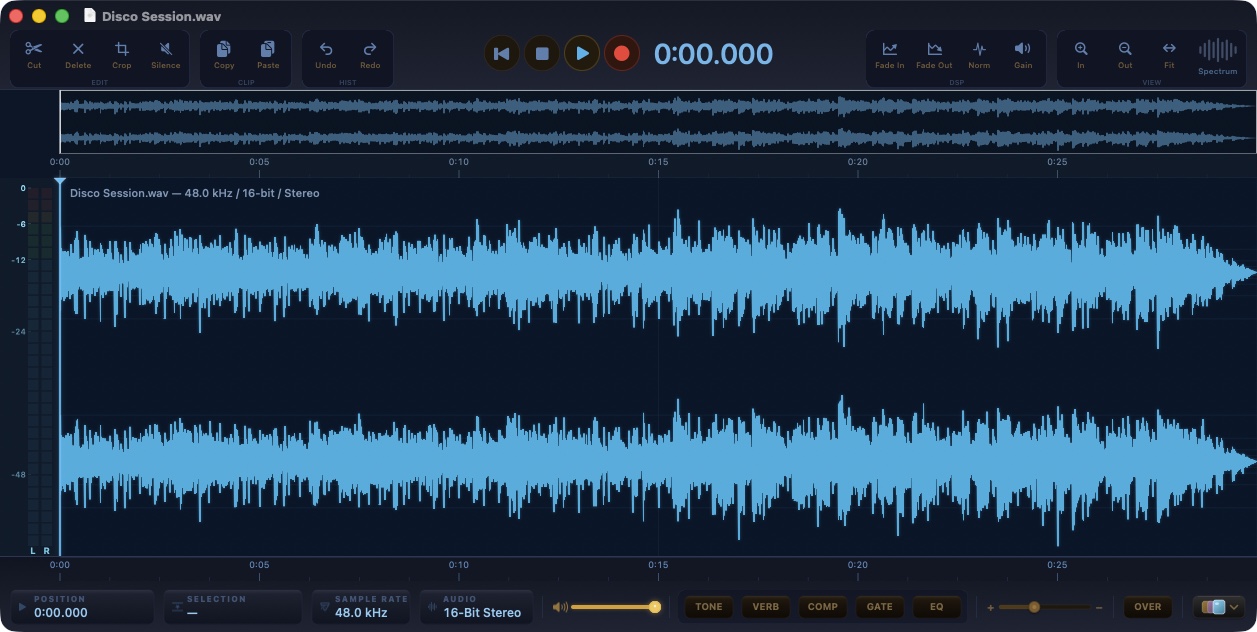
PeakLab 3.2: the waveform editor with a professional effects rack
ArticleFree and without registration. Sample-accurate editing with reliable undo and redo, files saved in their own format, recording with punch-in, and a new Pro section: an eight-band EQ whose curve is measured on the real filters, a feed-forward compressor with knee and lookahead, a gate with hysteresis and hold, an algorithmic reverb with pre-delay, decay and damping. Notarized, for Apple silicon, updates through a signed channel.
- Source updated
- 2026-10-13T18:36:23+00:00
Full description
There was a moment when editing audio felt direct: open the file, see the waveform, make the cut, render, done. PeakLab was born to bring that feeling back to the Mac, and its first versions did exactly that. They also stopped there. The effects were four preset buttons, the kind you press and hope for the best. A compressor with three settings and no knee. A gate that could not hold. A reverb borrowed from the system with a single mix control. For trimming a take it was enough; for finishing a voice, a podcast or a piece of music it was not.
The tools that do have proper dynamics and equalization are digital audio workstations, and a workstation is a lot of ceremony when all you want is to open a file, fix it and move on. There was room for something in between: a waveform editor that stays light and immediate, but whose effects you would not be ashamed to use on a record.
PeakLab 3.2 is that editor, and it is free. There is no account to create, no trial that expires, no upgrade to buy: it left the App Store and is now a direct download. The effects section was rebuilt from the ground up, the editing core was reviewed end to end, and the app updates itself through a signed channel.
The equalizer is an eight-band channel strip: a high-pass and a low-pass with slopes from 12 to 48 dB per octave and adjustable resonance, a low shelf, four bells with Q from 0.1 to 24, a high shelf, and an output trim. The curve you see is not a drawing. Every time you move a band, PeakLab pushes an impulse through the actual filters and measures the response, so the line on screen is the response you get, to the fraction of a decibel. Behind it runs a 4096-point spectrum analyzer with a peak trace, calibrated so a full-scale sine reads 0 dBFS.
The compressor, the gate and the reverb are PeakLab's own signal processing, hosted in audio units the app registers for itself, which means the exact same code runs while you listen and when you render. The compressor is feed-forward with a soft knee, peak or RMS detection, up to 10 ms of lookahead with the latency compensated on export, program-dependent release, automatic or manual makeup, a mix control for parallel compression, a high-pass on the sidechain and a stereo link. The gate is a downward expander that becomes a hard gate at the top of its ratio, with range, hysteresis, hold, lookahead, high-pass and low-pass filters on the sidechain, and a listen button to hear what the detector hears.
The reverb is an algorithmic design: a pre-delay line that also feeds early reflections, four diffusers per channel, and an eight-line feedback network with Hadamard mixing, modulated delays and per-line damping. Decay runs from 0.2 to 20 seconds and measures within three percent of the value on the dial. Size, damping, low and high cut, diffusion, modulation, early reflections level, width and mix are all in the open, and the whole thing costs well under one percent of a core.
The four quick buttons stayed, and they matter more now: TONE, VERB, COMP and GATE load complete parameter sets into these engines. A preset is a starting point. An Option-click opens the Pro window with that preset already loaded, and from there every value is yours to drag, type or compare with A and B. Applying any effect writes it into the file, or into the selection, as a single step you can undo.
Underneath, the editing core went through a full review. Every edit is one reversible transaction, so undo and redo hold together across cuts, pastes, punch-ins and effects. Saving keeps the file's own format, so a FLAC stays FLAC and Apple Lossless stays lossless, while formats that cannot be written in place, like MP3, go through Save As. A recording is committed before the window can close, at any sample rate, converted to the document's rate on the way in. Markers follow edits. Playback survives a device change. Small things, all of them, and they are the difference between an editor you try and an editor you trust.
PeakLab is free. You download it, you open it, you work. It opens a file and shows you the waveform, at any scale, with the overview strip on top and the transport, the readouts and the effects rack on the bottom bar. Selections are sample-accurate; cuts, pastes, trims, fades, crossfades, gain, normalization by peak or by LUFS, inversion, reversal, time stretch and pitch shift, spectral noise reduction and a spectrogram view are all a click or a shortcut away, and each of them is one undoable step.
Pro EQ
Eight bands on a measured response curve with the analyzer behind it. Drag a handle for frequency and gain, hold Command or use the wheel for Q, double-click to switch a band off, Option-click to reset it, right-click for its shape and slope. The strip below shows every value and lets you type it. Factory presets, your own presets, A/B with copy, a true bypass and Apply.
Pro Compressor
The transfer curve with the live operating point, input, gain-reduction and output meters, and eight seconds of gain-reduction history. Threshold, ratio up to a brickwall limiter, knee, attack, release with an automatic mode, peak or RMS, lookahead, makeup with an automatic mode, mix, sidechain high-pass and stereo link.
Pro Gate
The static curve with the hysteresis band, an open and closed lamp, and a strip that plots the sidechain level in blue against the gate's gain in orange. Threshold, range down to full mute, ratio from gentle expansion to a hard gate, attack, hold, release, hysteresis, lookahead, sidechain filters and sidechain listen.
Pro Reverb
The energy decay picture shows pre-delay, early reflections, the mid-band tail and the damped high band, with input and wet meters at the side. Ten presets from a tight room to a cathedral, plus your own. Applied to the whole file, the reverb keeps its tail.
Recording, voice-over and batch
Record into a new document or punch in over a selection, from any input device; the take is converted to the document's rate and committed as one edit. A voice-over track can be recorded and mixed over the material. Batch processing runs the same effects over a folder, writing to a destination of your choice with a list of anything that failed.
Files
WAV, AIFF, FLAC, Apple Lossless, AAC and CAF are written in place; MP3, Ogg and everything else the Mac can decode are opened and saved as one of those. Export renders through the same effects chain you are listening to, at the bit depth you pick.
Themes and updates
Three palettes, Amber, Purple and Aqua, chosen from a gallery of live miniatures; Aqua is the default. Updates arrive through a signed channel: the manifest is verified with Ed25519 and the download with SHA-256 before anything is opened, and the download button on this page reads that same channel.
PeakLab 3.2 is free, notarized by Apple and built for Apple silicon. It needs macOS 13 Ventura or later. It runs in the App Sandbox, has no account, no subscription and no telemetry. It is developed by an Italian crew from Portomaggiore.
Open official page ↗
Source: BlackOrder, publisher. Publisher-reported information; missing fields are unverified. Reconfirm prices and requirements on the official page.
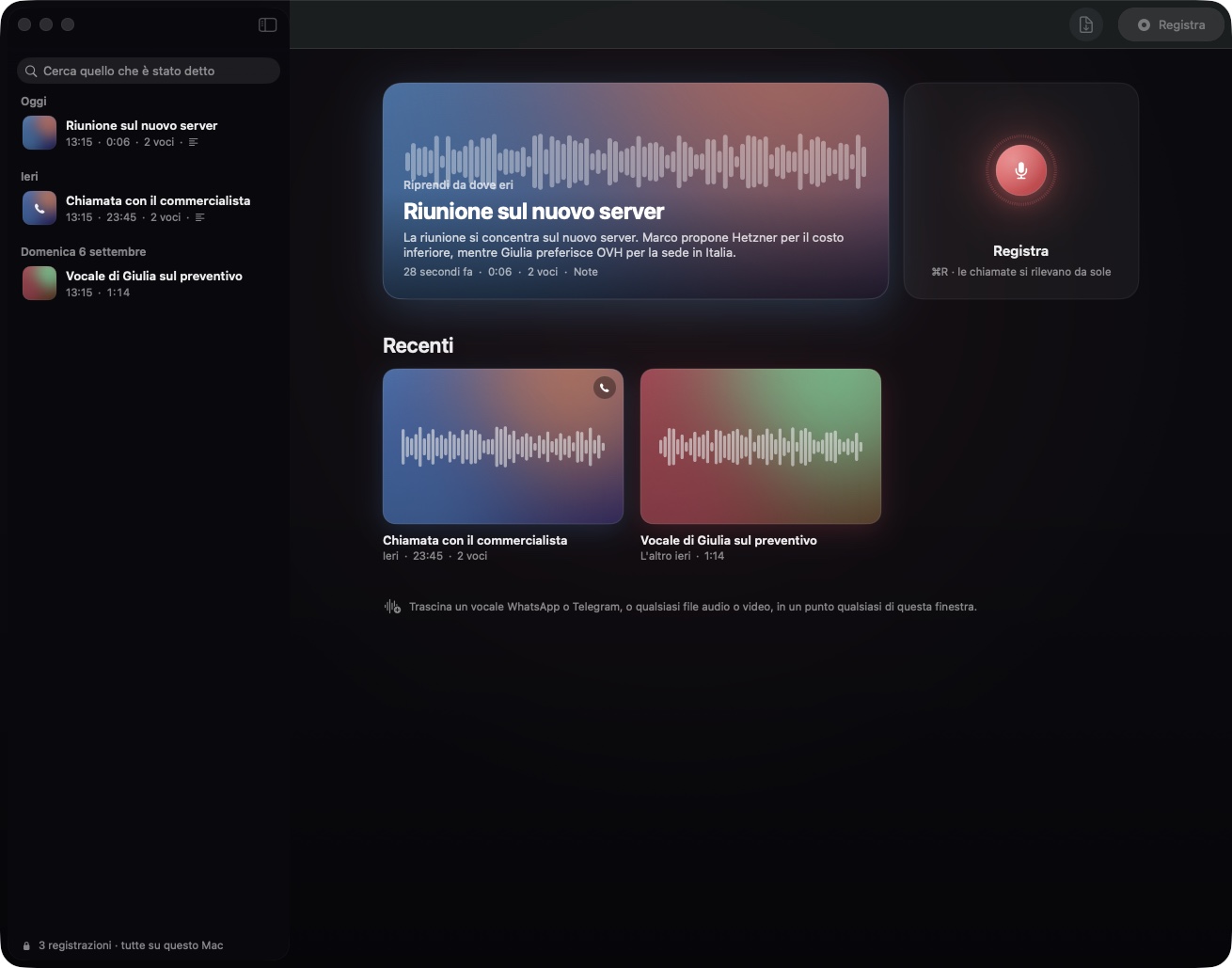
On Record: the recorder that writes it all down, on your Mac
ArticleFree and without registration. Microphone and Mac audio, live transcription in any language with Apple's on-device speech engine, speaker separation, automatic notes in prose, calls noticed on WhatsApp, Telegram, Zoom, Teams and Meet, WhatsApp and Telegram voice messages, any audio or video file, a glossary for names, questions answered with citations that jump into the audio. Nothing leaves your Mac.
- Source updated
- 2026-10-13T18:27:18+00:00
Full description
Every meeting, every call and every voice message ends the same way: somebody has to remember what was said. Usually that somebody is you, a day later, with a vague feeling that a date was agreed and a number was mentioned, and no way to check without listening to forty minutes of audio again.
The tools built for this problem all ask for the same thing before they help you: an account, a subscription, and your audio uploaded to a server you have never seen. Meeting recorders send the conversation to the cloud to transcribe it. Voice-note apps keep the transcript on their side. The ones that promise privacy charge for it. And almost none of them deals with the way people actually talk today, which is a WhatsApp voice message from a colleague, a Telegram audio from a client, a Zoom call that started before you thought of pressing record.
On Record starts from the opposite end. The Mac already has an excellent speech engine and a language model that run entirely on the machine. So the recorder should work without asking who you are, without a fee, and without a byte of your conversations ever leaving the computer. It should also notice the call for you, tell who said what, and have the notes ready when you open it, because the point is not the recording. The point is what you do with it afterwards.
macOS 26 ships two pieces that make this possible without any server. The first is SpeechAnalyzer, Apple's new speech engine: it transcribes in real time, in the language you choose, with the timing of every single word, and the language model it needs is downloaded once and then works offline. The second is the on-device language model of Apple Intelligence, which can read a transcript and answer with structured text. On Record is built on both, and everything else was written to fill what they leave out.
Apple's engine does not tell voices apart. On Record does it on its own: it computes a voice fingerprint for every couple of seconds of speech and groups the pieces by voice, and during a call it uses a stronger clue, which is that you are on the microphone and the other side is on the Mac audio. That is why a call comes out with you on one side and the other party on the other, with no setup.
Nothing in macOS announces that a call has started. On Record asks CoreAudio which processes are reading the microphone, every second and a half, and recognises WhatsApp, Telegram, FaceTime, Zoom, Teams, Slack, Discord, Signal and the browsers used for Meet. No permission is involved and the check costs nothing.
Speech engines guess names. A glossary of people, companies and products is handed to the engine before it listens, and whatever it still gets slightly wrong is corrected afterwards by sound rather than by spelling, so "Cubernete Sparte" becomes "Kubernetes parte" and "Black Order" becomes "BlackOrder", while a month never turns into a colleague.
Notes take a few seconds with the local model and longer for a two-hour meeting. So they are written the moment the recording ends, in the background, and they are waiting when you open it. If you prefer faster or sharper notes, a key of your own for Claude, OpenAI or DeepSeek can be pasted in the settings; even then only the text of the transcript is sent, never the audio, and the transcription itself never leaves the Mac.
On Record is free. There is no account to create, no e-mail to give, no trial that expires. You download it, you open it, you press Record.
Recording and live transcription
The microphone and, if you want, everything the Mac plays, mixed into one recording so both sides of a call are there. The words appear on screen while you speak, with the running time on the disc. At the end the voices are separated, the transcript is cut into readable lines with a coloured rail per speaker, and each voice can be given a name that follows it into the notes and the export.
Notes written by themselves
The moment a recording ends, On Record writes what it was about, the decisions, the things to do and the dates, as plain prose, from the transcript only. The same happens after an import. The notes sit at the top of the recording, above the player and the transcript, and a click on any line of the transcript plays that exact moment.
Calls, noticed for you
When a call starts on WhatsApp, Telegram, FaceTime, Zoom, Teams or Meet, a banner offers to record it with both sides, or the recording starts by itself if you prefer, and stops when the call ends. If the recording starts during a meeting on your calendar, it takes the event's title and the attendees are suggested when you name a voice.
Voice messages and any file
WhatsApp and Telegram voice messages can be dropped anywhere in the window, together with phone memos, meeting exports and video files: opus, ogg, m4a, mp3, wav, aiff, flac, amr, 3gp, mp4, mov and the rest of what the Mac can decode. Each import gets its transcript, its voices and its notes like a live recording.
Ask the recording
A question box at the bottom answers about one recording or your whole library, and every answer carries citations: click one and the audio jumps to the second where it was said.
Glossary and corrections
Names, companies and products in the Glossary are spelled right. Any line of the transcript can be corrected in place with a double click. Recordings can be exported as Markdown, with notes, speakers and timestamps.
Languages
The interface is in English, and in Italian on a Mac set to Italian. Transcription works in every language Apple's speech engine supports, chosen in the settings: the model for that language is downloaded once and then works offline, and the notes come out in the language of the transcript, whatever it is.
Everything on your Mac
Recordings, transcripts and notes live in the app's own folder on this Mac and nowhere else. Transcription always happens locally with Apple's engine. Notes and answers use Apple's on-device model by default; a key of your own for Claude, OpenAI or DeepSeek is optional and sends only transcript text. Updates arrive through a signed channel: the manifest is verified with Ed25519 and the download with SHA-256 before anything is opened. The download button on this page reads that same channel.
On Record is free, notarized by Apple and built for Apple silicon. It needs macOS 26 Tahoe. It has no account, no subscription and no telemetry. It is developed by an Italian crew from Portomaggiore.
Open official page ↗
Source: BlackOrder, publisher. Publisher-reported information; missing fields are unverified. Reconfirm prices and requirements on the official page.
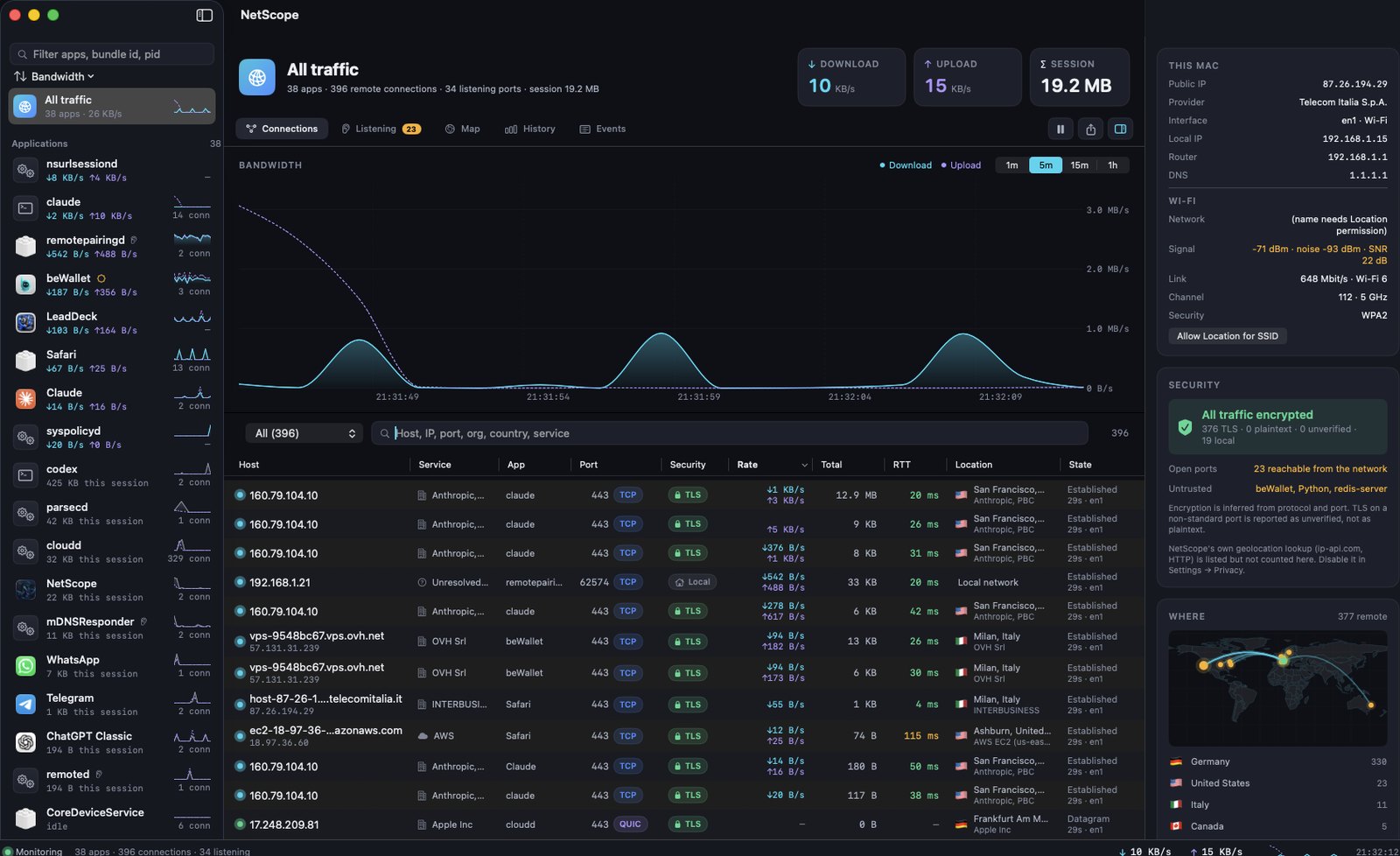
NetScope: every process, every connection, every byte
ArticleFree, notarized, universal. Per-process bandwidth from kernel statistics, every connection with latency and encryption state, code signature of each program, geolocation on a real map, listening ports, alerts, 90 days of history, pf blocking, ping, traceroute and whois.
- Source updated
- 2026-10-13T18:11:22+00:00
Full description
Your Mac is never quiet. Right now, while you read this, a few dozen processes hold a few hundred connections open: browsers, chat apps, sync clients, the AI assistant in your terminal, and a long list of system daemons you never launched. Some of them are moving megabytes per second. Most of them you cannot name.
Activity Monitor shows you a total. Little Snitch asks you a question for every new connection and costs money. Wireshark shows you every packet and none of the context. What is missing is the middle ground: a single window that says, per application, how much is flowing, to whom, from where, whether it is encrypted, and whether the program doing it is actually the one it claims to be.
I wanted that window, and I wanted it honest. No numbers that are estimates dressed as measurements. No "smart" verdicts that cannot be explained. Every figure on screen has to come from the system and be traceable to a process, a socket and a byte count.
macOS keeps excellent network statistics in the kernel, per socket and per process, and exposes them through the same interface Apple's own nettop uses. Reading them needs no kernel extension, no system extension and no administrator password, and it covers every process on the machine, including the ones running as root. Most third-party monitors ignore this and go through lsof, which only sees your own processes and knows nothing about bandwidth.
The hard part is not reading the numbers. It is turning them into something true.
Counters are per socket and they vanish. When a connection closes its bytes disappear from the totals. If you diff totals between two samples, every closed socket produces a negative number and a naive implementation shows zero bandwidth all day. You have to let the kernel compute per-interval deltas and account for sockets one by one.
Process names lie. The name the kernel keeps is fifteen characters long and comes from the executable file. A tool distributed as a versioned binary shows up as 2.1.260. The real answer is in the executable path, the arguments and the code signature, and helpers, XPC services and extensions have to be attributed to the app they belong to.
"Encrypted" is not a port number. Port 443 is not proof of TLS and port 5222 is not proof of plaintext. A monitor should say what it knows, say what it infers, and never dress an inference as a fact.
Where an address lives changes. Country, city and network owner have to be looked up, cached, and never sent anywhere for private and local addresses.
None of this is exotic. It is a lot of small decisions that have to be right at the same time.
NetScope reads one continuous stream of kernel statistics and turns it into a picture you can trust.
Live bandwidth per process
Real per-interval deltas for every process, including system daemons, refreshed every two seconds. Each app has its own sparkline and session total; the chart supports 1 minute to 1 hour with hover.
Every connection, with its latency
Host, port, protocol, state, bytes, RTT and encryption state for each socket. Filters for established, encrypted, plaintext, unverified, local and blocked; search across host, IP, port, organisation, country and service. Right-click for copy, ping, traceroute, whois, or block.
Who is really talking
Executable path, parent process, user and code signature: Apple, App Store, Developer ID, ad hoc or unsigned. Helpers, XPC services and extensions are folded into the app they belong to. A versioned command-line tool is shown by its real name.
Where it goes
Country, city, network owner and ASN for every public host, drawn on a real map from your Mac outward, with a per-country breakdown by bytes.
Listening ports and alerts
Every socket that accepts incoming connections, with whether it is reachable from the network or bound to localhost. macOS notifications for a new app going online for the first time, a port becoming reachable, plaintext traffic to a public host, and unsigned or ad hoc binaries connecting.
History and control
Traffic per app recorded per minute for 90 days, with daily charts and top apps per period. A real event log with timestamps. CSV and JSON export. Host blocking through the built-in pf firewall. Ping, traceroute and whois in a sheet.
Menu bar and updates
A live item in the menu bar shows download and upload speed with a popover of the most active apps. Updates arrive through a signed channel: the manifest is verified with Ed25519 and the download with SHA-256 before anything is opened. The download button on this page reads the very same channel.
The current release is NetScope 2.0.1 (build 21), a correctness update that unified every counter, fixed the per-connection byte totals and made helpers appear under their host app. NetScope is free, notarized by Apple and universal. It needs macOS 14 Sonoma or later. It has no account and no telemetry; geolocation can be switched off in Settings, and private addresses are never sent anywhere.
Open official page ↗
Source: BlackOrder, publisher. Publisher-reported information; missing fields are unverified. Reconfirm prices and requirements on the official page.
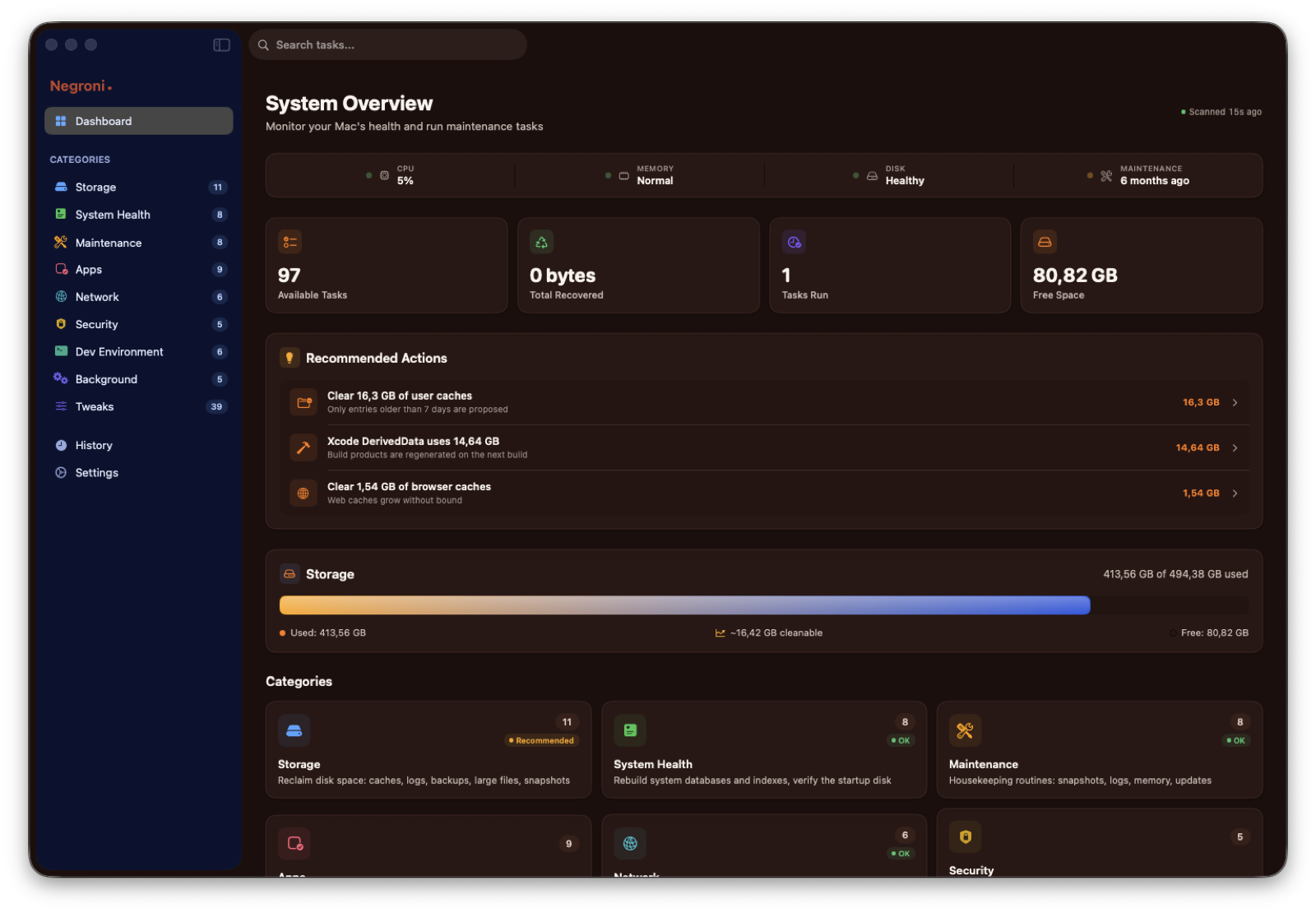
Negroni: Mac maintenance that shows you everything before it touches anything
ArticleA free, notarized maintenance app for macOS 14 and later. Caches, logs, launch agents, DNS, Spotlight, Time Machine and 39 hidden macOS tweaks. Every action lists what it will do, and only what you tick is removed.
- Source updated
- 2026-10-13T19:13:58+00:00
Full description
Every Mac slows down the same way. Not because the hardware got old, but because the disk fills with things nobody asked for: application caches that grow for years, logs that are never rotated, leftovers of apps you deleted long ago, Xcode archives of projects that shipped in 2023, a Downloads folder used as a landfill.
Then there is the invisible layer. Launch agents that start at login for apps you no longer use. A DNS cache that keeps serving stale answers. A Spotlight index that quietly breaks and makes search useless. Time Machine local snapshots holding tens of gigabytes hostage.
The tools that promise to fix this fall into two camps. The aggressive ones run a "Smart Scan" and delete nine gigabytes with a single button, without ever telling you what those nine gigabytes were. The cautious ones are honest but opaque: you press the button and never quite know whether anything happened.
I wanted a third thing. A tool that does the real work, and shows it.
macOS is built in layers, and each layer keeps its own state.
Caches live in ~/Library/Caches and inside sandbox containers. Apps are supposed to rebuild them, but nothing ever purges them. Many are safe to remove. Some (Safari, App Store, iCloud, Xcode indexes) will only cause pain.
Logs in /private/var/log and ~/Library/Logs are rotated by the system, but the rotated archives stay behind.
Launch agents and daemons are registered with launchd and survive an uninstall. Dragging the app to the Trash does not deregister them.
Privileged operations such as rebuilding the Spotlight index, flushing DNS, verifying a volume or clearing system caches need root. Most apps either ask for your password every single time, or install a helper that will happily run anything it is told.
Hidden preferences for Dock, Finder, screenshots and keyboard are plain defaults keys. Knowing which key does what, and how to put it back, is the whole problem.
None of this is secret. It is just spread across a dozen places, each with its own rules. That is why a maintenance app has to be specific: this file, this size, this reason, this way back.
Negroni is organised around one rule: analyse first, show everything, then act only on what you tick.
Nine categories, 97 real tasks
Storage (11), System Health (8), Maintenance (8), Apps (9), Network (6), Security (5), Dev Environment (6), Background (5) and Tweaks (39). Every task is either a read-only report or an action, and the label says which. Nothing is decorative: if a button exists, it does what it says.
Every cleanup is a list
Open User Caches and you get 43 items with their sizes, sorted, each with a checkbox. Apps running right now are skipped. iCloud, App Store, Safari and Xcode state are never proposed. Anything you untick stays exactly where it is.
Reversible by default
Backups, old downloads, mail attachments and app leftovers go to the Trash, not into oblivion. The few tasks that really delete are marked as such and ask for confirmation. A history keeps what was done, when, and how much it freed.
A helper you approve once
Privileged work runs through a small daemon registered with macOS. You approve it one time in System Settings, Login Items, and from then on Negroni never asks for your password. The helper accepts a fixed list of commands and paths, checks the code signature of whoever is calling it, and refuses everything else. If you prefer not to install it, Negroni falls back to the standard macOS authorisation dialog.
Security overview
FileVault, System Integrity Protection, Gatekeeper, firewall, automatic login, SSH key permissions, credentials left in plain text in your home folder, and apps in /Applications that are not notarized. Read-only, in one screen.
39 macOS tweaks, with the way back
Dock, Finder, screenshots, keyboard, animations, hidden files, and more. Negroni reads the real current state from the system and gives you a one-click return to the default.
Signed automatic updates
Negroni checks a signed manifest, verifies the Ed25519 signature and then the SHA-256 of the download, and only then offers you the new version. The download button on this page reads the very same channel, so what you get here is exactly what the app would install.
Negroni is free, notarized by Apple and universal (Apple silicon and Intel). It needs macOS 14 Sonoma or later. Nothing leaves your Mac: no accounts, no telemetry, no network calls apart from the update check.
Open official page ↗
Source: BlackOrder, publisher. Publisher-reported information; missing fields are unverified. Reconfirm prices and requirements on the official page.
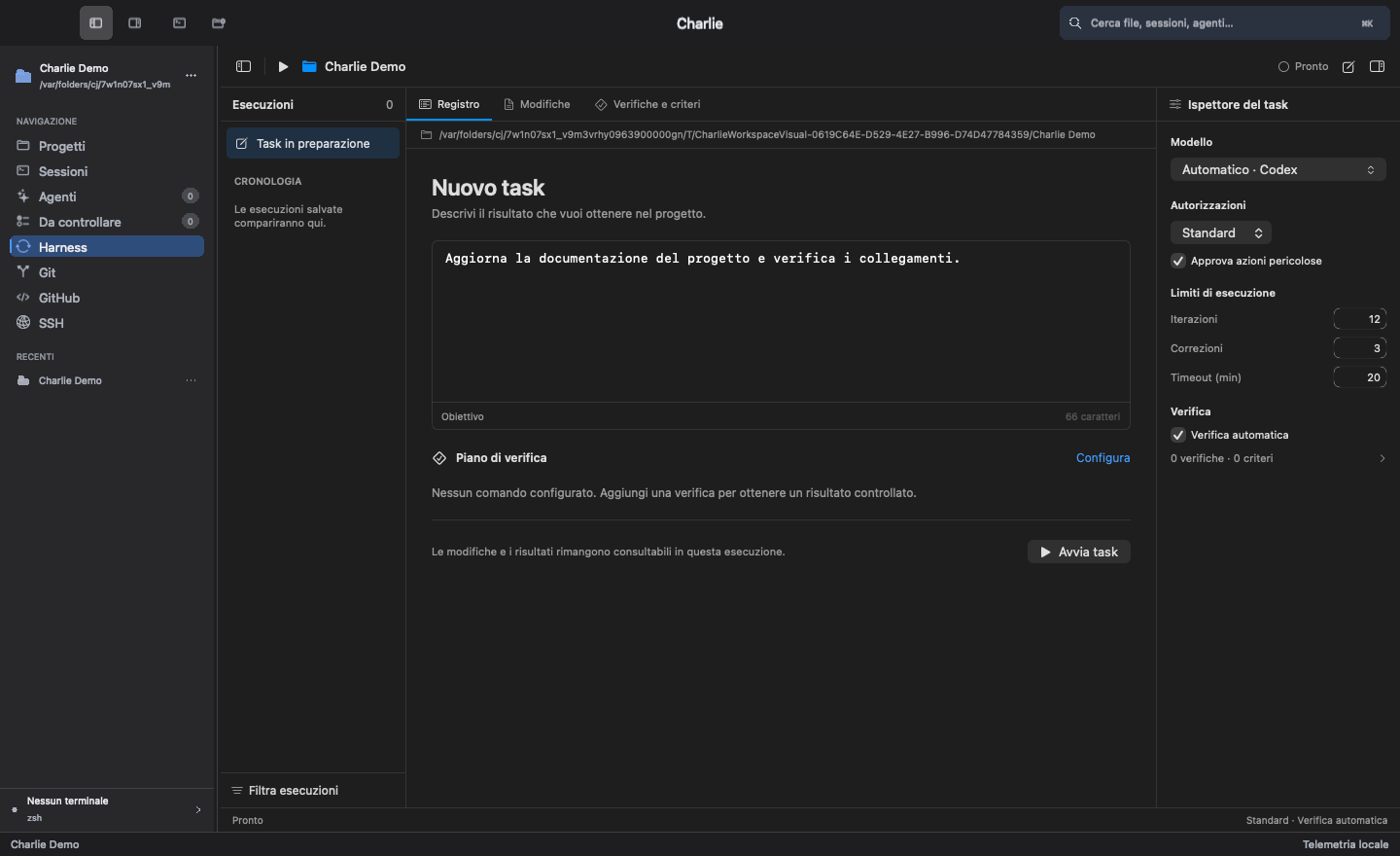
Charlie: Turning the Mac into a Cockpit for Coding Agents
ArticleCharlie is a local-first macOS workspace designed to make coding agents observable, controllable and useful on real projects.
- Source updated
- 2026-10-13T19:18:46+00:00
Full description
Software development no longer lives in a single window. A normal session can involve a terminal, an editor, an AI conversation, a Git client, a task list and several approval prompts. Each tool may be good on its own, yet the workflow becomes fragmented precisely when the work gets more complex.
With more than one coding agent running, even basic questions become surprisingly difficult: Which agent is working? In which directory? Under which process and PID? What commands did it run, what changed in Git, and what still needs approval? A terminal can show the output, but output alone is not the same as understanding the state of the work.
Charlie starts from that gap. It is not simply a chat panel attached to a shell. It is a native Mac workspace built to turn agent activity into visible, inspectable and controllable local state.
Traditional terminal emulators are exceptionally good at streaming characters, while IDEs are built around files and a developer who remains in direct control of every step. Coding agents cross that boundary. They launch processes, inspect repositories, edit many files, wait for permissions and sometimes work in parallel.
If an application only embeds an agent CLI inside a tab, it loses most of that meaning. Charlie instead uses the structured protocols exposed by Codex App Server and Claude Code. Tool calls, approvals, progress and completion are represented as events rather than guessed by scraping coloured text. The provider layer is deliberately open so that other models can be added without rebuilding the workspace around a single vendor.
The same focus applies to the platform. Charlie targets Apple-silicon Macs and macOS 15 or later. Its terminal is based on Ghostty's embedding core and a Metal rendering path, while the surrounding workspace is designed as a fast, persistent native interface. This narrower target lets the product optimise for the machines it actually intends to serve.
Charlie 2.1.0 · one-time license
Charlie is available for €29.90 as a one-time purchase for up to 2 Macs, with no subscription or automatic renewal. After payment confirmation, you receive the license code and download link by email; the download is also available on the confirmation page. Enter the code when you open Charlie. You can deactivate a Mac from Charlie → License to free an activation.
The app checks the license periodically and supports up to 30 days offline after a successful verification. Existing signed update notifications remain available. Requires Apple silicon and macOS 15 or later; the interface is in Italian and English. AI provider accounts, subscriptions and usage credits are separate and are not included in the Charlie price.
Charlie brings the daily development loop into one coherent workspace:
A first-class terminal: Metal rendering, dependable TUI behaviour, splits, tabs, search, line numbers and crash recovery.
Agents as visible processes: Codex and Claude sessions show their provider, task, working directory, process, PID, commands, results and approval state.
Git without hidden context: diffs, review, approvals and isolated worktrees make parallel agent work easier to understand and safer to merge.
The tools around the terminal: an integrated editor, project tasks, SSH hosts, connection diagnostics and local resource monitoring stay close to the work.
Local-first operation: workspace state, event history and telemetry remain on the Mac; Charlie does not rely on remote product telemetry to explain what happened.
Reliability is part of the product, not a final coat of paint. The app includes orderly agent shutdown, recovery of interrupted sessions, guarded approval flows, a signed update channel and a growing suite of more than 160 automated tests covering PTYs, provider transports, Git workflows and recovery paths.
What is new in Charlie 1.6.0 (build 7)
Charlie 1.6.0 adds a new integrated GitHub section. The GitHub CLI for Apple silicon ships inside the app, so no Homebrew installation is needed. Linking your GitHub account is simpler: the flow opens in the browser and the code is copied automatically. From there you can search and pick your public and private repositories.
On top of a repository you create GitHub missions for Codex or Claude from a custom prompt, either in read-only review mode or in implementation mode. Each mission works in an isolated Git worktree, so the main repository stays protected. Pull requests are published only after a Git status check and a human confirmation. Active missions are listed and monitored, and GitHub processes are cancelled safely when you switch workspace or quit Charlie. Stale results are discarded when you jump between projects quickly.
Mandatory updates are now enforced and can no longer be deferred by accident. Login, shutdown and background processes are more stable.
Charlie 1.8.1. Charlie 1.8.1 brings more control over projects and more clarity when working with agents. This release strengthens the heart of Charlie: running several agents on the Mac, following different discussions and keeping project, code and results connected.
Conversations are more numerous and better organised: separate discussions, a browsable history and saved drafts, so you can switch between tasks and pick up work with its context. Every project has its own workspace, with its own terminals and its own selection, and moving between different jobs stays tidy.
Agents run in parallel with stronger isolation: tasks that change code can work in separate Git folders, with protections against concurrent writes to the same folder. GitHub becomes part of the daily flow: repositories, discussions and pull requests are linked to the agents' tasks, with results and checks you can review. Tasks that need attention become visible: approvals, errors and work to verify are gathered in one dedicated place, so you can follow several agents with fewer steps.
Conversations are easier to read and text is more comfortable to work with: project, task, author and status have a clear hierarchy, and copying, selection, draft handling and undo of text edits have all improved. The interface is cleaner and adaptive, with more legible titles, quieter colours, adjustable density and controls that adapt to narrow spaces. Settings are finally more direct: clear groups, explicit values and font previews for terminal, editor and conversations, with chat text adjustable from 12 to 20 points.
Charlie 2.0.1. Charlie 2.0.1 introduces the Harness workspace, which runs AI tasks through a complete cycle of project analysis, tool execution, file changes, verification, and correction. When a check fails, its actual errors go back to the model so it can correct its changes and try again, and every run keeps its evidence: live activity, file diffs, verification results, and acceptance criteria.
The Mac interface has been refined with an Xcode-inspired layout, clearer navigation, improved hierarchy, and more consistent controls, and Harness runs now appear in global search, task filters, activity counters, and notifications. Conversations follow incoming responses and tool activity automatically, with a "New updates" button when you are reading earlier messages.
Markdown files open directly inside Charlie with corrected document switching and saving, sidebar sections respond immediately on mouse press, and GitHub task setup now shows field-specific validation messages that preserve your input when corrections are needed. Under the hood, this release strengthens cancellation, workspace protection, context management, and verification integrity. Existing automatic update notifications remain supported.
Charlie 2.0.5. Charlie 2.0.5 fixes general bugs. In particular, Charlie no longer quits unexpectedly when a program launched from its terminal crashes: the release build now keeps the callback needed to handle child-process exceptions, a packaging check refuses any binary that lacks it, and a regression test covers a real child-process crash. Harness, agents, the GitHub integration and the automatic update checks work as before.
Version 2.1.0 is the current public release: a signed and Apple-notarized DMG for Apple silicon, distributed directly by Black Order. Charlie is developed by a crew from Portomaggiore, with a simple ambition: make serious agent-assisted development feel clear, fast and native on the Mac.
Open official page ↗
Source: BlackOrder, publisher. Publisher-reported information; missing fields are unverified. Reconfirm prices and requirements on the official page.
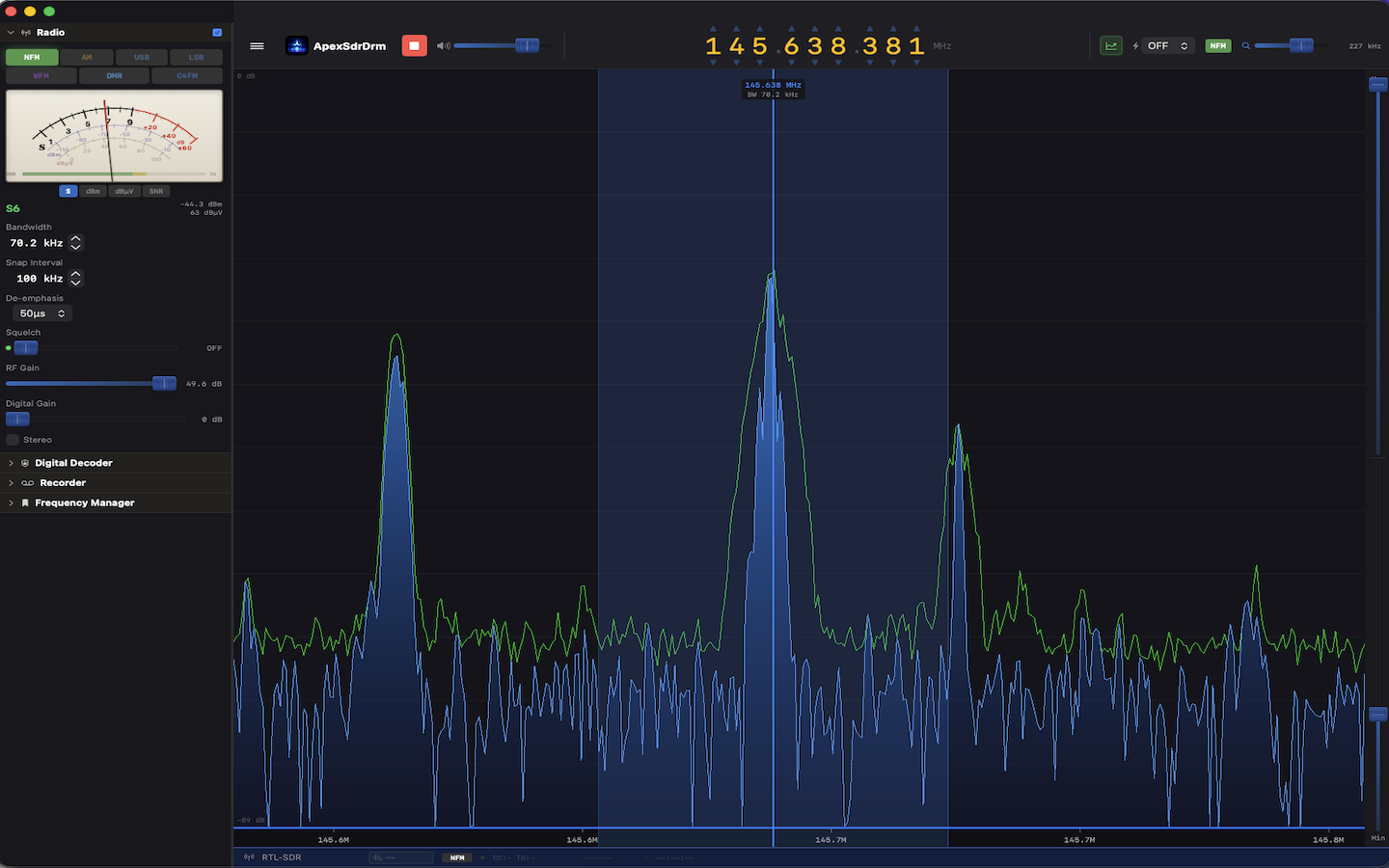
ApexSDR DMR: One Click to Digital Voice. No Pipes, No Pain.
ArticleEvery SDR on the market requires external software, virtual audio cables, and endless configuration to decode DMR. ApexSDR DMR puts digital voice one click away. Built from scratch by IU4TPI.
- Source updated
- 2026-10-13T14:29:51+00:00
Full description
If you have ever tried to decode DMR on your computer, you know the drill.
First you need an SDR application. SDR++, SDR#, GQRX, pick your flavor. Then you need a virtual audio cable to pipe the discriminator output somewhere. Then you need DSDPlus or DSD to actually decode the digital stream. Three separate applications. Configured independently. Connected by virtual plumbing that breaks every time something updates.
Half the posts on ham radio forums are variations of the same question: "I cannot get DSD to work with my SDR, please help." The other half are answers that start with "make sure your virtual audio cable is set to..."
And if you are on macOS? The situation is even worse. The serious decoders are Windows-only. Your options are a virtual machine, a Boot Camp partition, or accepting that digital voice monitoring from your Mac simply is not going to happen.
This is not a minor inconvenience. This is a broken workflow that has persisted for over a decade while DMR has become the dominant digital voice mode in amateur radio.
ApexSDR DMR exists because I got tired of fighting software instead of listening to radio.
I am IU4TPI. I have been a licensed radio amateur for years. I build software professionally. And every single time I sat down to monitor my local DMR repeater from my Mac, I ended up troubleshooting audio pipes instead of copying callsigns. That is not the hobby I signed up for.
So I built what should have existed years ago: an SDR application with digital voice decoding built directly into the signal chain. Not bolted on. Not piped through. Built in.
You will notice something missing from ApexSDR DMR: the waterfall display. That scrolling cascade of color that every SDR puts front and center. It is gone on purpose.
Here is the reasoning. When you are monitoring a DMR repeater on 438.500 MHz, what is the waterfall showing you? A narrow signal appearing and disappearing as people key up. You already know the frequency. You already know the bandwidth. The waterfall is telling you nothing you do not already know. It is eye candy that consumes screen space and processing cycles while adding zero operational value for digital voice monitoring.
ApexSDR DMR shows you what matters: signal level, squelch state, mode, timeslot, color code, talkgroup, source callsign. Information you can act on. Not pixels you stare at.
This is a deliberate design choice, not a missing feature. ApexSDR DMR is a radio, not a spectrum painting application.
The experience is exactly what you would expect from a radio.
Select DMR mode. Tune to your repeater frequency. When a transmission comes in, you hear clear voice. On screen you see the timeslot, color code, talkgroup ID, and source callsign. With an active internet connection, ApexSDR DMR automatically resolves DMR IDs against the global database, displaying the operator's callsign and name in real time. You see who is talking, not just a number. No setup. No configuration wizard. No external software. It just works.
The same applies to C4FM. Select the mode. Tune. Listen. Yaesu System Fusion frames are decoded natively with source and destination information displayed in real time.
To be absolutely clear: this decodes amateur radio digital voice. Unencrypted transmissions as used on ham radio repeaters and simplex worldwide, in full compliance with amateur radio regulations. This is a tool for radio amateurs who want to monitor their local repeater without building a Rube Goldberg machine of software components.
ApexSDR DMR is currently in beta on macOS. The core is solid. Analog reception works. DMR decoding works. C4FM decoding works. We are refining the interface, expanding SDR hardware compatibility, and stress-testing across different repeater configurations before the public release on the Mac App Store.
No SDR application on any platform offers integrated one-click DMR and C4FM decoding. Not SDR++. Not SDR#. Not GQRX. Not CubicSDR. None of them. ApexSDR DMR is the first, and it runs native on Apple Silicon.
This is an open development. If you have ideas, feature requests, or suggestions for what ApexSDR DMR should do next, we want to hear from you. Write to info@blackorder.it and help shape the future of this software. The best features come from the operators who use them every day.
73 de IU4TPI.
Open official page ↗
Source: BlackOrder, publisher. Publisher-reported information; missing fields are unverified. Reconfirm prices and requirements on the official page.

Building Software Without Profiling: A Democratic Alternative to the Modern Web
ArticleFor years, user profiling has been treated as an unavoidable foundation of digital products.
- Source updated
- 2026-10-13T13:32:30+00:00
Full description
If you build software, you are expected to collect data.
If you want growth, you are expected to track behavior.
If you want visibility, you are expected to rank, segment, and optimize people.
This article argues that none of this is inevitable.
Profiling Is Not Neutral
User profiling is often justified as “personalization” or “better user experience.”
In practice, it acts as a selection mechanism.
Profiling systems do not merely adapt interfaces. They decide:
who gets visibility
who gets promoted
who gets funded
who gets ignored
The result is a web where access is not based on merit, quality, or contribution, but on prior visibility, social capital, and algorithmic favor. The more data you already generate, the more the system amplifies you. Those without an audience remain invisible, regardless of value.
This is not a technical limitation. It is a design choice.
A Different Design Philosophy
The strategy behind my software projects is simple:
build systems that work without profiling users at all.
This means:
no behavioral tracking
no demographic inference
no psychological segmentation
no hidden scoring systems
Users are not reduced to data profiles. They are participants.
Registration, when required, is minimal. Usually limited to an email and a name. No age, no interests, no inferred identity. The system does not need to “know” the user to function.
This constraint is intentional. It forces different architectural decisions.
From Ranking to Rotation
Most platforms rely on ranking. Ranking inevitably concentrates attention.
Instead of ranking, my projects use rotation.
Content, visibility, and exposure are distributed over time rather than optimized for engagement. Everyone has access to the same opportunity space. The system does not reward those who already have reach, money, or external traffic.
Rotation is not randomness. It is fairness implemented as infrastructure.
This approach is currently used in Parole Da Leggere, a writing platform where authors rotate democratically on the homepage. Visibility is not earned through followers, ads, or optimization tricks. Every contributor is treated equally by design.
Why This Matters Beyond Content Platforms
The same logic applies to crowdfunding, marketplaces, and digital communities.
Most crowdfunding platforms are not democratic. They require creators to bring their own audience. Funding success depends more on external visibility than on the idea itself.
A profiling-free, rotation-based discovery model would allow ideas to surface based on exposure equity, not pre-existing influence.
This is not about removing competition. It is about removing structural bias.
Privacy as a Consequence, Not a Feature
In this model, privacy is not a marketing feature.
It is a consequence of architectural restraint.
When you do not profile users:
there is less data to secure
fewer compliance risks
lower incentive for surveillance-based monetization
higher trust between platform and user
The system becomes simpler, more robust, and more transparent.
The Future Is Not Bigger Algorithms
The future of the web does not need more data, deeper profiling, or stronger prediction models.
It needs:
fair distribution of attention
systems that do not punish invisibility
platforms that do not require surveillance to function
Profiling is a shortcut, not a necessity.
Building software without it is harder at first, but more sustainable in the long run. Not because it is ethically fashionable, but because it restores balance between people and platforms.
This is not a return to the early web.
It is an evolution beyond its worst habits.
Open official page ↗
Source: BlackOrder, publisher. Publisher-reported information; missing fields are unverified. Reconfirm prices and requirements on the official page.