
NetScope: every process, every connection, every byte
A live network monitor for macOS that tells you who your Mac is talking to, with the real bandwidth of each process, the identity and signature of each program, and where every connection goes.
01
The problem
Your Mac is never quiet. Right now, while you read this, a few dozen processes hold a few hundred connections open: browsers, chat apps, sync clients, the AI assistant in your terminal, and a long list of system daemons you never launched. Some of them are moving megabytes per second. Most of them you cannot name.
Activity Monitor shows you a total. Little Snitch asks you a question for every new connection and costs money. Wireshark shows you every packet and none of the context. What is missing is the middle ground: a single window that says, per application, how much is flowing, to whom, from where, whether it is encrypted, and whether the program doing it is actually the one it claims to be.
I wanted that window, and I wanted it honest. No numbers that are estimates dressed as measurements. No "smart" verdicts that cannot be explained. Every figure on screen has to come from the system and be traceable to a process, a socket and a byte count.
02
Why it happens on macOS
macOS keeps excellent network statistics in the kernel, per socket and per process, and exposes them through the same interface Apple's own nettop uses. Reading them needs no kernel extension, no system extension and no administrator password, and it covers every process on the machine, including the ones running as root. Most third-party monitors ignore this and go through lsof, which only sees your own processes and knows nothing about bandwidth.
The hard part is not reading the numbers. It is turning them into something true.
Counters are per socket and they vanish. When a connection closes its bytes disappear from the totals. If you diff totals between two samples, every closed socket produces a negative number and a naive implementation shows zero bandwidth all day. You have to let the kernel compute per-interval deltas and account for sockets one by one.
Process names lie. The name the kernel keeps is fifteen characters long and comes from the executable file. A tool distributed as a versioned binary shows up as 2.1.260. The real answer is in the executable path, the arguments and the code signature, and helpers, XPC services and extensions have to be attributed to the app they belong to.
"Encrypted" is not a port number. Port 443 is not proof of TLS and port 5222 is not proof of plaintext. A monitor should say what it knows, say what it infers, and never dress an inference as a fact.
Where an address lives changes. Country, city and network owner have to be looked up, cached, and never sent anywhere for private and local addresses.
None of this is exotic. It is a lot of small decisions that have to be right at the same time.
03
My approach
NetScope reads one continuous stream of kernel statistics and turns it into a picture you can trust.
Live bandwidth per process
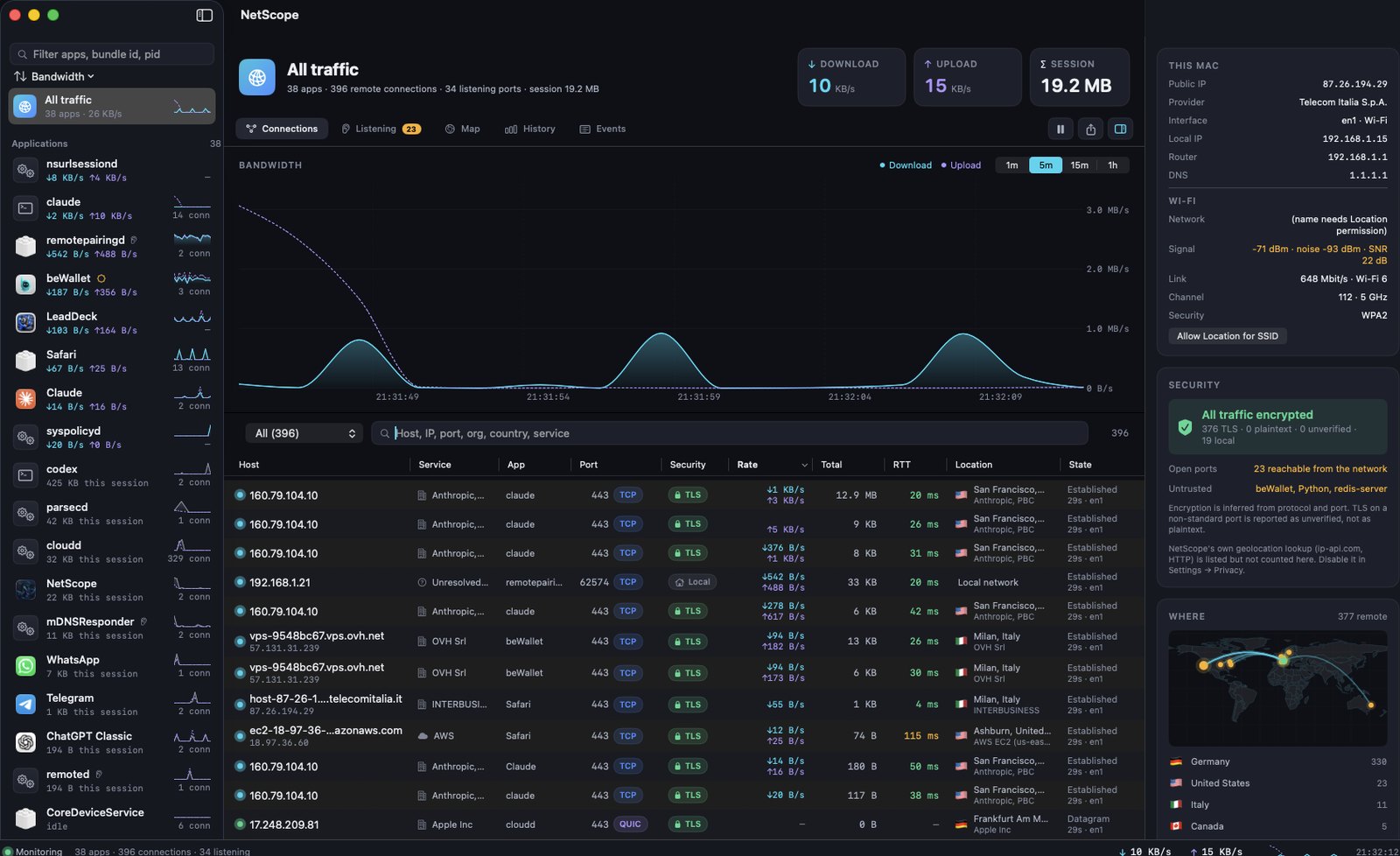
Real per-interval deltas for every process, including system daemons, refreshed every two seconds. Each app has its own sparkline and session total; the chart supports 1 minute to 1 hour with hover.
Every connection, with its latency
Host, port, protocol, state, bytes, RTT and encryption state for each socket. Filters for established, encrypted, plaintext, unverified, local and blocked; search across host, IP, port, organisation, country and service. Right-click for copy, ping, traceroute, whois, or block.
Who is really talking
Executable path, parent process, user and code signature: Apple, App Store, Developer ID, ad hoc or unsigned. Helpers, XPC services and extensions are folded into the app they belong to. A versioned command-line tool is shown by its real name.
Where it goes
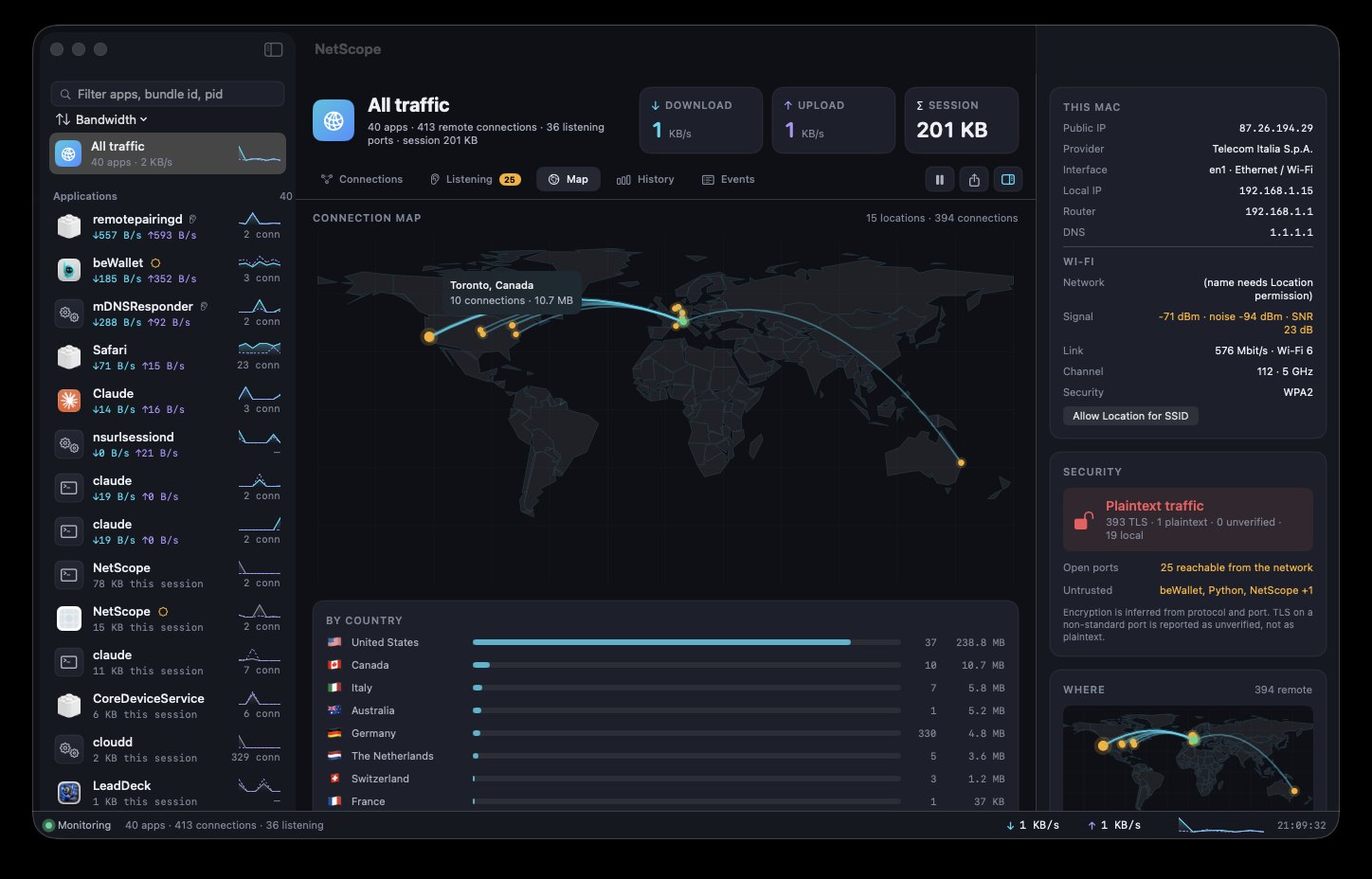
Country, city, network owner and ASN for every public host, drawn on a real map from your Mac outward, with a per-country breakdown by bytes.
Listening ports and alerts
Every socket that accepts incoming connections, with whether it is reachable from the network or bound to localhost. macOS notifications for a new app going online for the first time, a port becoming reachable, plaintext traffic to a public host, and unsigned or ad hoc binaries connecting.
History and control
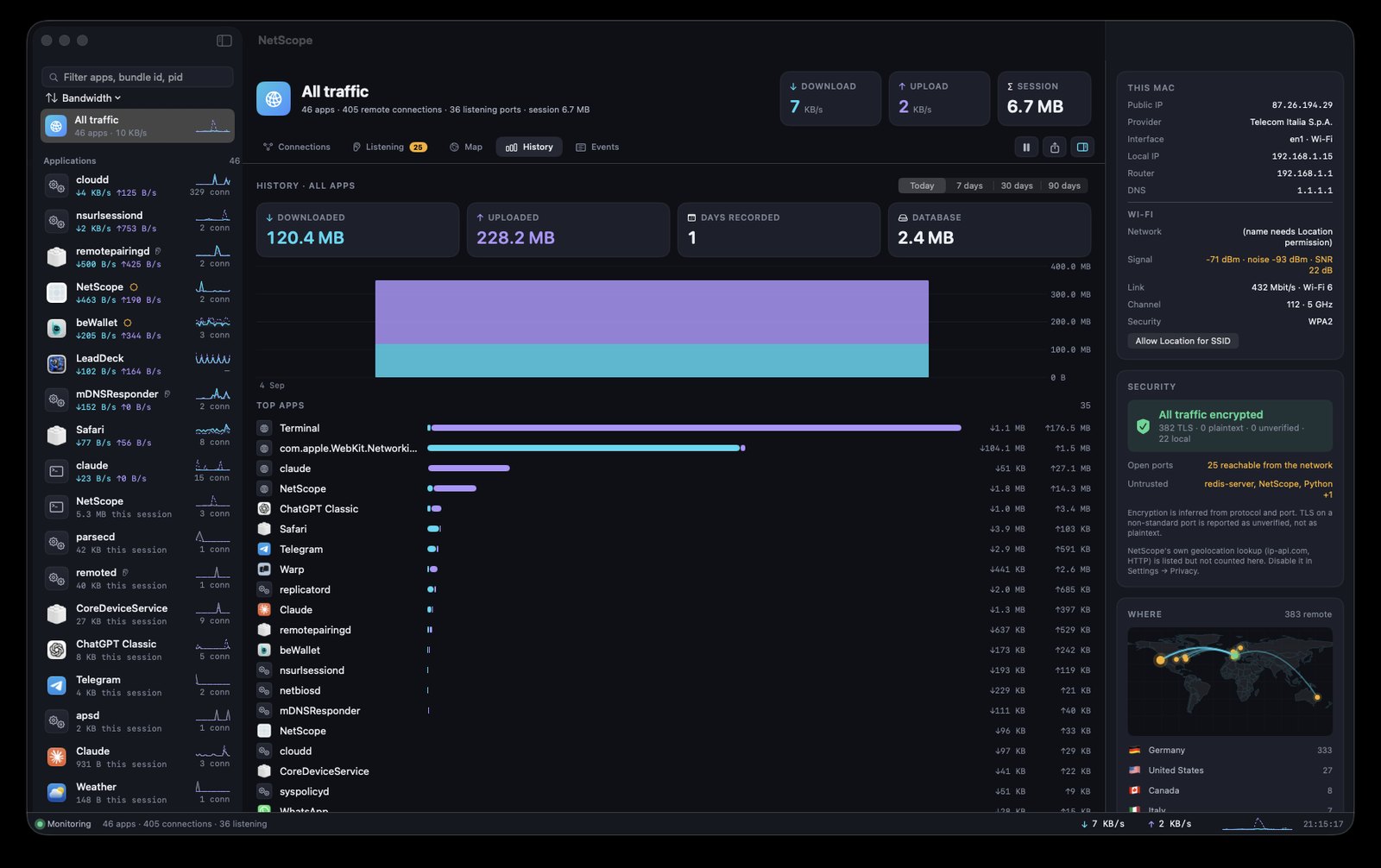
Traffic per app recorded per minute for 90 days, with daily charts and top apps per period. A real event log with timestamps. CSV and JSON export. Host blocking through the built-in pf firewall. Ping, traceroute and whois in a sheet.
Menu bar and updates
A live item in the menu bar shows download and upload speed with a popover of the most active apps. Updates arrive through a signed channel: the manifest is verified with Ed25519 and the download with SHA-256 before anything is opened. The download button on this page reads the very same channel.
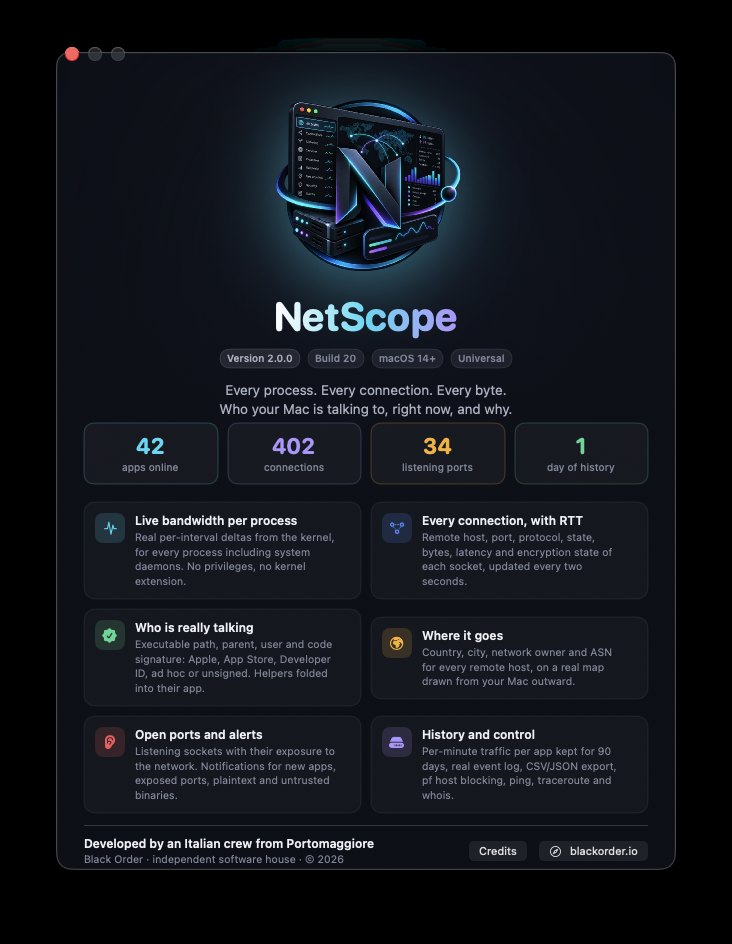
The current release is NetScope 2.0.1 (build 21), a correctness update that unified every counter, fixed the per-connection byte totals and made helpers appear under their host app. NetScope is free, notarized by Apple and universal. It needs macOS 14 Sonoma or later. It has no account and no telemetry; geolocation can be switched off in Settings, and private addresses are never sent anywhere.
Download NetScope 2.0.1 for macOS
macOS 14 Sonoma or later · Universal (Apple silicon & Intel)
Download for macOSMore from the codex
Discussion 0 comments
No comments yet. Start the conversation.