
Negroni: Mac maintenance that shows you everything before it touches anything
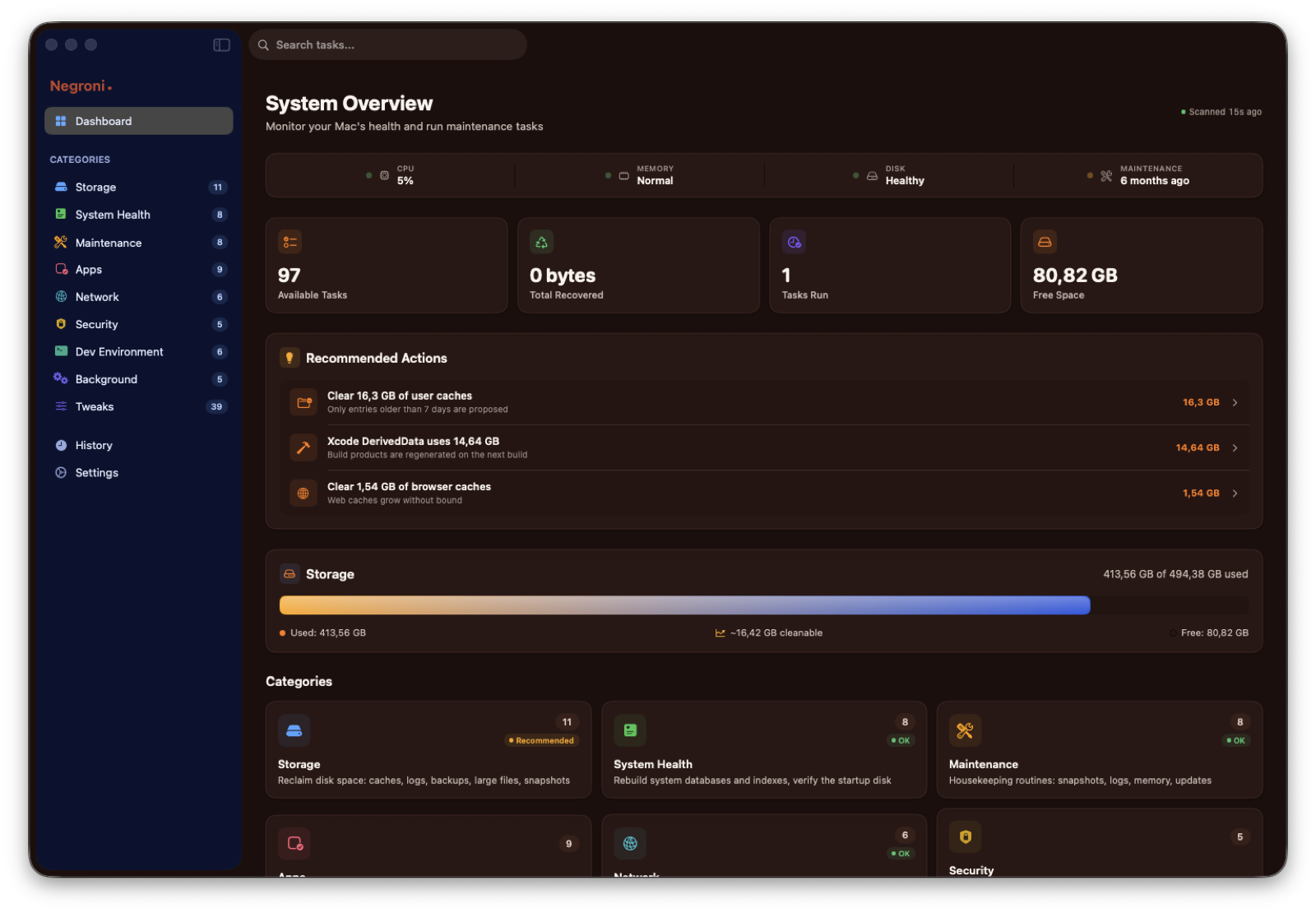
97 real tasks in 9 categories, a privileged helper you approve once, and the list of every single file before it goes. Free, notarized, universal.
01
The problem
Every Mac slows down the same way. Not because the hardware got old, but because the disk fills with things nobody asked for: application caches that grow for years, logs that are never rotated, leftovers of apps you deleted long ago, Xcode archives of projects that shipped in 2023, a Downloads folder used as a landfill.
Then there is the invisible layer. Launch agents that start at login for apps you no longer use. A DNS cache that keeps serving stale answers. A Spotlight index that quietly breaks and makes search useless. Time Machine local snapshots holding tens of gigabytes hostage.
The tools that promise to fix this fall into two camps. The aggressive ones run a "Smart Scan" and delete nine gigabytes with a single button, without ever telling you what those nine gigabytes were. The cautious ones are honest but opaque: you press the button and never quite know whether anything happened.
I wanted a third thing. A tool that does the real work, and shows it.
02
Why it happens on macOS
macOS is built in layers, and each layer keeps its own state.
Caches live in ~/Library/Caches and inside sandbox containers. Apps are supposed to rebuild them, but nothing ever purges them. Many are safe to remove. Some (Safari, App Store, iCloud, Xcode indexes) will only cause pain.
Logs in /private/var/log and ~/Library/Logs are rotated by the system, but the rotated archives stay behind.
Launch agents and daemons are registered with launchd and survive an uninstall. Dragging the app to the Trash does not deregister them.
Privileged operations such as rebuilding the Spotlight index, flushing DNS, verifying a volume or clearing system caches need root. Most apps either ask for your password every single time, or install a helper that will happily run anything it is told.
Hidden preferences for Dock, Finder, screenshots and keyboard are plain defaults keys. Knowing which key does what, and how to put it back, is the whole problem.
None of this is secret. It is just spread across a dozen places, each with its own rules. That is why a maintenance app has to be specific: this file, this size, this reason, this way back.
03
My approach
Negroni is organised around one rule: analyse first, show everything, then act only on what you tick.
Nine categories, 97 real tasks
Storage (11), System Health (8), Maintenance (8), Apps (9), Network (6), Security (5), Dev Environment (6), Background (5) and Tweaks (39). Every task is either a read-only report or an action, and the label says which. Nothing is decorative: if a button exists, it does what it says.
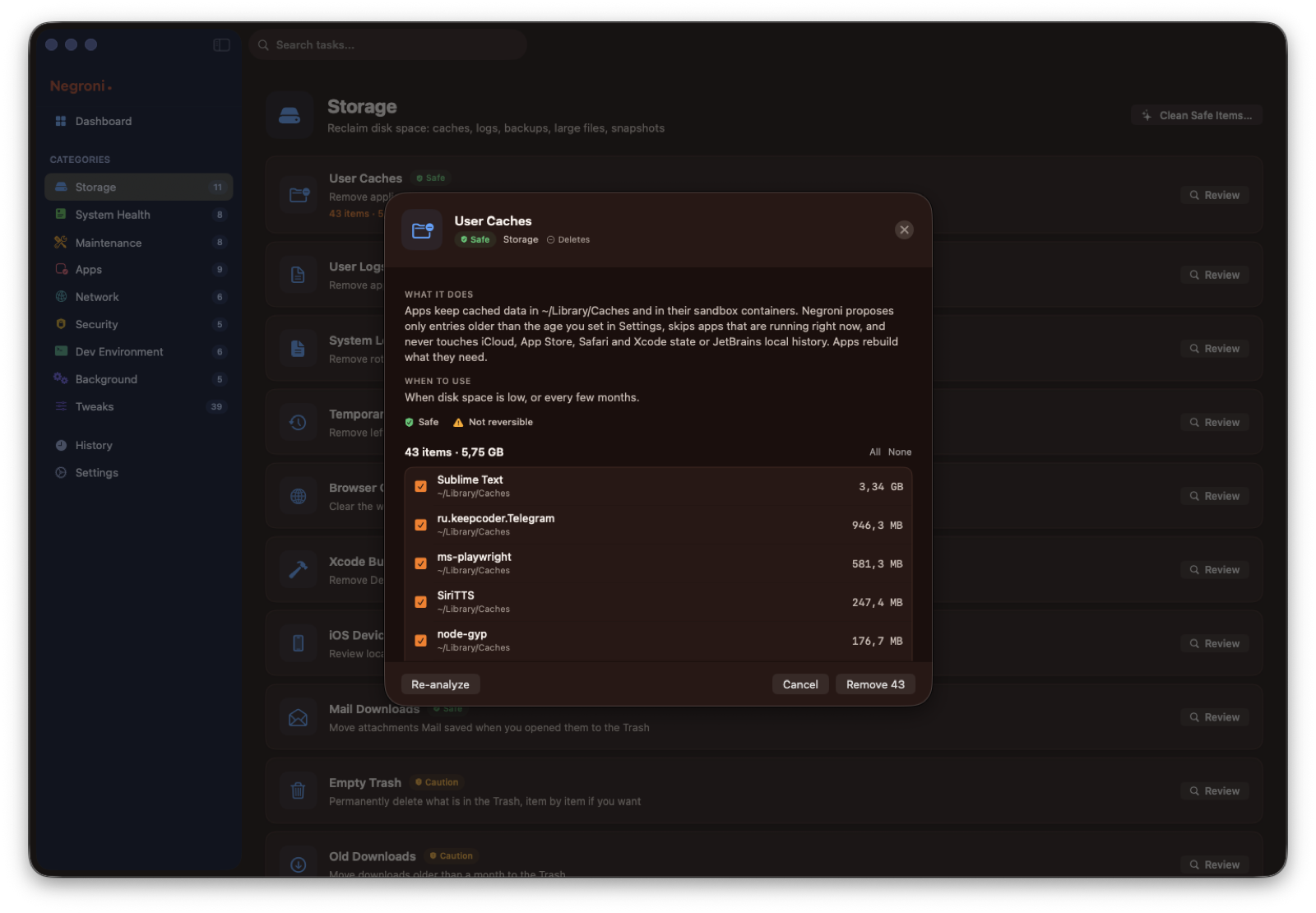
Every cleanup is a list
Open User Caches and you get 43 items with their sizes, sorted, each with a checkbox. Apps running right now are skipped. iCloud, App Store, Safari and Xcode state are never proposed. Anything you untick stays exactly where it is.
Reversible by default
Backups, old downloads, mail attachments and app leftovers go to the Trash, not into oblivion. The few tasks that really delete are marked as such and ask for confirmation. A history keeps what was done, when, and how much it freed.
A helper you approve once
Privileged work runs through a small daemon registered with macOS. You approve it one time in System Settings, Login Items, and from then on Negroni never asks for your password. The helper accepts a fixed list of commands and paths, checks the code signature of whoever is calling it, and refuses everything else. If you prefer not to install it, Negroni falls back to the standard macOS authorisation dialog.
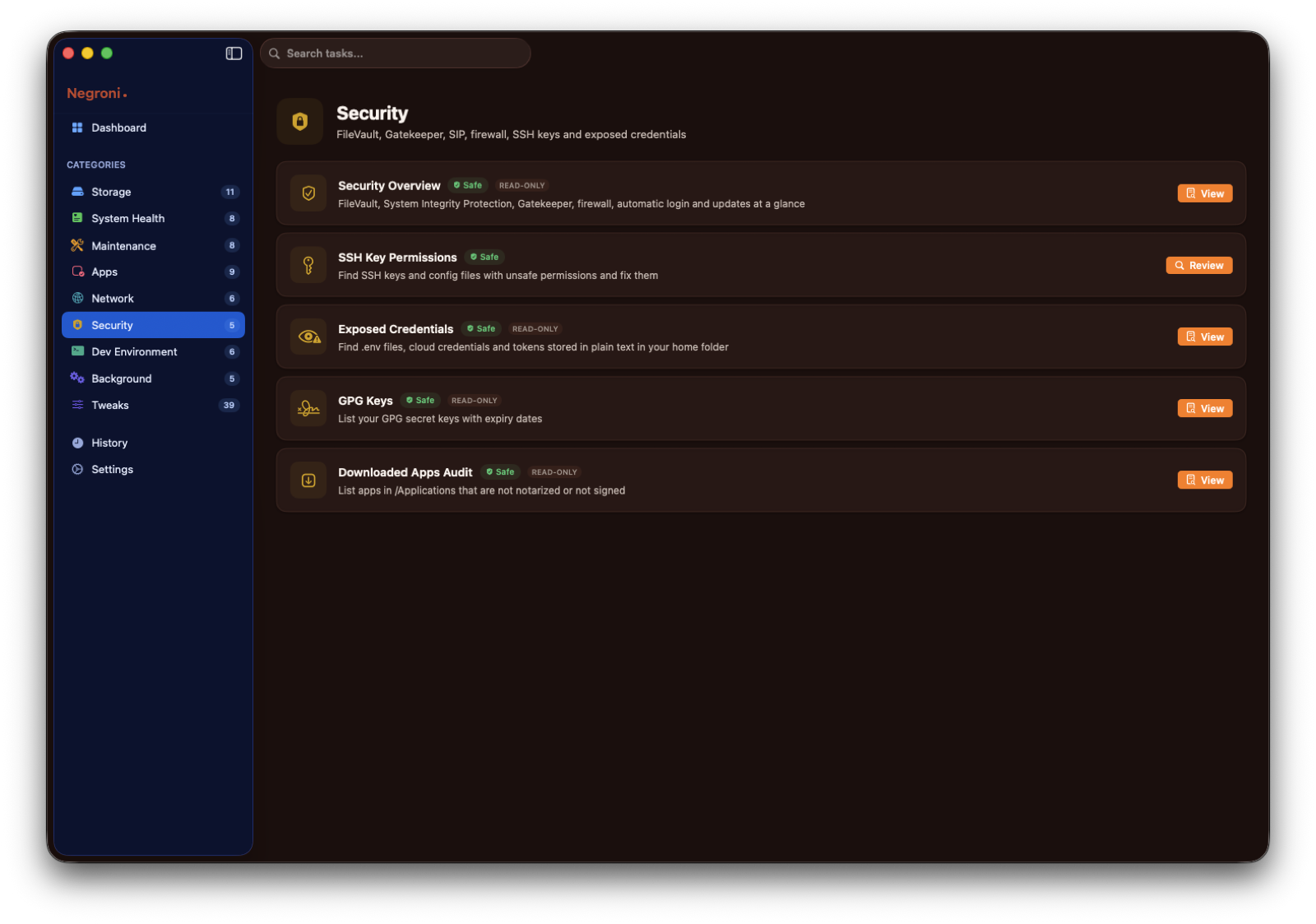
Security overview
FileVault, System Integrity Protection, Gatekeeper, firewall, automatic login, SSH key permissions, credentials left in plain text in your home folder, and apps in /Applications that are not notarized. Read-only, in one screen.
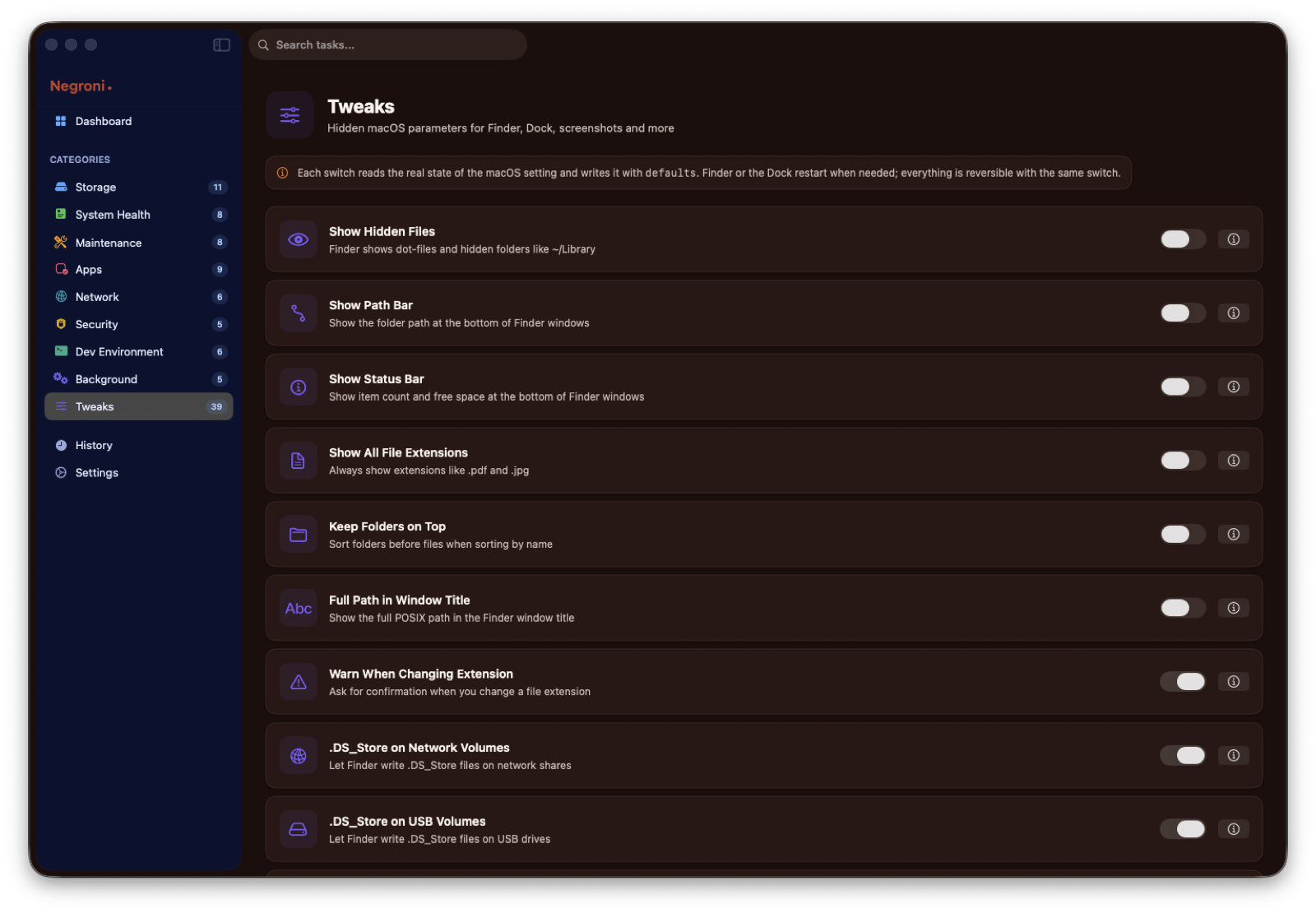
39 macOS tweaks, with the way back
Dock, Finder, screenshots, keyboard, animations, hidden files, and more. Negroni reads the real current state from the system and gives you a one-click return to the default.
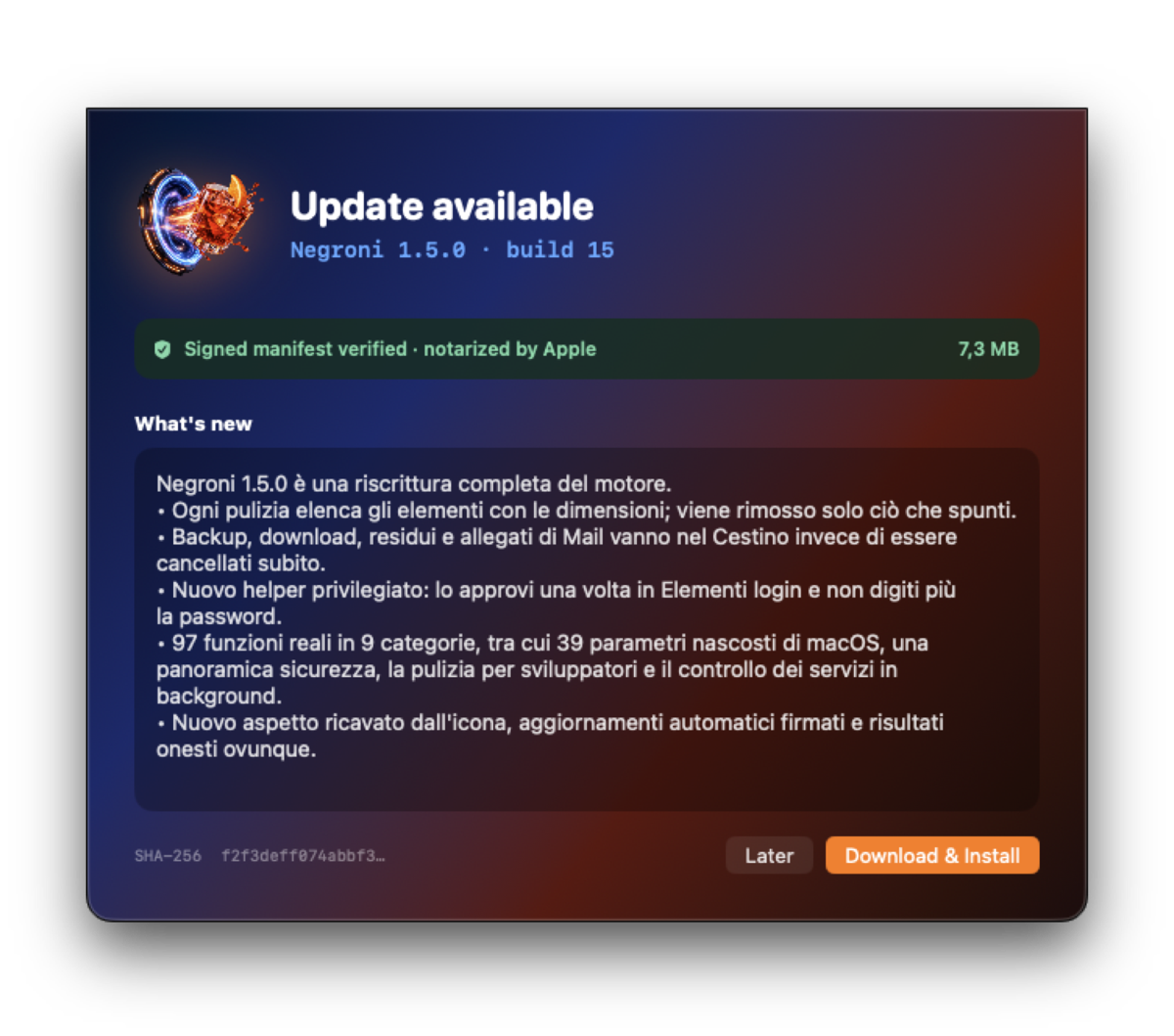
Signed automatic updates
Negroni checks a signed manifest, verifies the Ed25519 signature and then the SHA-256 of the download, and only then offers you the new version. The download button on this page reads the very same channel, so what you get here is exactly what the app would install.
Negroni is free, notarized by Apple and universal (Apple silicon and Intel). It needs macOS 14 Sonoma or later. Nothing leaves your Mac: no accounts, no telemetry, no network calls apart from the update check.
Download Negroni for macOS
macOS 14 Sonoma or later · Universal (Apple silicon & Intel) · about 7 MB
Download for macOSMore from the codex
Discussion 0 comments
No comments yet. Start the conversation.