
CamBoard: every camera, every recorder, one grid on your Mac
IP cameras, NVR and XVR recorders and free TV channels, found on your network and kept on your Mac. Made in Portomaggiore.
01
The cameras are already there
The cameras are already there. One watches the gate, one the living room, a recorder in a cupboard keeps eight more and writes everything to its own disk. What is missing is a place on the Mac where all of them live together: not a browser tab for each brand, not a plugin that stops working at the next macOS update, not an app that wants an account before it shows a single frame.
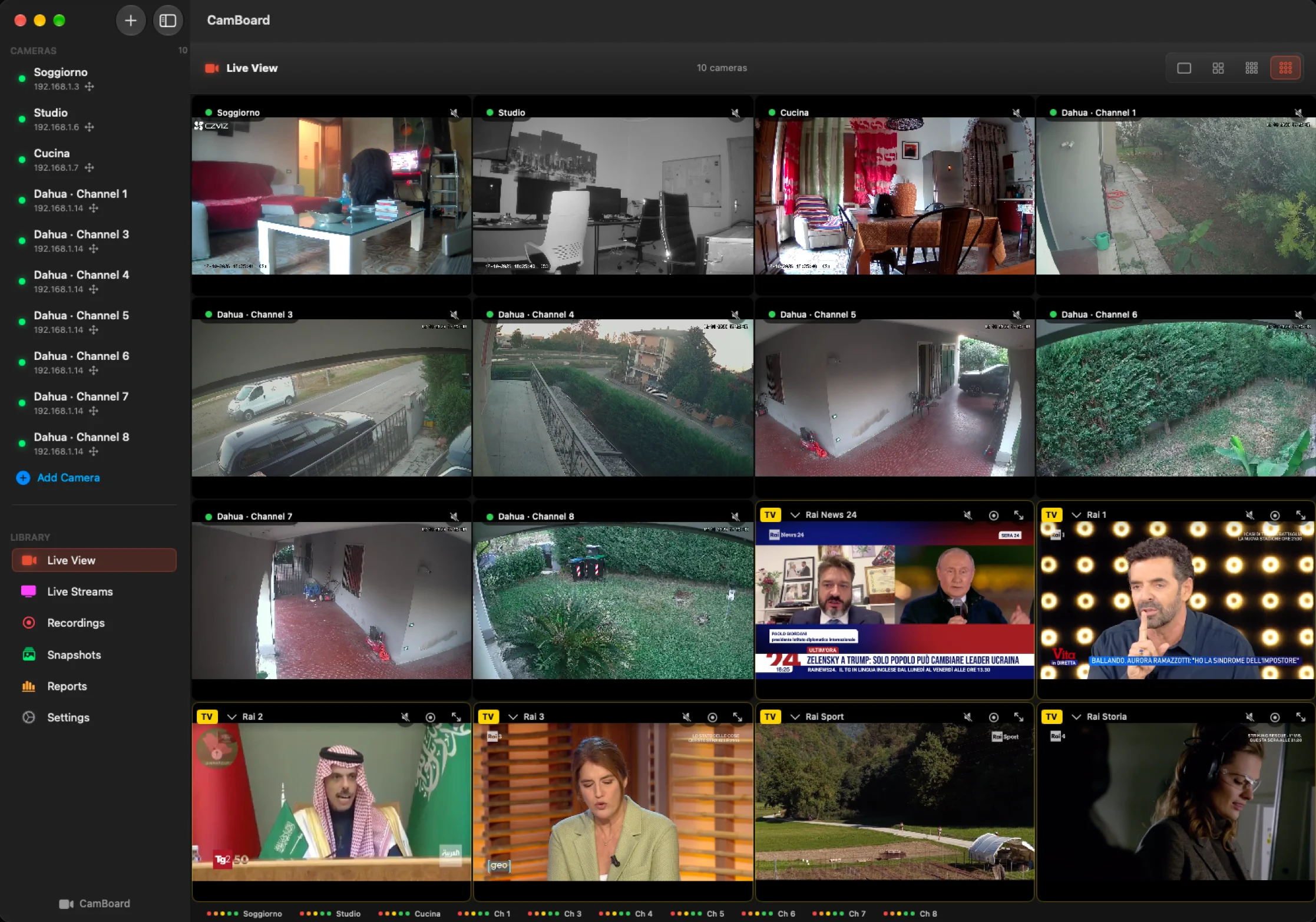
CamBoard is that place. It is a native Mac app built in Portomaggiore, in the province of Ferrara, and it does one thing with care: it puts every camera, every channel of a recorder and, if you like, a few free TV channels on one grid, and keeps everything on your network and on your disk.
Cameras find themselves
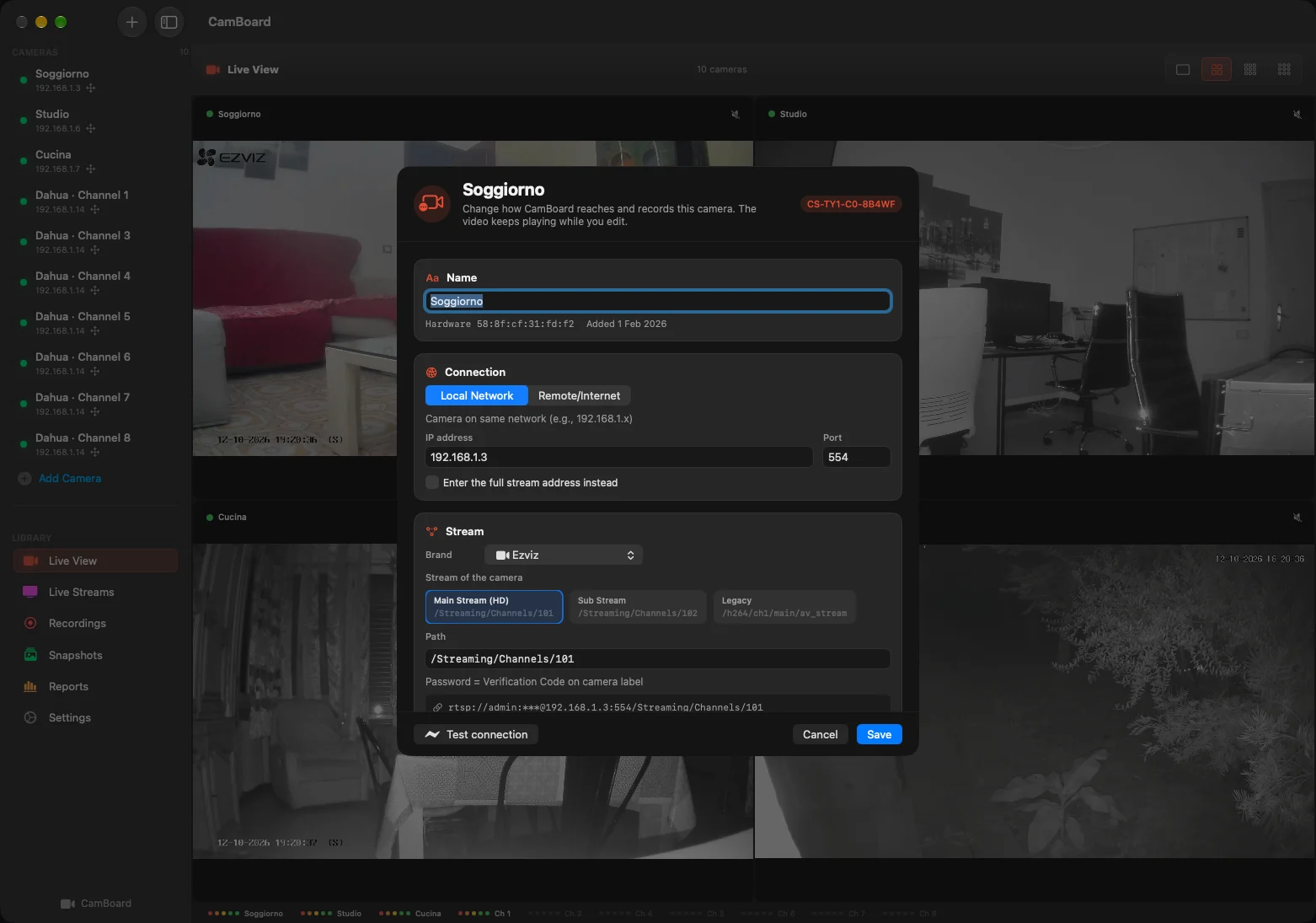
Open Add Camera and CamBoard scans the network for you. ONVIF cameras, RTSP streams and recorders appear in a list with brand, model and address; pick one, type its password, and the right stream path is worked out automatically. A camera that is switched on but not yet streaming is flagged with the steps needed to enable it, instead of a silent black square.
A camera that gets a new address from the router is found again by its hardware identity and reconnected without your help. Passwords stay in the macOS keychain. There is no account, no cloud and no telemetry.
Recorders, with all their channels
An NVR or XVR is added once, with its administrator login. CamBoard asks it for the list of channels and adds the ones you tick, each as its own camera in the grid, with its own name, its own recording settings and its own place in the layout. We developed and tested it on a Dahua XVR; recorders that speak ONVIF, Hikvision and compatible brands are handled the same way.
02
What the grid can do
The recorder's archive, from your Mac
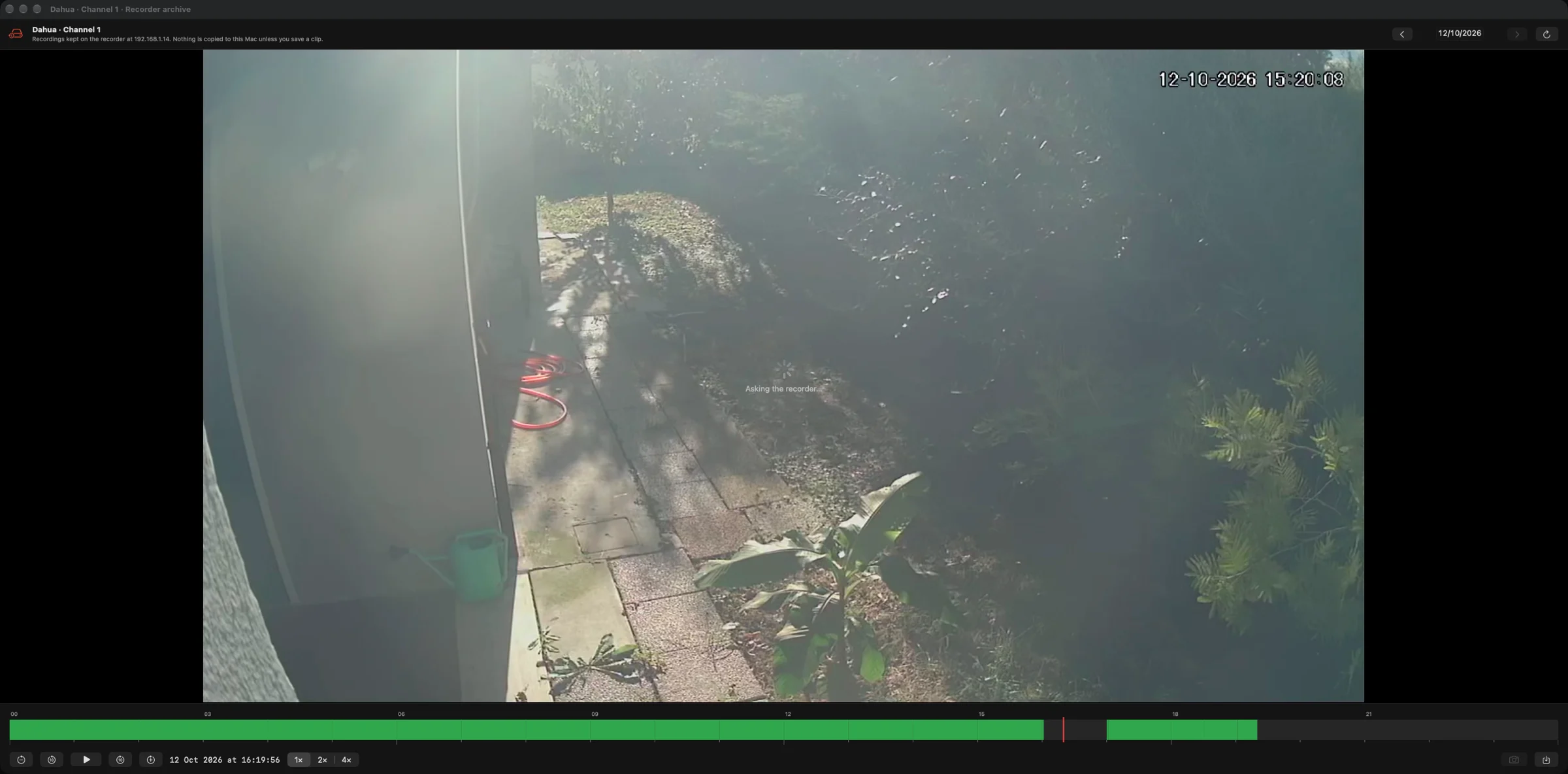
This is the part we wanted most. For a channel of a recorder, open its archive: a timeline of the day shows in green what was recorded, a click plays from that moment, and the controls do what you expect, pause, jumps backwards and forwards, playback at 2× or 4×. Change the day with the arrows, take a snapshot of the frame you are looking at, or save a clip of one, five or fifteen minutes as an MP4 on the Mac. Nothing else is copied: the video stays on the recorder until you decide to keep a piece of it.
Recording, three ways
Record a camera with one click when something is happening. Let motion detection start a clip by itself, with a sensitivity you choose per camera. Or turn on continuous recording and use CamBoard as a 24/7 NVR: segments of a chosen length, a storage limit, a retention period, and the Mac kept awake while it records. Every recording lands in the library as an MP4 that QuickTime opens, at the quality you set once in Settings.
It keeps running on its own
A camera wall is only useful if it is still there in the morning. After the Mac sleeps or the screen goes dark, every stream is reopened; a stream that stops delivering frames is restarted without your help; a recorder that was rebooted is picked up again. We spent a good part of the development on exactly this, with the app left running for days on a desk full of real cameras.
Sound, pan and tilt, and the truth about each camera
Turn the speaker on in any cell to hear that camera, with volume and an equaliser. Cameras that support ONVIF pan and tilt get a control pad right inside the cell. The Reports page checks each camera for real and shows status, frames per second, resolution, data rate, frame loss and codec, live, next to what is being recorded and how much disk is in use.
Free TV where there is no camera
Empty slots of the grid play free television channels, muted, each one replaceable from a menu. A channel can be enlarged with sound, recorded, or sent to the grid as if it were a camera. Dead links are checked and skipped. If you would rather keep the slots empty, one switch in Settings does it.
03
Made for the Mac
Made for the Mac, kept on the Mac
CamBoard is a native app, signed and notarised, for macOS 14 or later, on Apple silicon and Intel Macs. The interface is in English. Video decoding is done by VLCKit and libVLC, which is why cameras of very different brands, H.264 and H.265, RTSP and HLS, all end up on the same grid. The look follows one of the built-in themes, Carbon by default, and the window fits a 14-inch MacBook as well as a wall of monitors.
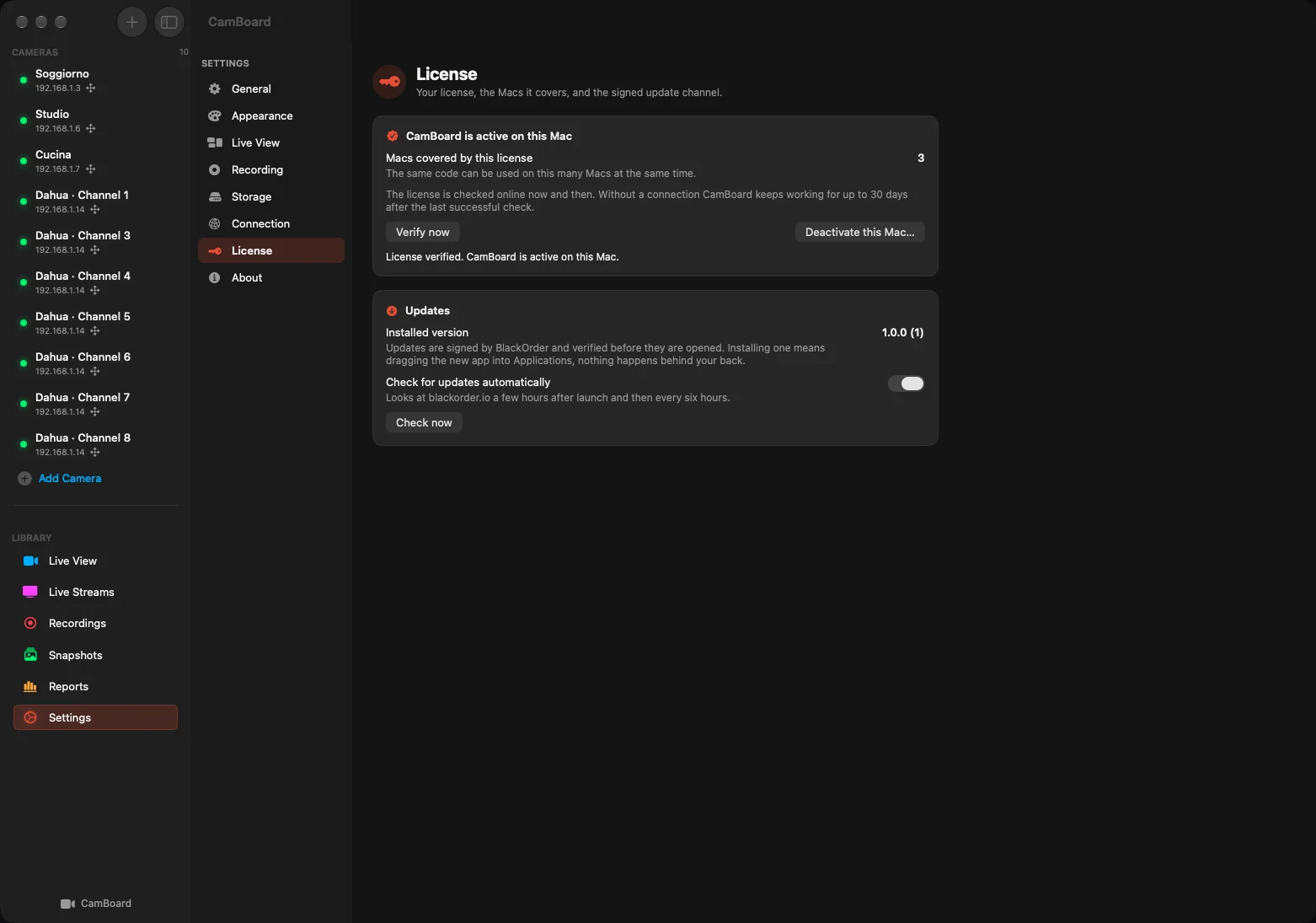
Updates arrive through the same signed channel used by our other apps: the app checks blackorder.io now and then, verifies the signature and the checksum of what it downloads, and leaves the installation to you, by dragging the new version into Applications.
€39.90 once, for up to 3 Macs
One purchase, a license with no expiry, no subscription and no automatic renewal. Your code activates CamBoard on up to three Macs, and a Mac can be released from Settings to free its seat.
- Select Buy CamBoard and complete the secure payment with Stripe.
- After payment is confirmed, the page shows the download button. Your activation code and download link are also sent by email.
- Open the DMG, drag CamBoard into Applications and enter your code in the activation screen.
An internet connection is required for activation and for the periodic license check; a successful check allows up to 30 days of offline use. The cameras, of course, never leave your network.
Built in Portomaggiore. Made to keep an eye on things.
Put your cameras on the Mac.
macOS 14+ · Apple Silicon & Intel · English
39.90 EUR · Up to 3 Macs · one-time purchase
Buy CamBoardDownload after payment. Code and link also sent by email. No automatic renewal.
More from the codex
Discussion 0 comments
No comments yet. Start the conversation.