
On Record: the recorder that writes it all down, on your Mac
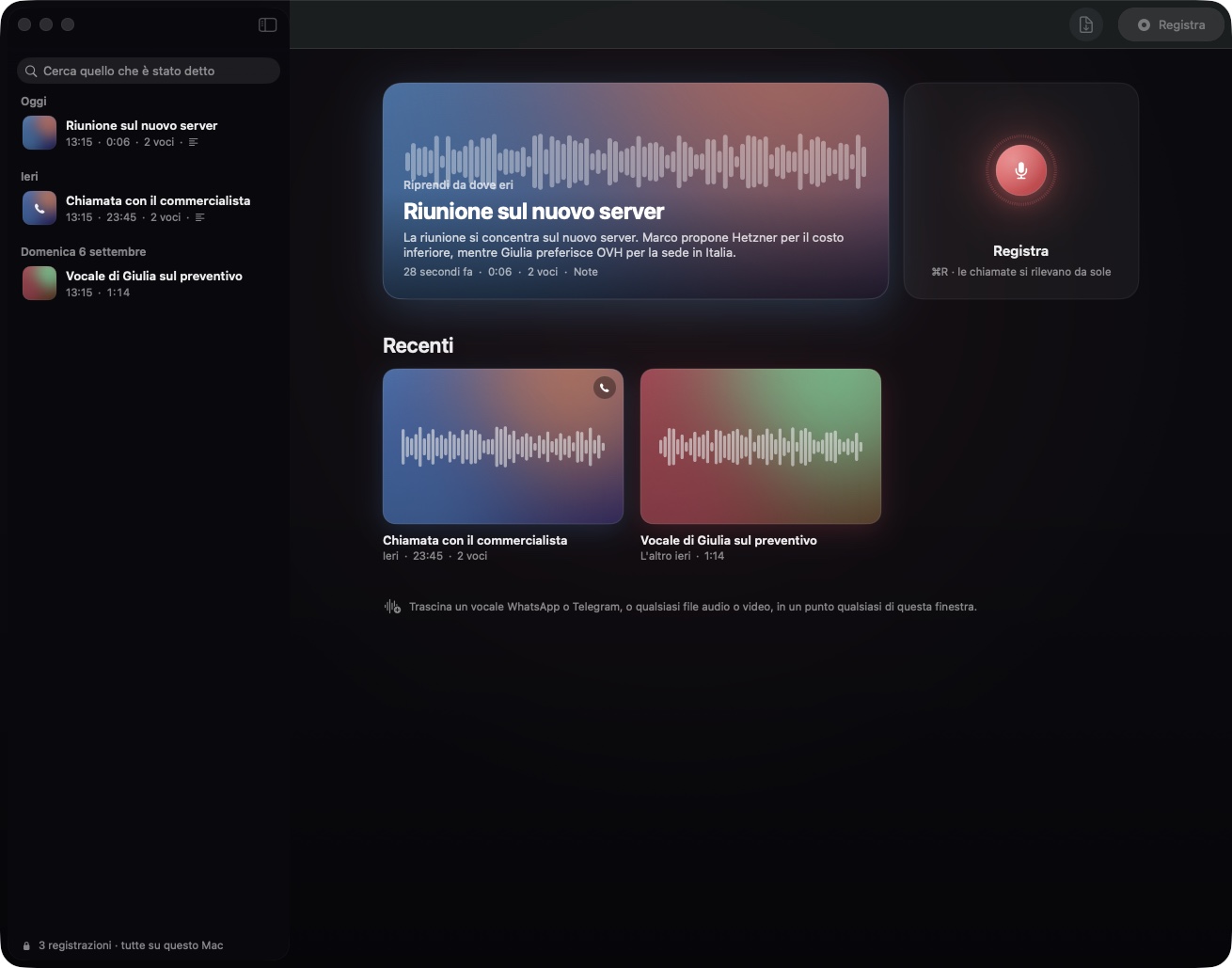
Free, no account, nothing to sign up for. It records meetings, calls and voice messages, transcribes them on the Mac while you speak, tells the voices apart and writes the notes by itself.
01
The problem
Every meeting, every call and every voice message ends the same way: somebody has to remember what was said. Usually that somebody is you, a day later, with a vague feeling that a date was agreed and a number was mentioned, and no way to check without listening to forty minutes of audio again.
The tools built for this problem all ask for the same thing before they help you: an account, a subscription, and your audio uploaded to a server you have never seen. Meeting recorders send the conversation to the cloud to transcribe it. Voice-note apps keep the transcript on their side. The ones that promise privacy charge for it. And almost none of them deals with the way people actually talk today, which is a WhatsApp voice message from a colleague, a Telegram audio from a client, a Zoom call that started before you thought of pressing record.
On Record starts from the opposite end. The Mac already has an excellent speech engine and a language model that run entirely on the machine. So the recorder should work without asking who you are, without a fee, and without a byte of your conversations ever leaving the computer. It should also notice the call for you, tell who said what, and have the notes ready when you open it, because the point is not the recording. The point is what you do with it afterwards.
02
Why it happens on macOS
macOS 26 ships two pieces that make this possible without any server. The first is SpeechAnalyzer, Apple's new speech engine: it transcribes in real time, in the language you choose, with the timing of every single word, and the language model it needs is downloaded once and then works offline. The second is the on-device language model of Apple Intelligence, which can read a transcript and answer with structured text. On Record is built on both, and everything else was written to fill what they leave out.
Apple's engine does not tell voices apart. On Record does it on its own: it computes a voice fingerprint for every couple of seconds of speech and groups the pieces by voice, and during a call it uses a stronger clue, which is that you are on the microphone and the other side is on the Mac audio. That is why a call comes out with you on one side and the other party on the other, with no setup.
Nothing in macOS announces that a call has started. On Record asks CoreAudio which processes are reading the microphone, every second and a half, and recognises WhatsApp, Telegram, FaceTime, Zoom, Teams, Slack, Discord, Signal and the browsers used for Meet. No permission is involved and the check costs nothing.
Speech engines guess names. A glossary of people, companies and products is handed to the engine before it listens, and whatever it still gets slightly wrong is corrected afterwards by sound rather than by spelling, so "Cubernete Sparte" becomes "Kubernetes parte" and "Black Order" becomes "BlackOrder", while a month never turns into a colleague.
Notes take a few seconds with the local model and longer for a two-hour meeting. So they are written the moment the recording ends, in the background, and they are waiting when you open it. If you prefer faster or sharper notes, a key of your own for Claude, OpenAI or DeepSeek can be pasted in the settings; even then only the text of the transcript is sent, never the audio, and the transcription itself never leaves the Mac.
03
My approach
On Record is free. There is no account to create, no e-mail to give, no trial that expires. You download it, you open it, you press Record.
Recording and live transcription
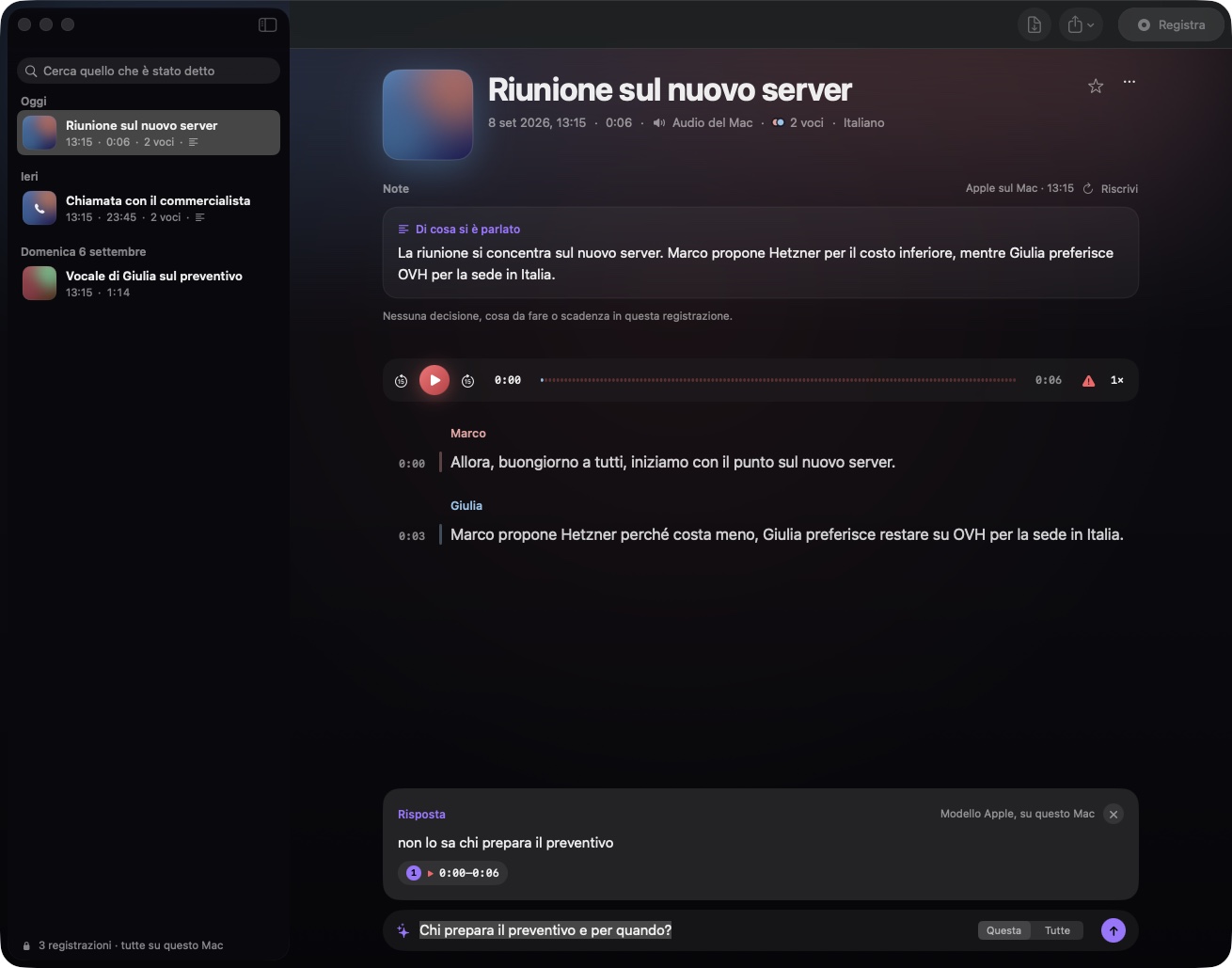
The microphone and, if you want, everything the Mac plays, mixed into one recording so both sides of a call are there. The words appear on screen while you speak, with the running time on the disc. At the end the voices are separated, the transcript is cut into readable lines with a coloured rail per speaker, and each voice can be given a name that follows it into the notes and the export.
Notes written by themselves
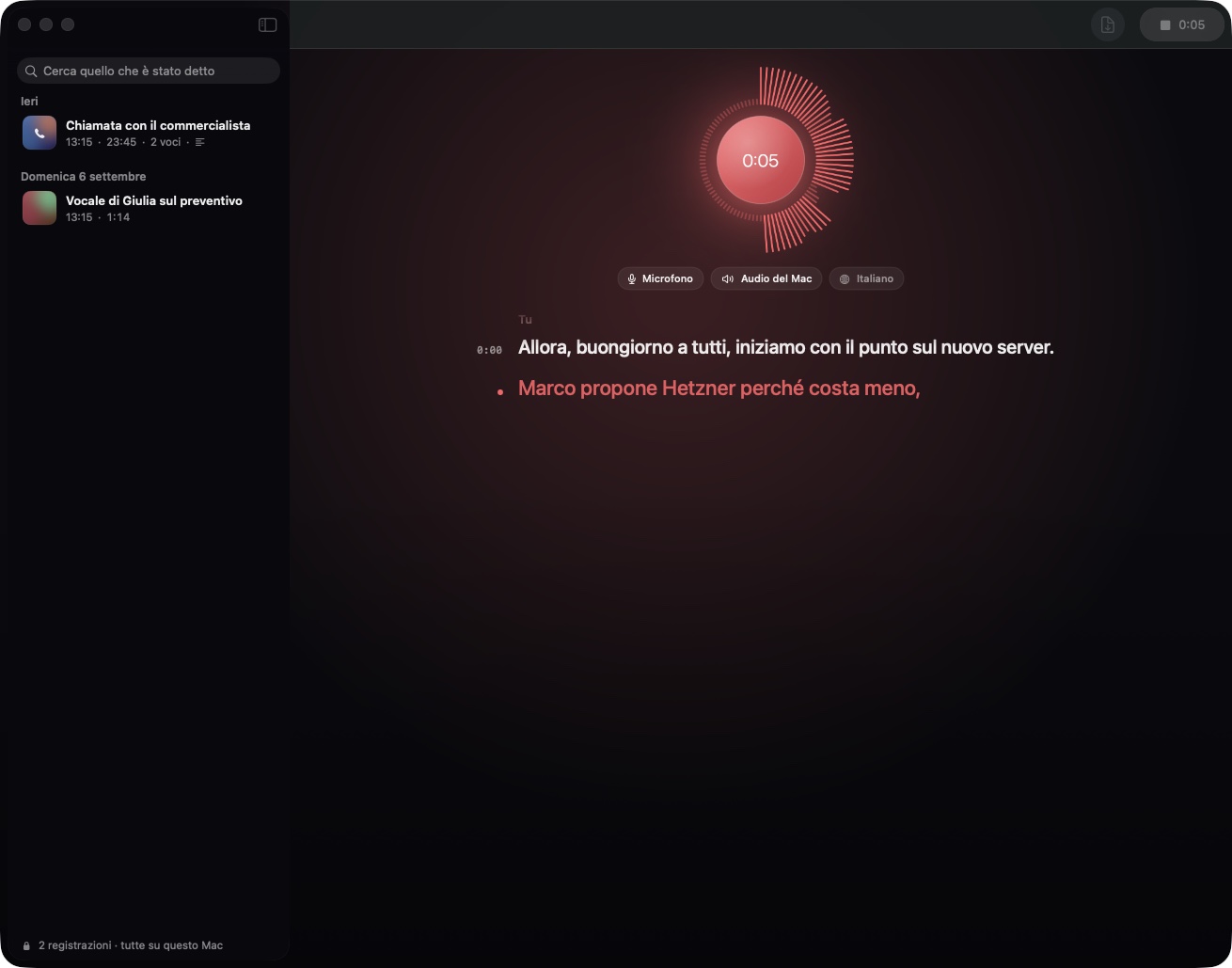
The moment a recording ends, On Record writes what it was about, the decisions, the things to do and the dates, as plain prose, from the transcript only. The same happens after an import. The notes sit at the top of the recording, above the player and the transcript, and a click on any line of the transcript plays that exact moment.
Calls, noticed for you
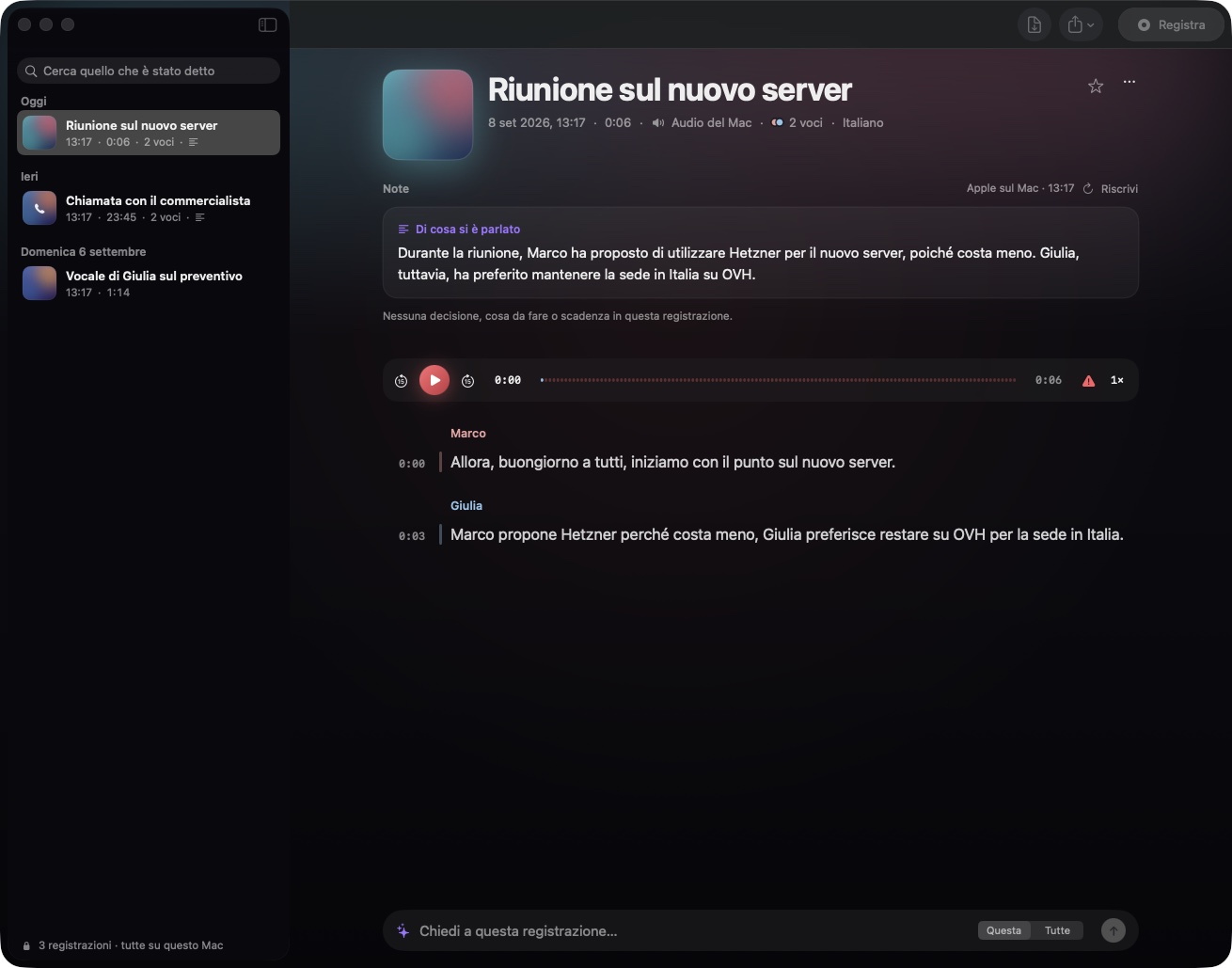
When a call starts on WhatsApp, Telegram, FaceTime, Zoom, Teams or Meet, a banner offers to record it with both sides, or the recording starts by itself if you prefer, and stops when the call ends. If the recording starts during a meeting on your calendar, it takes the event's title and the attendees are suggested when you name a voice.
Voice messages and any file
WhatsApp and Telegram voice messages can be dropped anywhere in the window, together with phone memos, meeting exports and video files: opus, ogg, m4a, mp3, wav, aiff, flac, amr, 3gp, mp4, mov and the rest of what the Mac can decode. Each import gets its transcript, its voices and its notes like a live recording.
Ask the recording
A question box at the bottom answers about one recording or your whole library, and every answer carries citations: click one and the audio jumps to the second where it was said.
Glossary and corrections
Names, companies and products in the Glossary are spelled right. Any line of the transcript can be corrected in place with a double click. Recordings can be exported as Markdown, with notes, speakers and timestamps.
Languages
The interface is in English, and in Italian on a Mac set to Italian. Transcription works in every language Apple's speech engine supports, chosen in the settings: the model for that language is downloaded once and then works offline, and the notes come out in the language of the transcript, whatever it is.
Everything on your Mac
Recordings, transcripts and notes live in the app's own folder on this Mac and nowhere else. Transcription always happens locally with Apple's engine. Notes and answers use Apple's on-device model by default; a key of your own for Claude, OpenAI or DeepSeek is optional and sends only transcript text. Updates arrive through a signed channel: the manifest is verified with Ed25519 and the download with SHA-256 before anything is opened. The download button on this page reads that same channel.
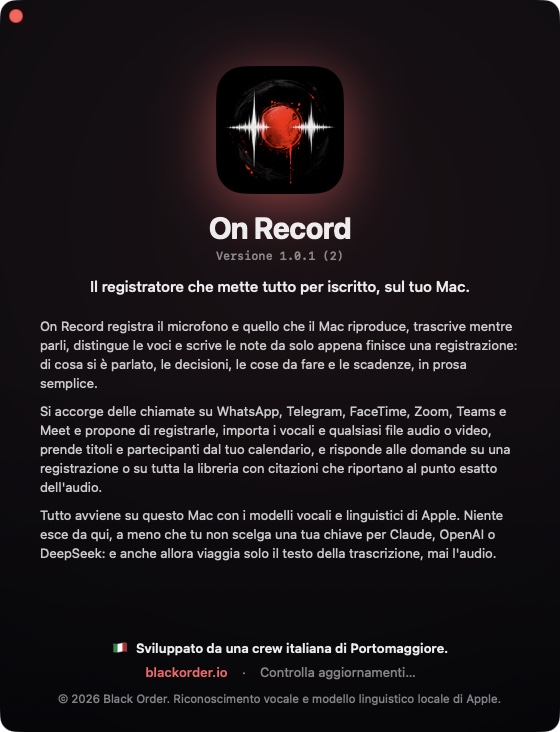
On Record is free, notarized by Apple and built for Apple silicon. It needs macOS 26 Tahoe. It has no account, no subscription and no telemetry. It is developed by an Italian crew from Portomaggiore.
More from the codex
Discussion 0 comments
No comments yet. Start the conversation.