
Apex SDR Tetra: the power of radio, the clarity of a Mac app
TETRA takes centre stage in a native receiver that brings together analogue and digital voice, maps, messages, satellites and sensors. Made in Portomaggiore.
01
TETRA at the heart of the experience
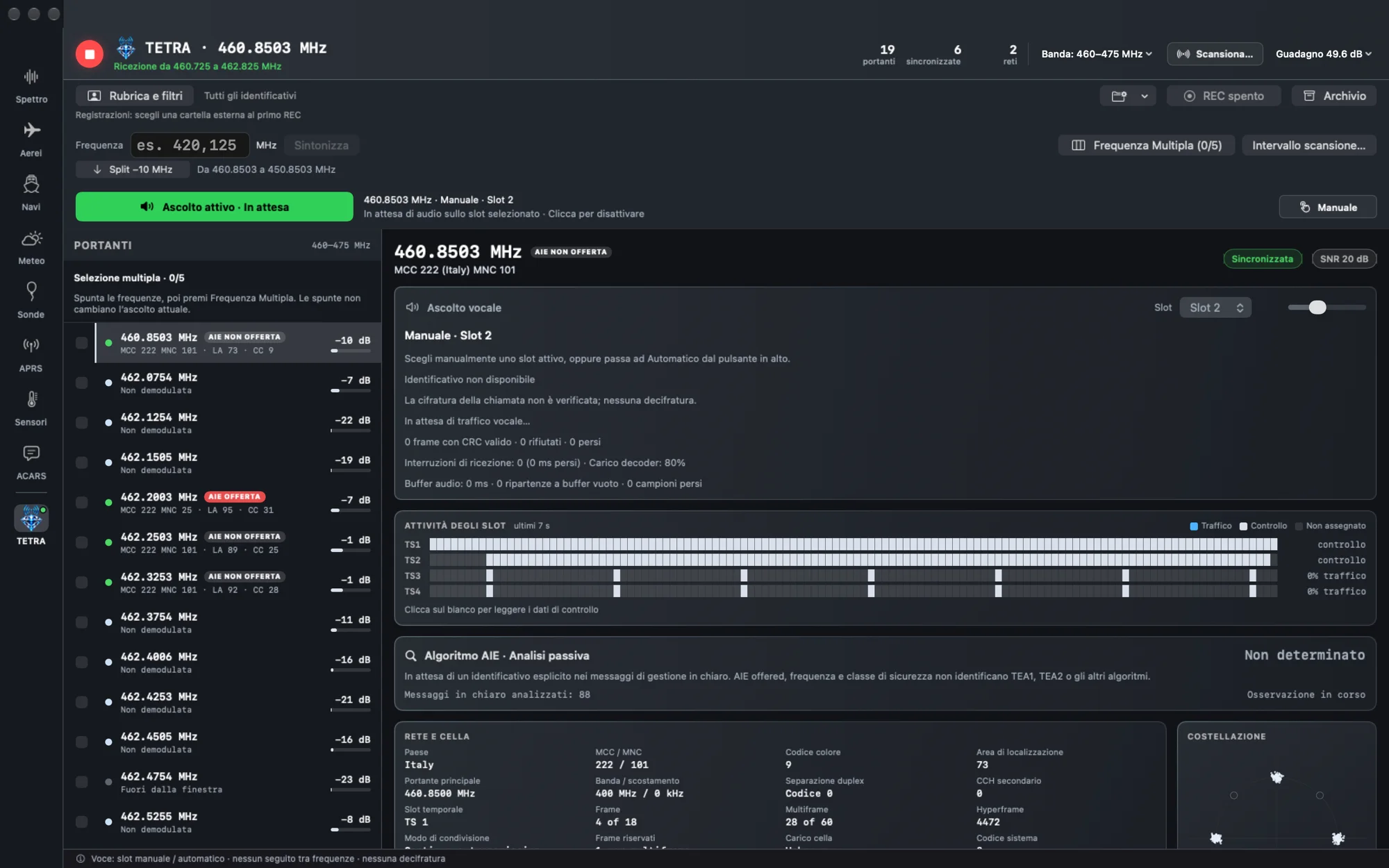
Actual app screenshot in the opening image: the TETRA module with detected carriers, slot activity and network information.
We like building software that is simple to use, powerful and ergonomic. That is the idea behind Apex SDR Tetra: bringing the richness of radio reception to the Mac through a carefully designed interface, recognisable controls and information that helps explain what is arriving from the antenna. Developed by our Italian crew in Portomaggiore, version 1.0.0 brings analogue radio, digital voice and dedicated tools for signals, messages and maps together in one native app.
At its heart is TETRA. A section with its own operational view, where band scanning, carriers, networks, cells and slot activity become readable, connected information. The diamond that identifies it in the interface reflects the place we wanted it to have in the project.
From the signal to the network, with everything in view
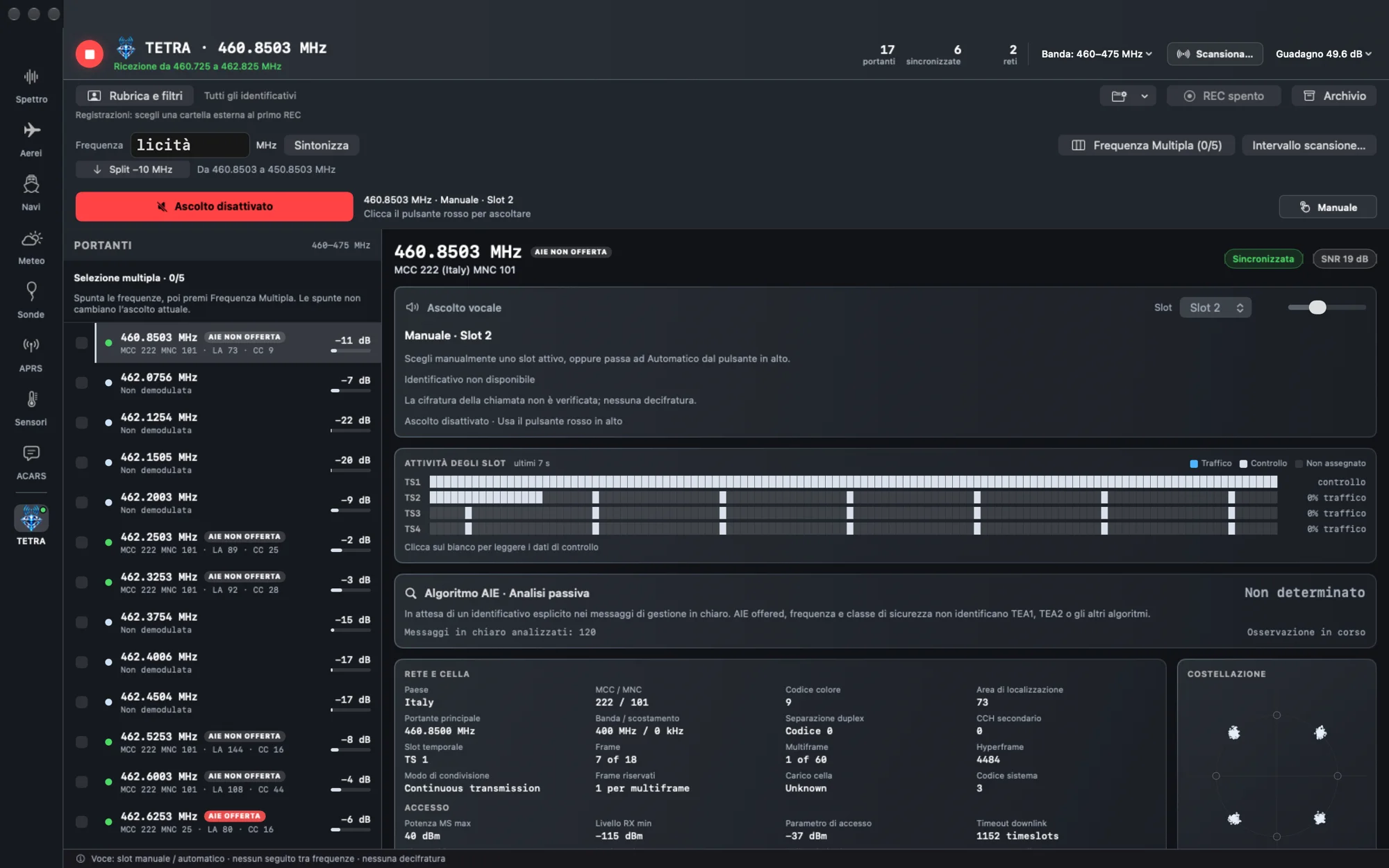
Start with a scan and the detected carriers. Selecting a frequency lets you observe synchronisation, network and cell information and activity across the four time slots. The bars show traffic and control blocks over time, while the constellation view sits alongside reception information. It is a practical way to follow what is happening on a frequency while keeping the overall picture in sight.
Listening controls are visible too. The button shows when listening is disabled and when it is active; slot selection can be manual or automatic. The operator can choose the slot directly or let the system select it, with the current mode clearly displayed. Voice reception covers unencrypted traffic that the decoder can receive and decode.
Up to five frequencies in the same view
With Multiple Frequency mode, you select up to five nearby frequencies, within the bandwidth the receiver can capture, and monitor them together. Each frequency keeps its own listening and slot controls, with the option to mute those you do not want to hear. The address book and filters help organise identifiers, while recording and the archive let you keep and find recorded sessions.
Passive encryption analysis
The module includes a panel for passive analysis of encryption information carried in received cleartext messages. The indication “AIE offered” alone does not identify the algorithm in use or establish that a particular call is encrypted. When an explicit identifier is missing, the interface shows “Not determined”. This feature observes the available signalling; it does not decrypt protected communications.
02
A whole world of radio in one app
A spectrum to watch and a radio to listen to
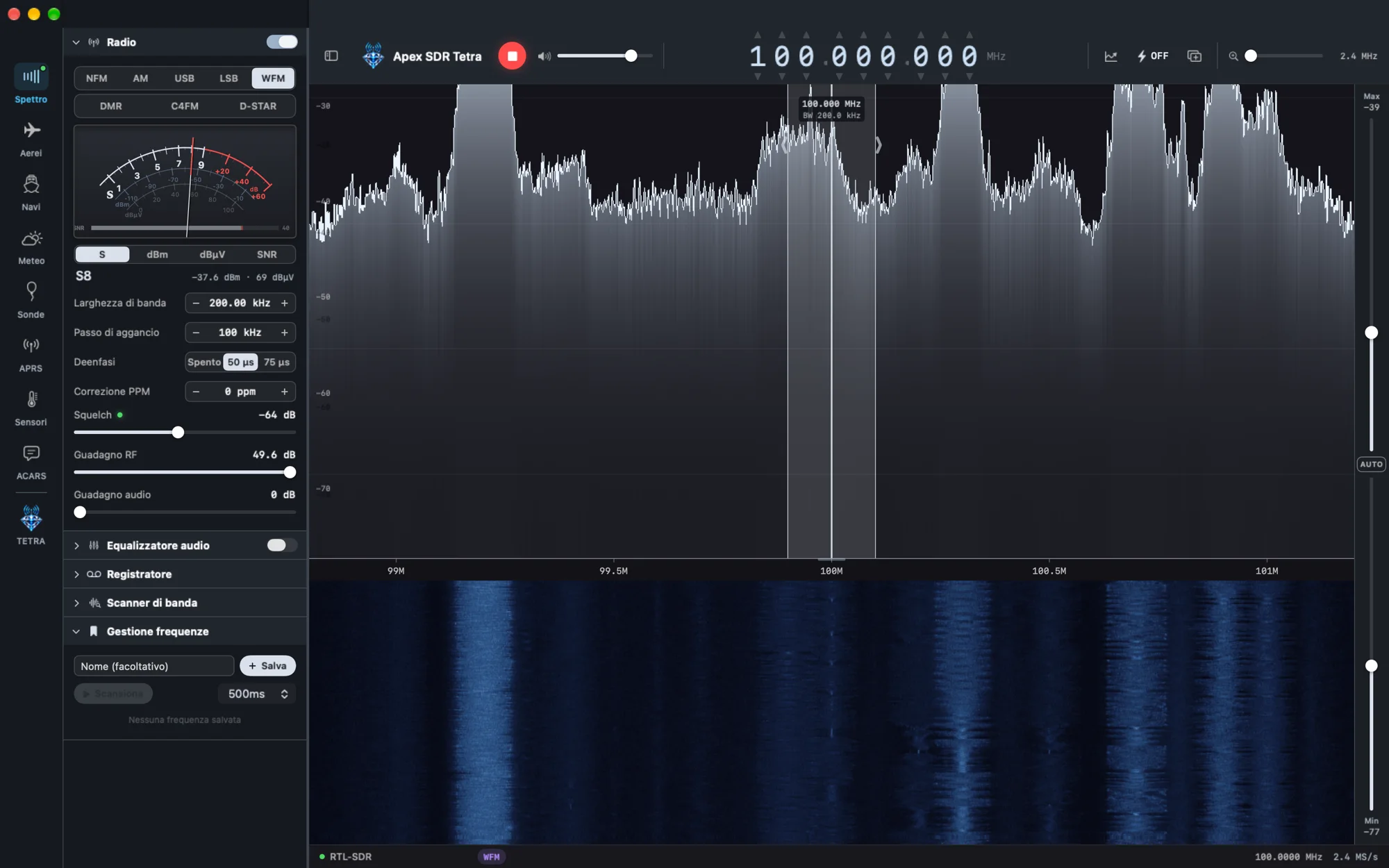
The Spectrum section is the starting point for exploring the band. The spectrum and waterfall show signals and how they change over time, alongside an S-meter and reception controls. NFM, AM, USB, LSB and WFM sit alongside DMR, C4FM and D-STAR digital voice in the same section. An equaliser, recorder, band scanner and frequency memories complete the listening tools.
Aircraft, ships and aviation messages
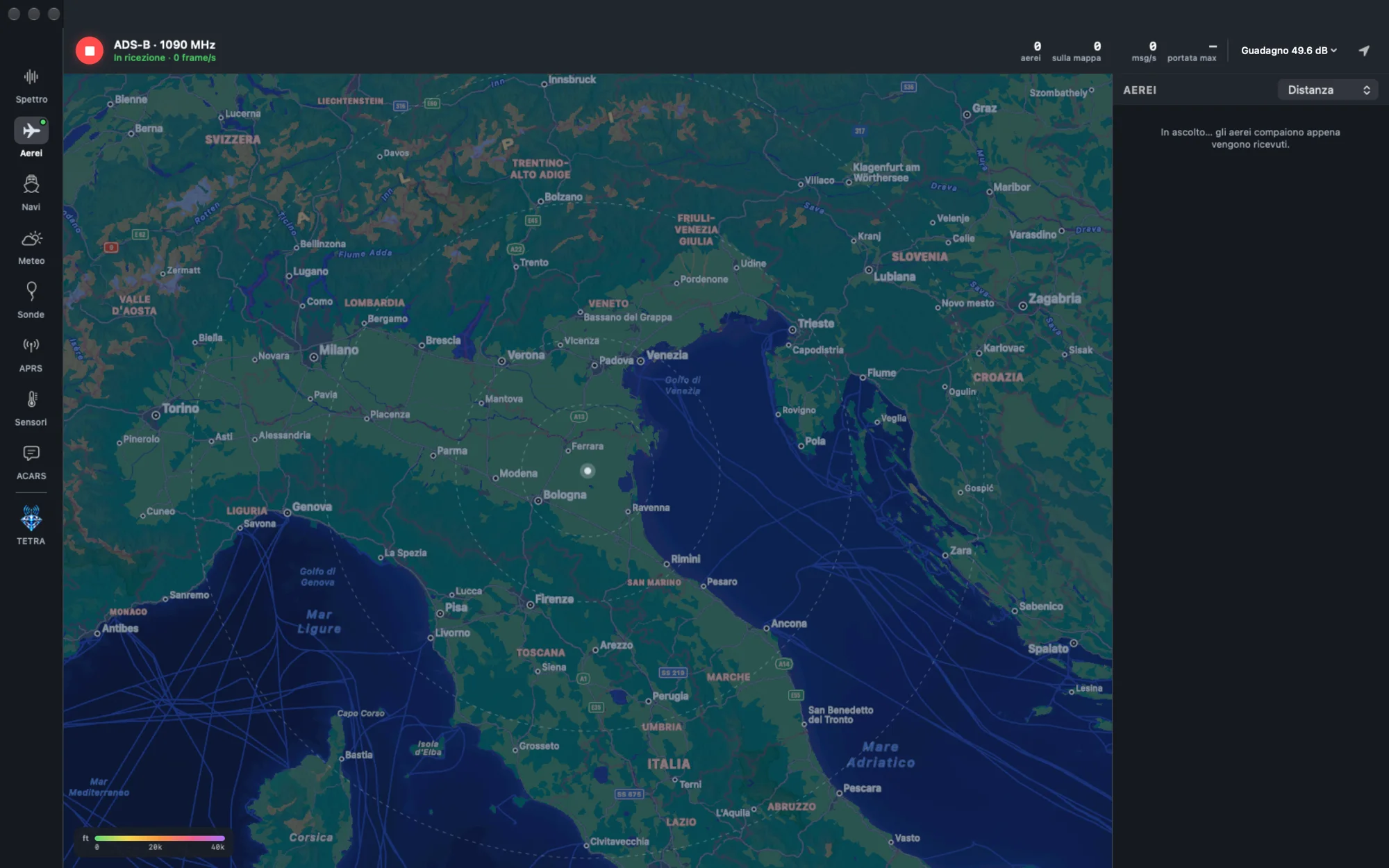
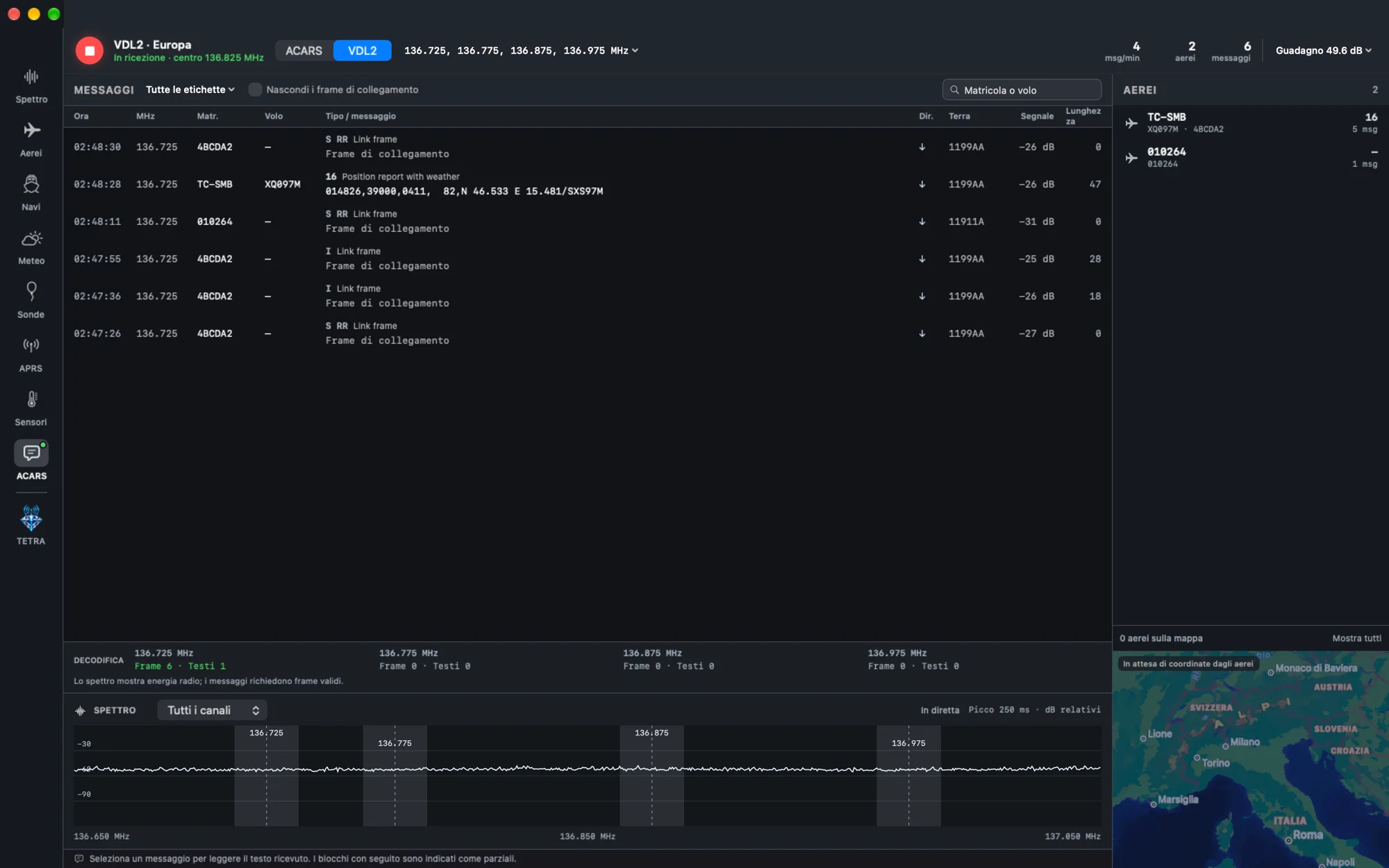
The Aircraft section places aircraft received through ADS-B on the map. For aviation messages, the ACARS and VDL2 section brings decoded messages together with aircraft information and the channel spectrum. The Ships section provides AIS and DSC on channel 70. These are dedicated views for different uses of radio, gathered in the same application.
APRS, from the frequency to the map
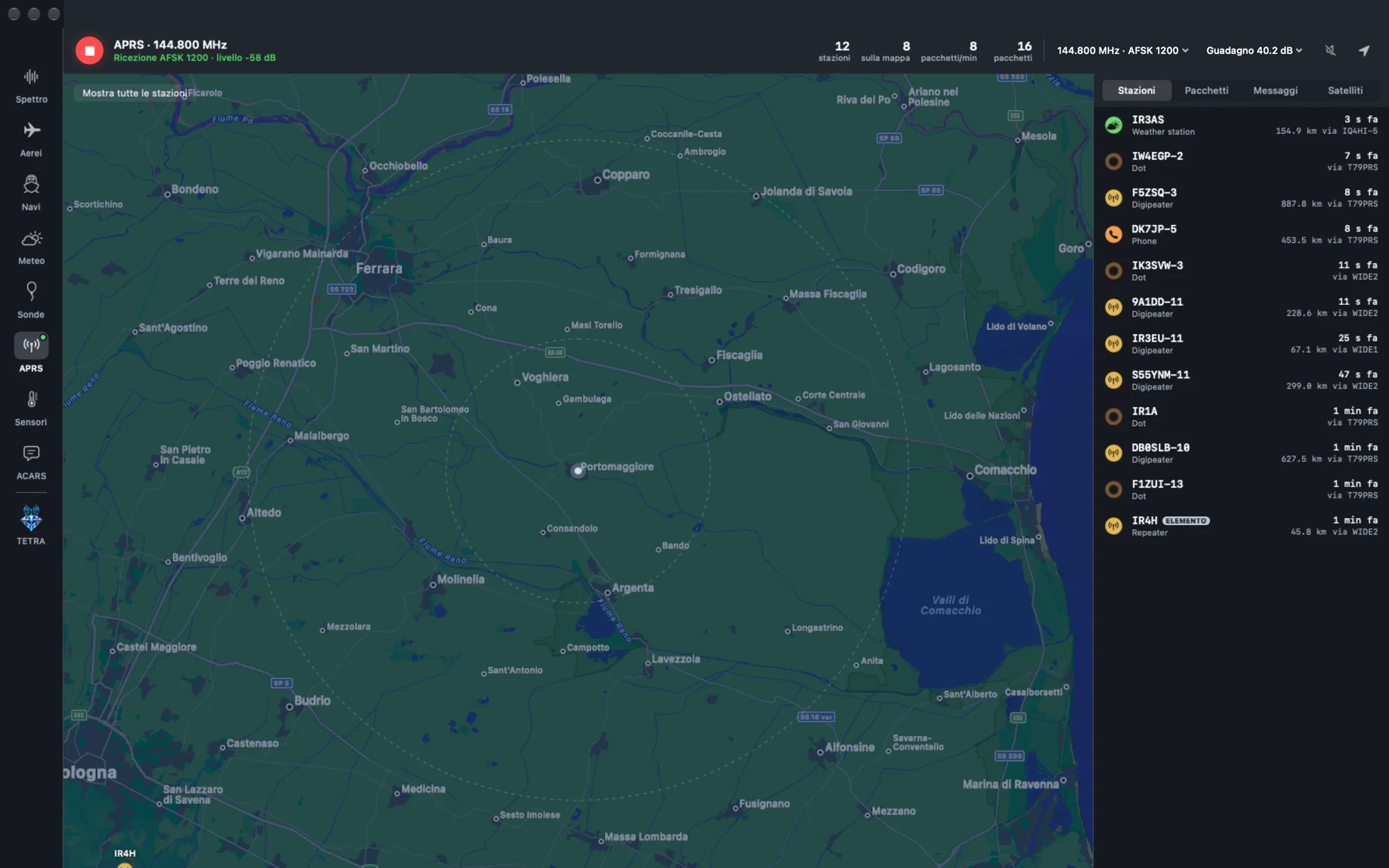
For APRS at 144.800 MHz, the app brings together a map, packets, messages and a dedicated satellite view. Reception takes on a geographical form: stations and available information can be consulted in the same space as the received data.
Sensors, with their data in plain sight
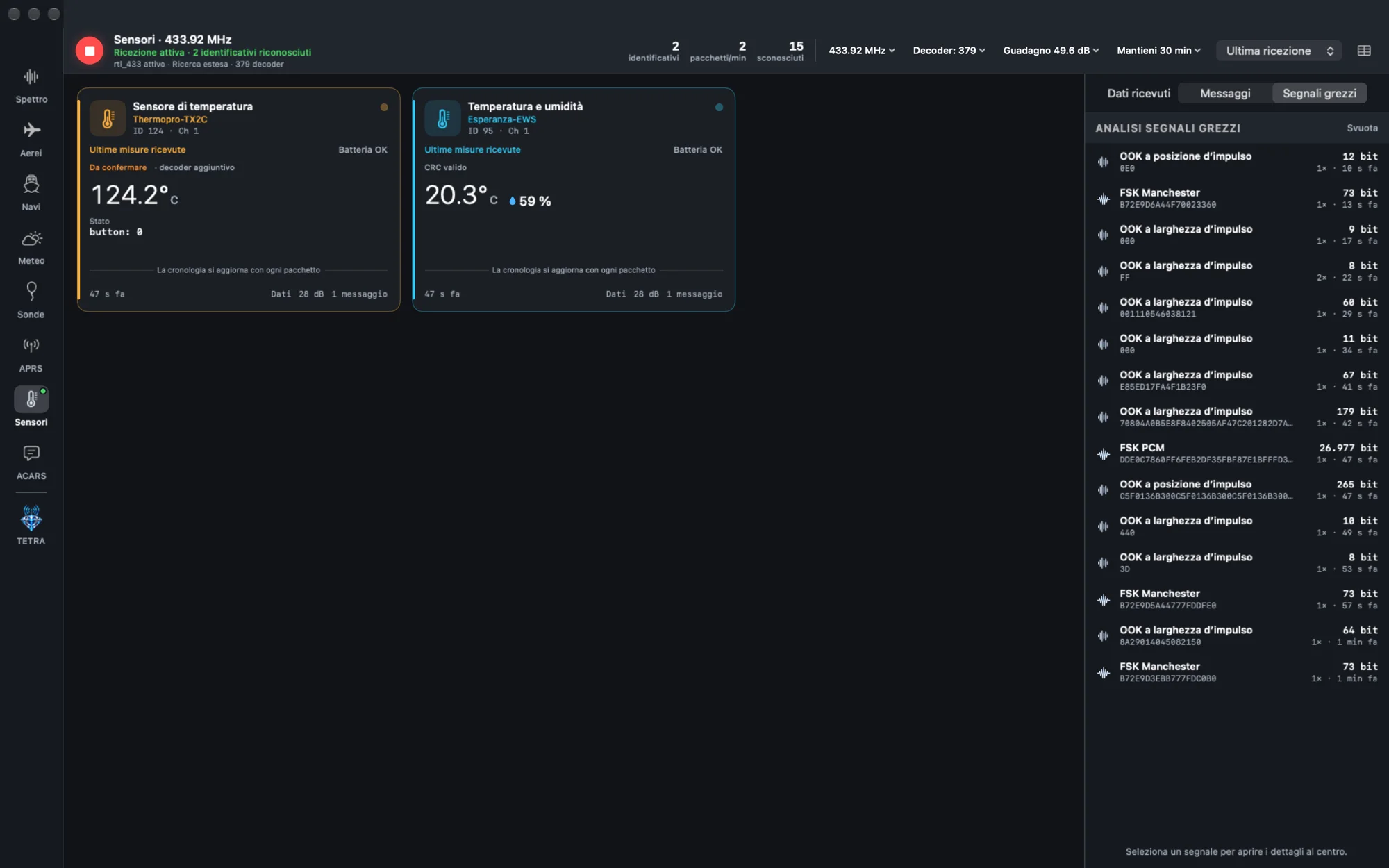
The Sensors section operates on the 433 and 868 MHz bands and provides 379 decoders, together with raw signal analysis. Recognised devices have dedicated cards for received measurements, such as temperature and humidity. Validity indicators and readings that need confirmation remain visible, alongside tools for examining signals that have not yet been interpreted.
Weather satellites and radiosondes
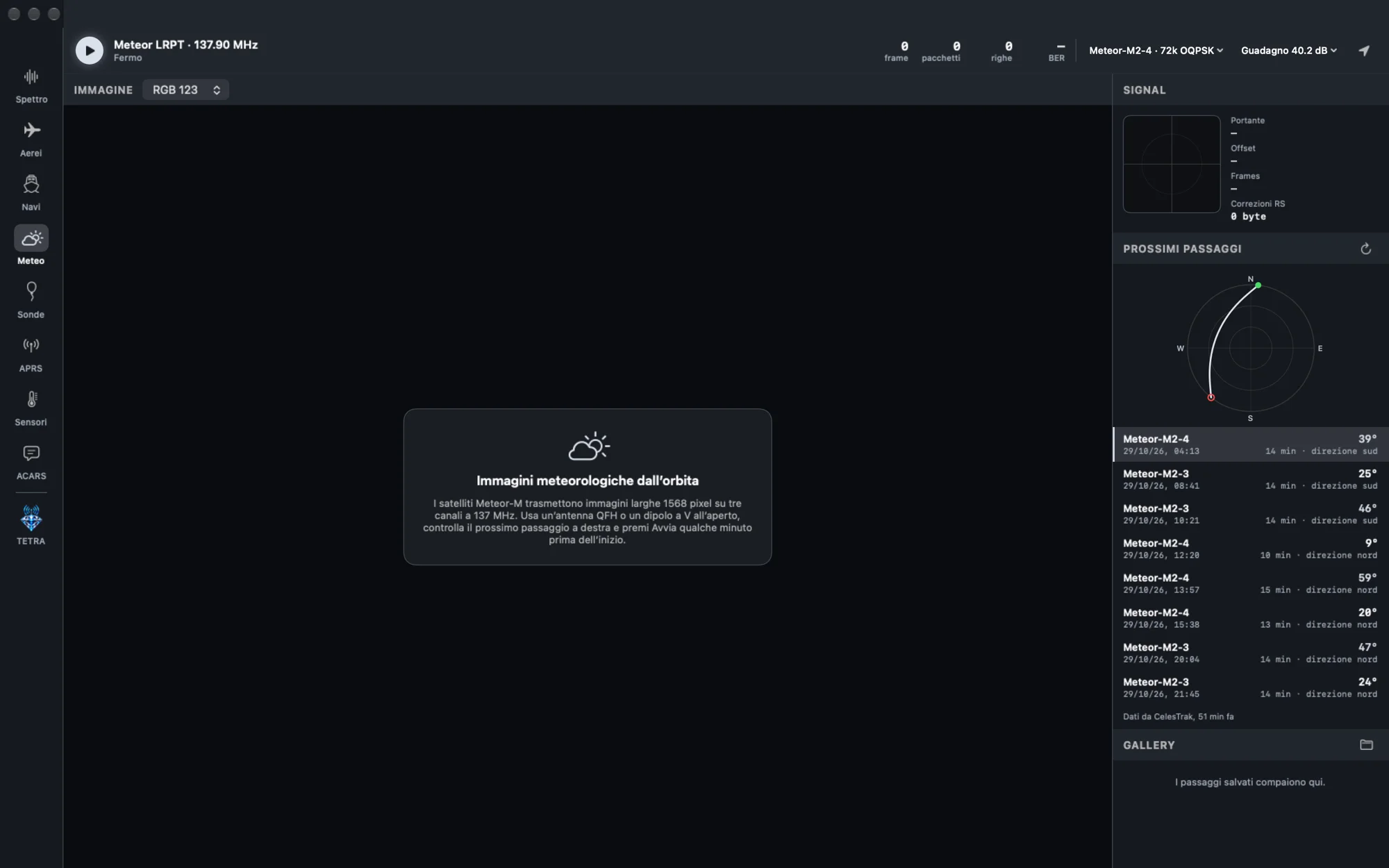
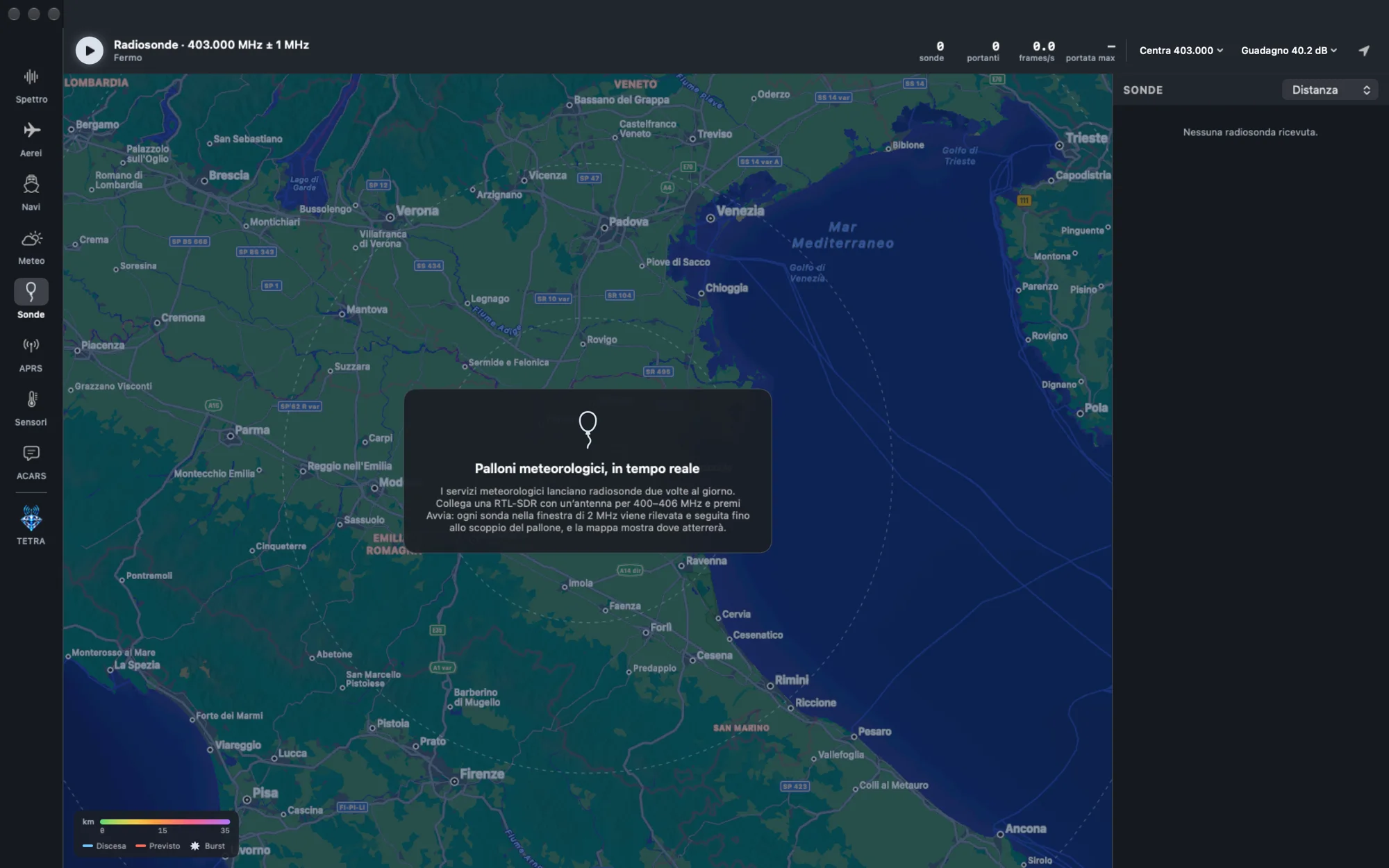
The Weather section is dedicated to Meteor-M LRPT satellites and includes pass predictions to help prepare for reception. The Sondes section follows RS41 radiosondes, with tracking and predictions for balloon burst and landing. Here too, the map and reception information are part of the app.
03
Simple, powerful, made in Portomaggiore
Power needs a clear interface
For us, ergonomics is part of functionality. A button should make its state clear, a measurement should be readable and a section should help you find the controls you need. In Apex SDR Tetra, that idea takes shape in dark and platinum tones, spacious maps, device cards and colours that make reception states recognisable. TETRA is its clearest expression: a wealth of technical information organised around the operator’s work.
Native for Mac, in Italian and English
Apex SDR Tetra 1.0.0 requires macOS 13 or later, an Apple Silicon Mac and an RTL-SDR receiver. It has been tested with the Nooelec NESDR SMArt v5. The interface is available in Italian and English. The app is native, signed and notarised, receives signed updates from blackorder.io and requires no plugins to install.
€39.90 once, for 2 Macs
The licence costs €39.90 as a one-time payment, covers 2 Macs and has no subscription or expiry. Purchase is through Stripe. The activation code arrives by email and the app can be downloaded from the dedicated page after purchase.
That is our way of making software in Portomaggiore: putting powerful tools into an app that is pleasant to look at and clear to use. Apex SDR Tetra brings that idea to the world of radio.
Bring Apex SDR Tetra to your Mac for €39.90.
macOS 13 or later. Apple Silicon only. RTL-SDR receiver required. Interface in Italian and English.
Buy Apex SDR TetraMore from the codex
Discussion 0 comments
No comments yet. Start the conversation.