Apex SDR Ultimate: your radio station, native on Mac
Analog and digital reception, two distinctive skins, one integrated receiver.
01
A radio to look at and to use
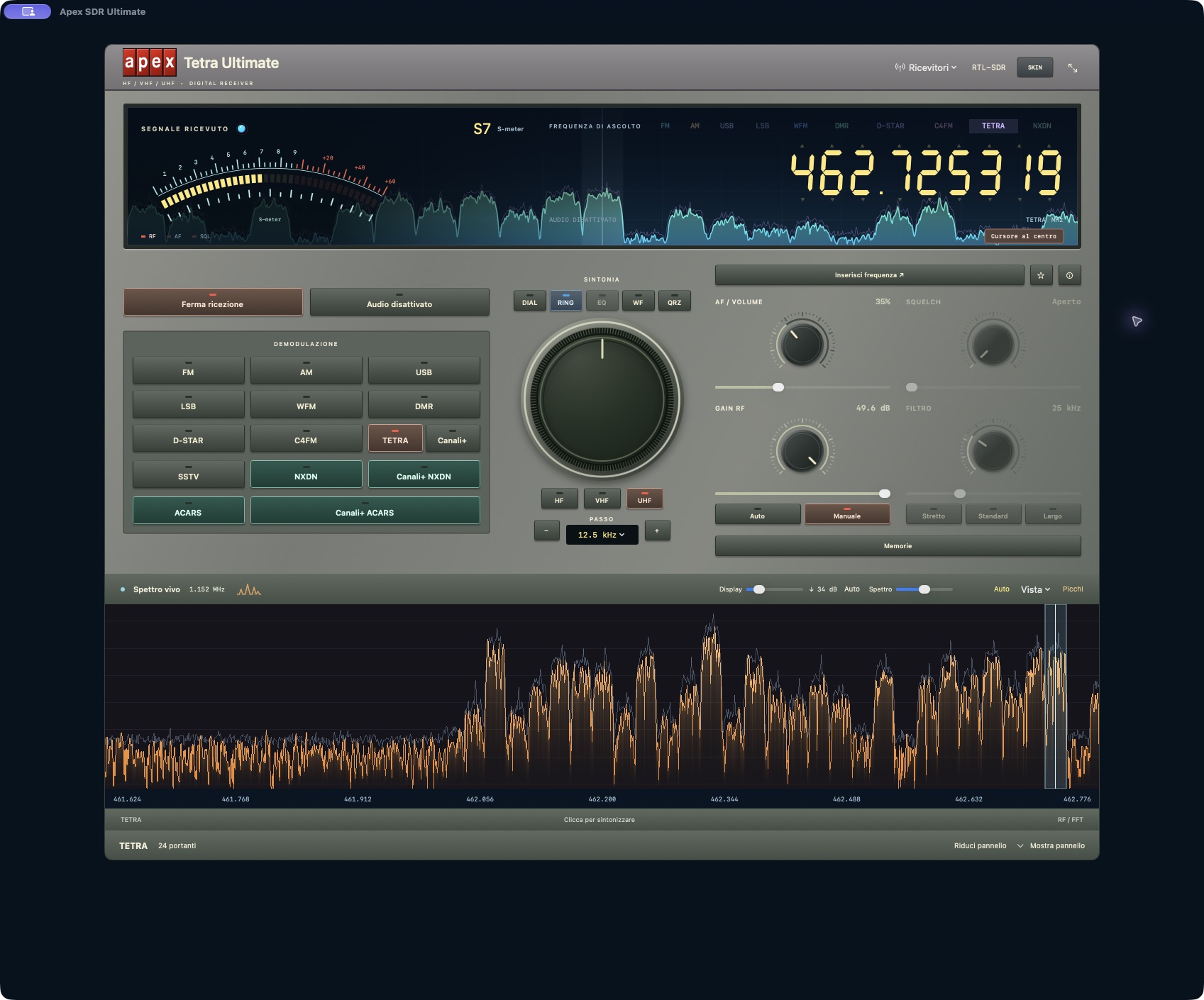
Apex SDR Ultimate brings the pleasure of operating a radio to your Mac. The large tuning dial, frequency readout, S-meter and live spectrum share a single front panel. Tune with the dial or directly on the digits. HF, VHF and UHF shortcuts take you quickly to each band when supported by your receiver.
The interface is native to macOS, built in Swift with AppKit and Metal. Pro recalls the character of a station receiver; Flower Power uses a light palette and a floral design. The atmosphere changes, while the controls stay in the same place: volume, squelch, RF gain and filter, with both knobs and sliders within reach.
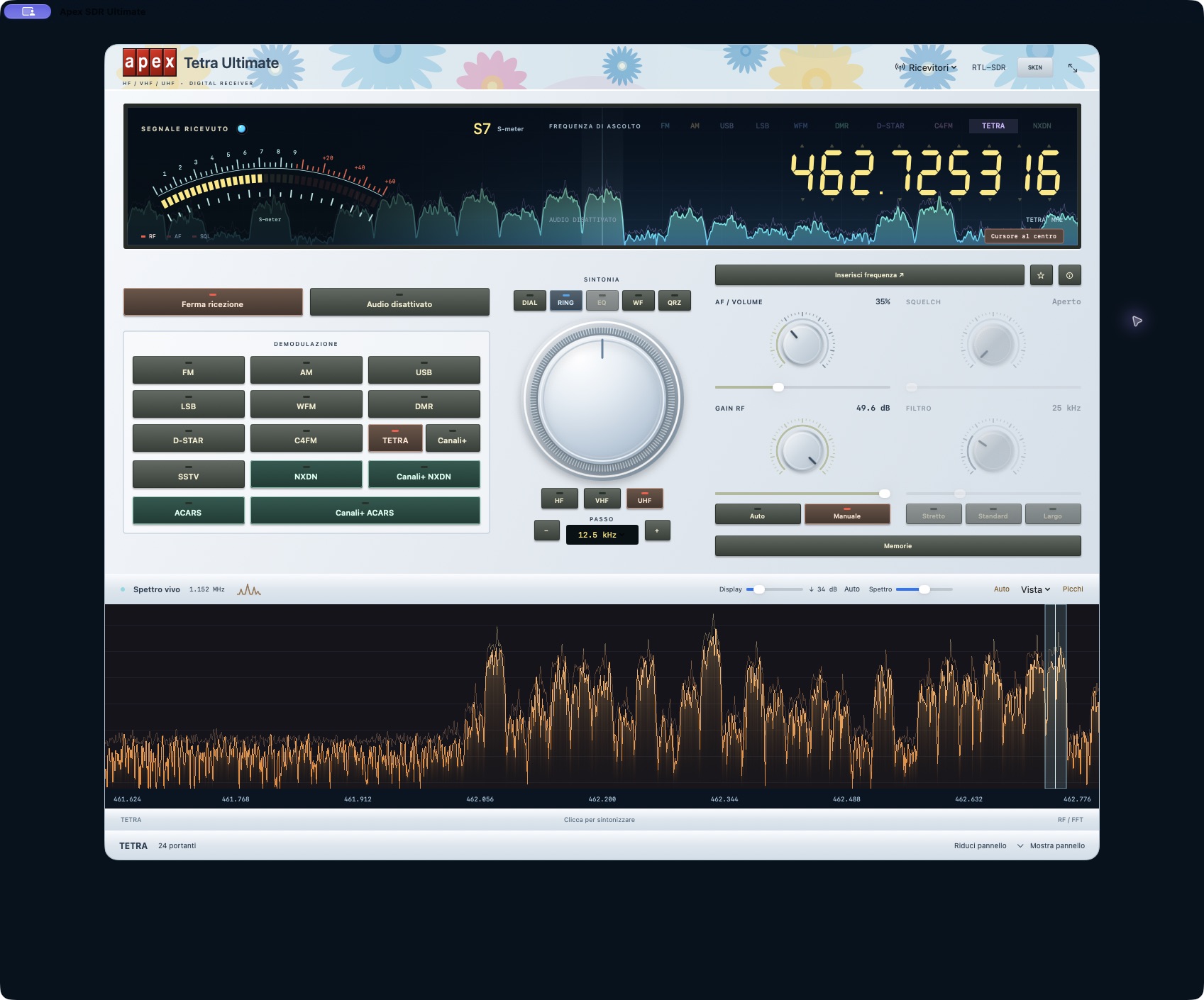
The spectrum also appears inside the main display. In the view below, you can adjust the scale, inspect peaks and choose different colours, including two-colour combinations. The equalizer offers presets and a graphical frequency response. The images on this page come from the running app.
02
Digital reception, built into the receiver
FM, AM, USB, LSB and wide FM sit alongside TETRA, DMR, NXDN, D-STAR and C4FM. The decoders are built into the app. Selecting a mode keeps the front panel in place and opens the relevant panel below, where it can be expanded or collapsed.
DMR: voice, messages and vehicles on the map
The DMR panel offers Auto, TS1 and TS2 selection and shows the colour code, talkgroup, source ID and information about the followed slot when available. The data section separately collects messages, positions and binary content recognised by the decoder. Select a row to inspect the received details and use the filters to distinguish the different types of information. Clear empties the view without interrupting reception.
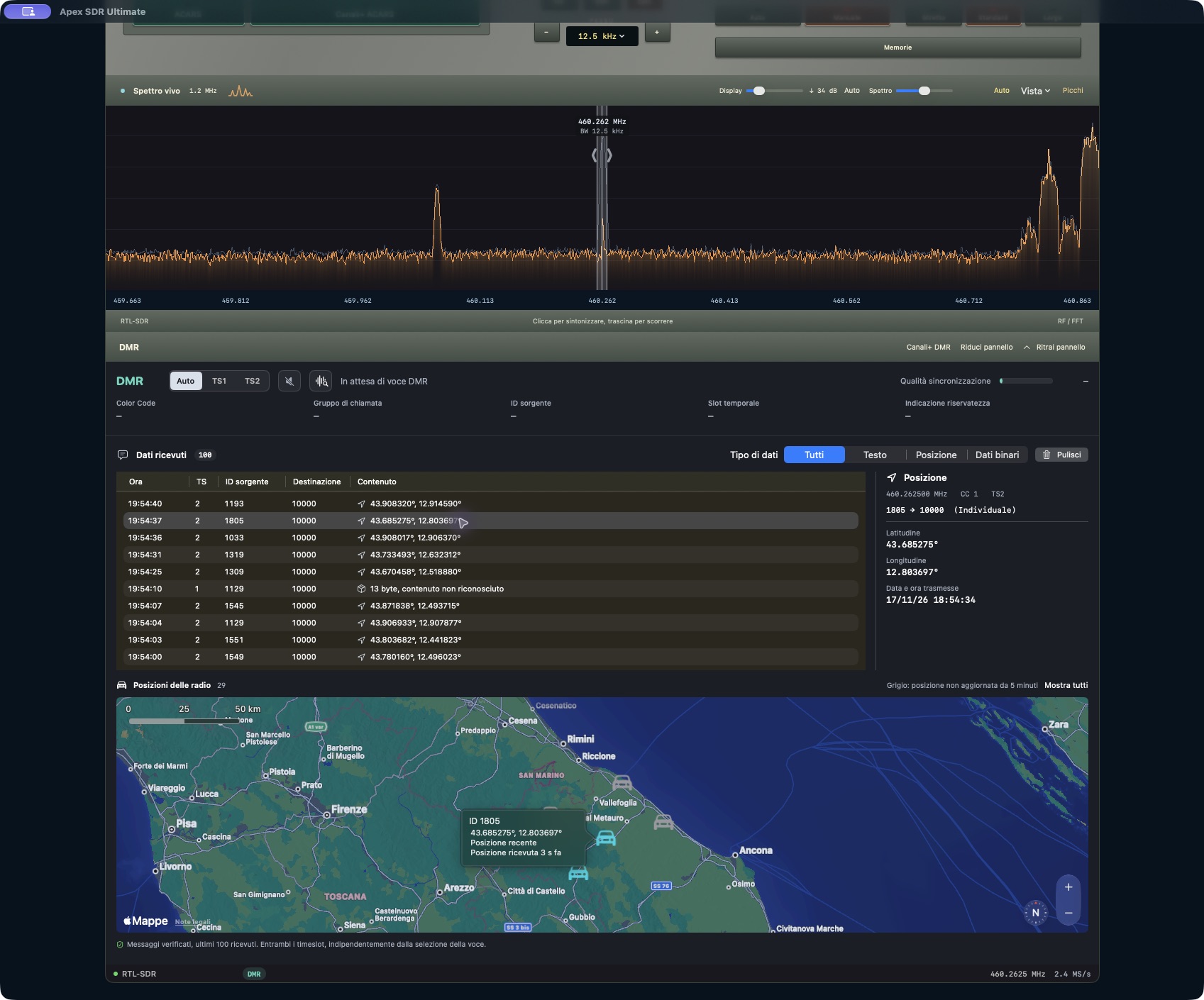
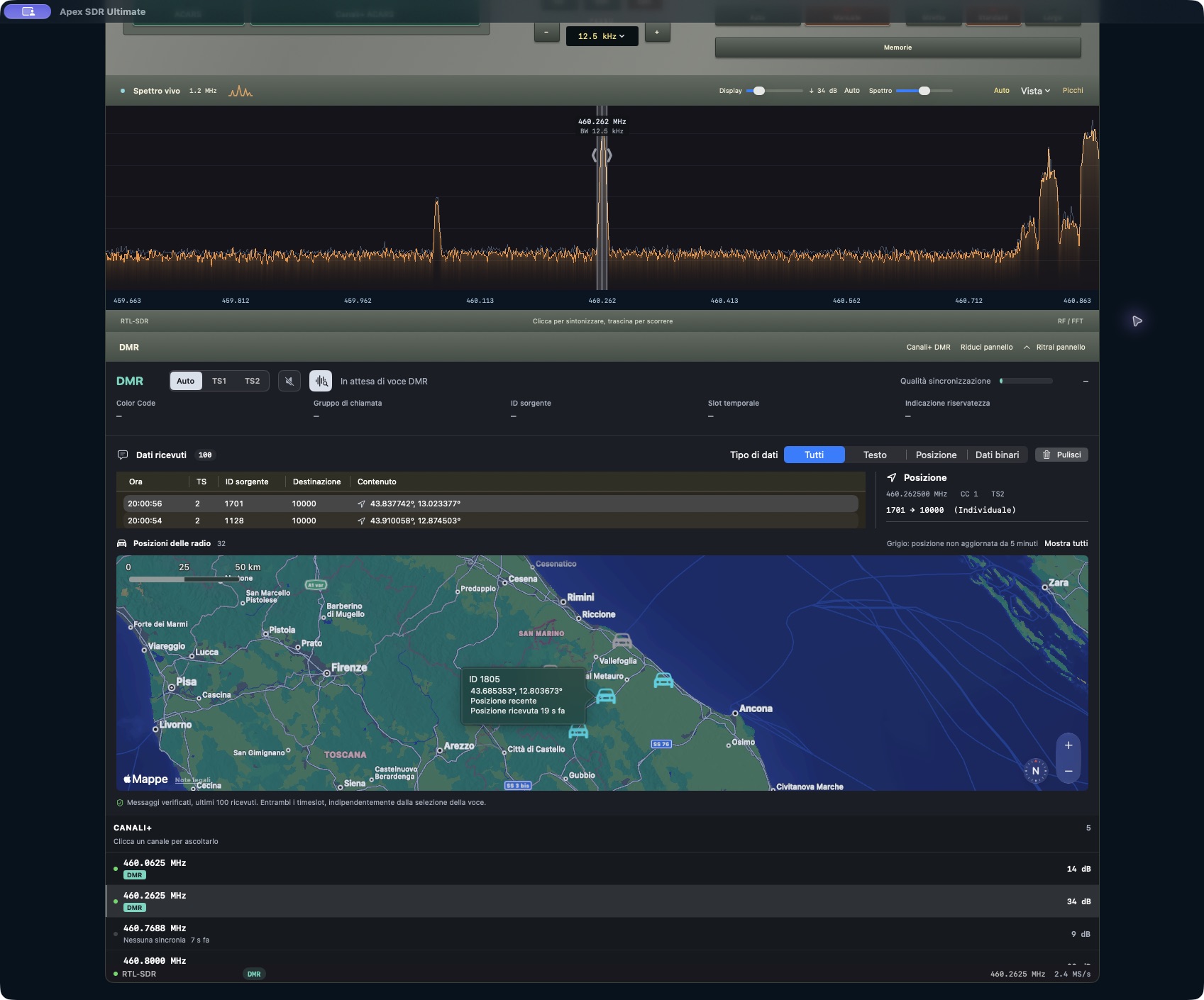
Positions transmitted in the clear appear as vehicle symbols. Cyan symbols indicate recent positions; grey symbols mean the last position has not been updated for at least five minutes. The map shows what was actually decoded, together with the time elapsed since the last update.
Channels+ adds the frequencies detected within the captured band and checks digital synchronisation. Channels, data and the map are brought together in the same view without requiring another application.
TETRA: scanning, four slots and carriers
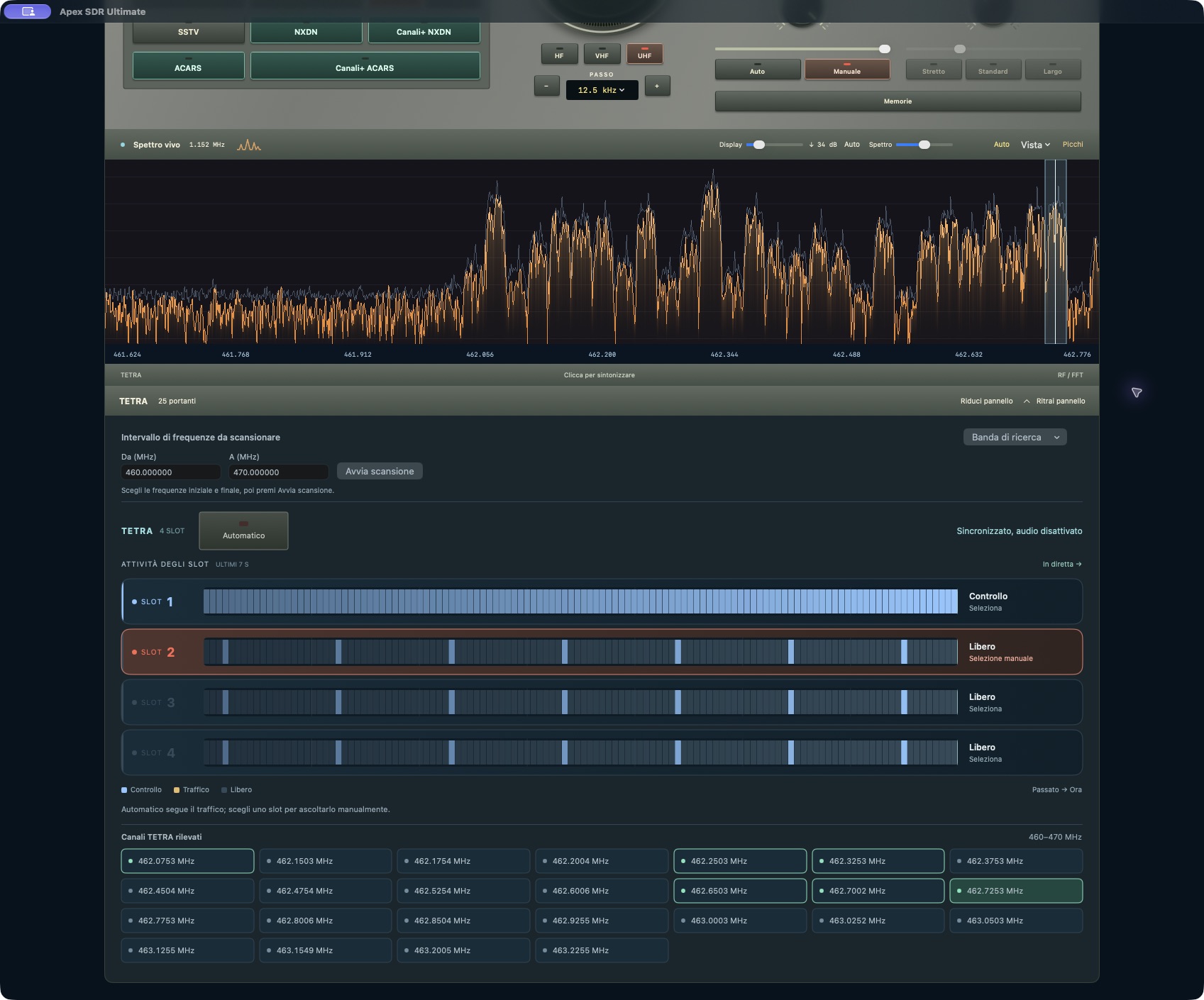
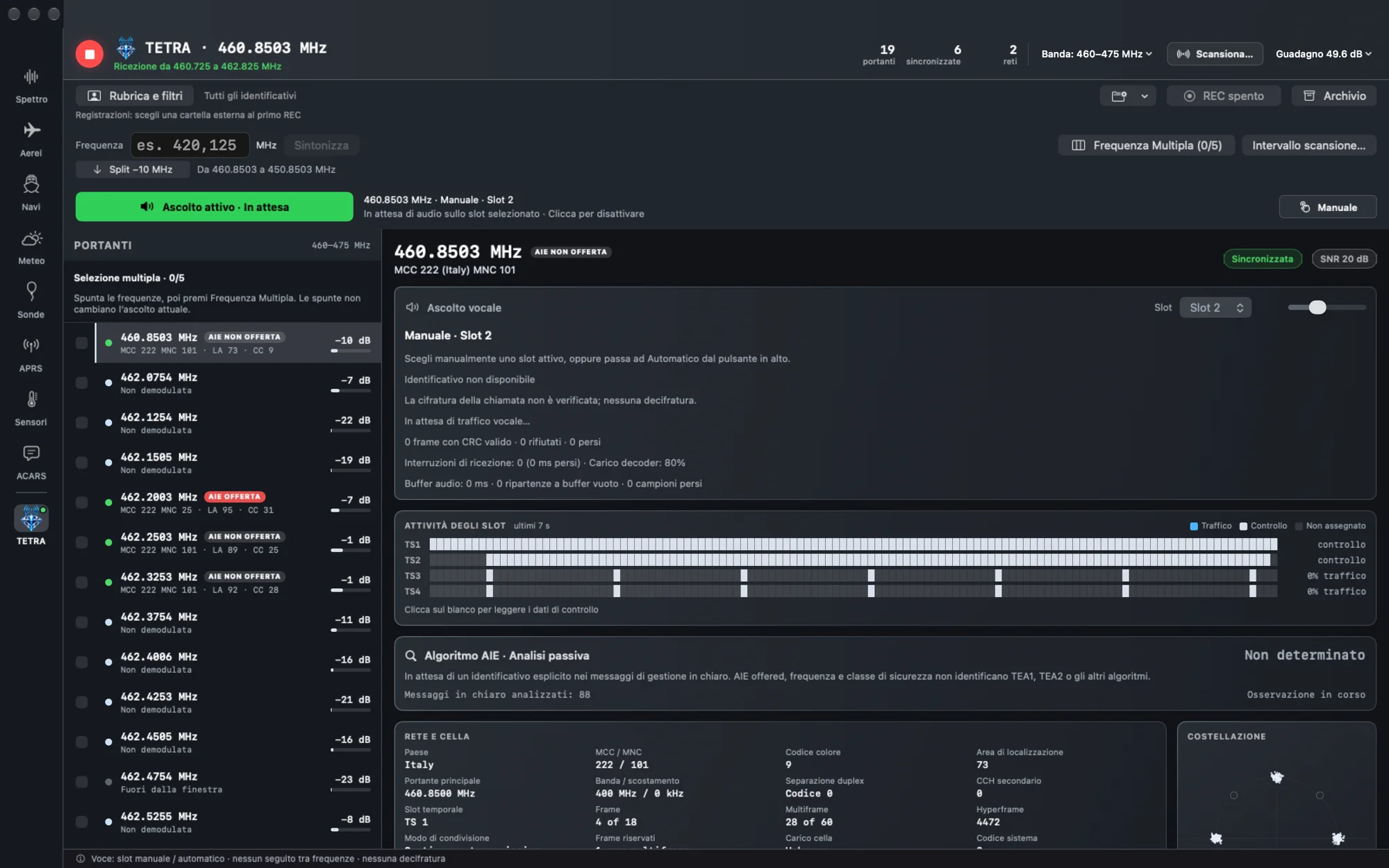
The TETRA panel brings together the frequency interval to scan, band presets and detected carriers. Four bars show recent slot activity, distinguishing control, traffic and idle periods. Follow traffic automatically or select a slot manually; click a carrier to tune to it.
NXDN, ACARS, VDL2 and SSTV
NXDN supports modes 48 and 96, with automatic or manual selection, and its dedicated panel lets you follow the carrier search.
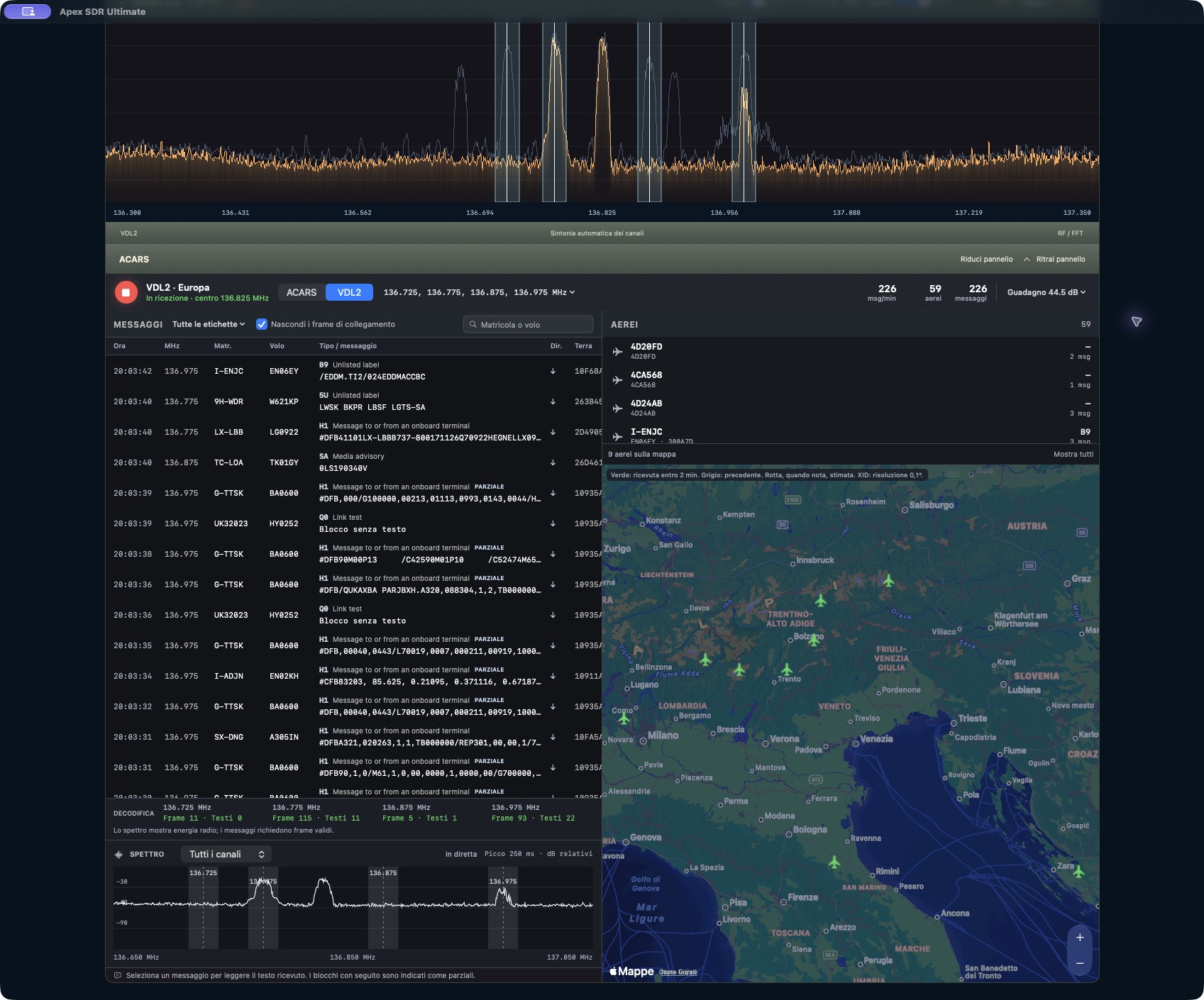
ACARS and VDL2 add aviation messages, an aircraft list and a map for positions extracted from received messages. Availability and update frequency depend on the transmissions received: this is not an ADS-B tracking service. The link-frame filter lets you concentrate on decoded messages.
SSTV adds reception of images over radio.
03
From first reception to your own station
Memories store the exact frequency, mode and associated settings under a name you choose. Recalling one restores the saved receiver configuration. QRZ integration uses your own account and its service access rights.
Apex SDR Ultimate 1.0.0 requires an Apple silicon Mac running macOS 13 or later, a compatible RTL-SDR receiver and an antenna suited to the frequencies you want to receive. HF coverage depends on the hardware. The interface is available in English and Italian. Both the app and DMG are Developer ID signed and notarized by Apple. The app automatically checks for new versions through its signed update channel.
A license costs €39.90 through Stripe and covers 2 Macs. It is a one-time purchase with no automatic renewal. You can also pay the equivalent of €50 in Bitcoin, calculated on the payment page. After purchase, you receive your license code and app download link, also by email. Hardware and external services are not included.
More from the codex
Discussion 0 comments
No comments yet. Start the conversation.